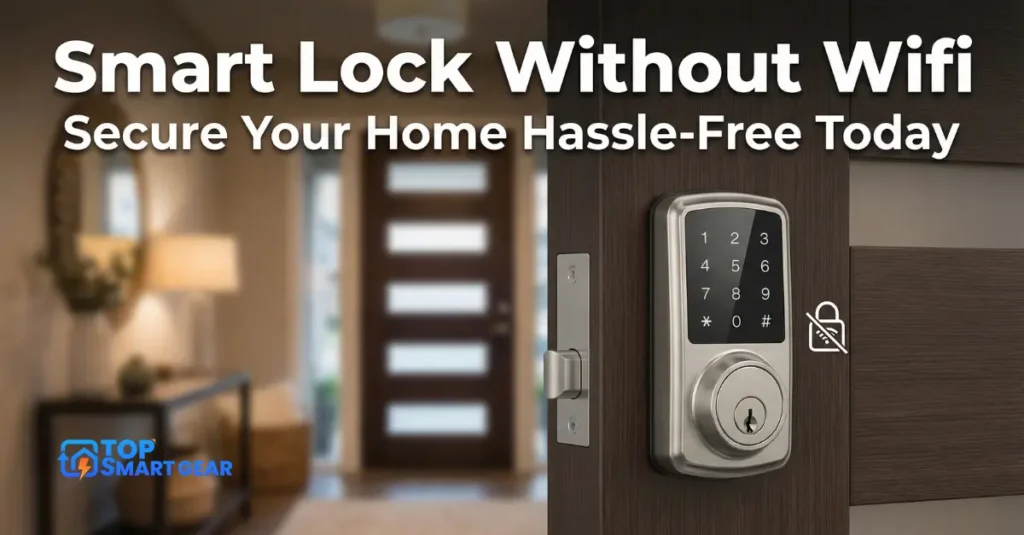
Are you worried about your smart lock losing connection or being hacked because it relies on Wi-Fi? Imagine a smart lock without WiFi that keeps your home secure without depending on the internet.
A digital lock without internet gives you control, privacy, and peace of mind—all without complicated setups or constant connectivity issues. You’ll discover how these locks work, why they might be the perfect fit for your home, and how to choose the right one.
Keep reading to unlock the secret to smarter, safer home security.
Why Choose A keyless smart lock without Wi-Fi
Choosing a smart lock without wifi offers clear advantages. These locks work without needing internet connection. They provide strong security and simple operation. Many people prefer offline smart locks for home safety.
Benefits Of Offline Smart Locks
Offline smart locks do not depend on wifi networks. This means they work even if the internet is down. They use codes, keys, or Bluetooth to unlock. These locks have fewer technical problems. They also cost less to install and maintain.
Avoiding Connectivity Issues
Smart locks with wifi can lose connection. This can stop you from unlocking your door. Offline locks avoid this problem completely. You can always access your home without delays. No need to worry about slow or lost signals.
Enhanced Privacy And Security
Offline locks keep your data safer. They do not send information over the internet. This reduces the risk of hacking and spying. Your door code stays private. You control who enters your home without online threats.

Credit: www.ilockey.com
Types Of Smart Locks Without Wifi
Smart locks without wifi offer secure and convenient access without relying on internet connections. These locks work independently, making them ideal for places with weak or no wifi. Different types provide various features to suit your needs.
Here are the main types of smart locks without wifi.
Keypad Locks
Keypad locks use a numeric code to open the door. You enter a set of numbers on a small keypad. No need for keys or internet access. You can change the code anytime for security. These locks are simple and reliable for daily use.
Biometric Locks
Biometric locks use fingerprint or handprint recognition. They scan your unique biological data to unlock the door. No codes or keys needed. These locks offer quick access and high security. They store multiple fingerprints for family or friends.
Bluetooth-enabled Locks
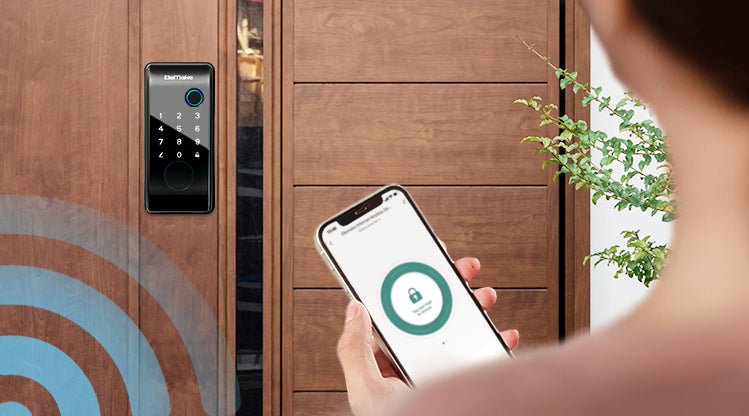
Bluetooth locks connect to your phone via Bluetooth. They work only when your phone is nearby. No wifi is required. You can lock or unlock the door using a smartphone app. Some models allow temporary access to guests through the app.
How Offline Smart Locks Work
Offline smart locks work without an internet or Wi-Fi connection. They use local technology to secure your door. These locks store data inside, allowing access without online checks. They are useful where WiFi is weak or unavailable. Simple and reliable, they effectively protect your home.
Understanding how these locks function helps you choose the right one. Below are key features that explain their operation and benefits.
Authentication Methods
Offline smart locks use different ways to verify users. Common methods include keypad codes, RFID cards, and physical keys. Some models support fingerprint recognition or Bluetooth from a nearby device. These methods work directly on the lock without requiring an internet connection. Access is granted only when the correct code or key is presented.
Power And Battery Considerations
Offline locks run on batteries, usually AA or rechargeable cells. Battery life can last months, depending on usage. Low battery alerts warn users to replace the battery soon. These locks often enter power-saving modes to extend battery life. Some models have backup power options for emergencies.
Manual Override Options
Manual override lets you open the lock without electronic input. Most offline locks include a physical keyhole for this purpose. This feature ensures access during battery failure or technical issues. It adds an extra layer of security and convenience. Manual overrides are easy to use and reliable.
Installation Tips For Smart Locks Without Wifi
Installing a smart lock without wifi can be simple and fast. This type of lock does not require an internet connection, so you can focus on the hardware and manual settings. Follow these tips to install your lock correctly and avoid common errors.
Tools You’ll Need
Gather the right tools before you start. You will need a screwdriver, usually Phillips or flat-head. A tape measure helps check door thickness. A pencil or marker marks drill points. If needed, a drill with drill bits can make holes. Keep batteries handy for the lock. These tools make installation smoother and faster.
Step-by-step Installation Guide
First, remove the old lock from your door. Next, check the door thickness against the new lock’s range. Mark where the new lock will go. Drill holes carefully if needed. Attach the lock’s parts on both sides of the door. Secure screws tightly but do not over-tighten. Insert batteries and test the lock manually. Make sure the lock moves freely and the key works well.
Common Installation Mistakes To Avoid
Do not install the lock on a door that is too thick or too thin. Avoid using the wrong tools; they can damage the lock. Skipping the measuring step causes misaligned locks. Tightening screws too much can break parts. Forgetting to test the lock after installation leads to problems later. Follow all steps carefully for a secure fit.
Maintaining Your Smart Lock
Maintaining your smart lock ensures it works smoothly and stays secure. Regular care prevents problems and keeps your home safe. Simple steps help extend your lock’s life and avoid unexpected issues.
Battery Replacement And Life
Smart locks without WiFi usually run on batteries. Check the battery level often to avoid lockouts. Replace batteries every six to twelve months. Use high-quality batteries for better performance. Some locks display low-battery alerts on the keypad.
Regular Security Checks
Inspect your smart lock monthly for signs of wear or damage. Make sure the lock fits tightly on the door. Test the locking and unlocking functions to confirm they work well. Clean the lock with a dry cloth to keep it free of dirt. Security checks help prevent forced entry and mechanical failure.
Troubleshooting Common Issues
Sometimes, smart locks may not respond or get stuck. Reset the lock by following the manufacturer’s instructions. Check for battery problems if the lock does not work. Ensure the door frame and latch are aligned properly. Contact support only if simple fixes do not solve the problem.
Credit: elemakelocks.com
Top Brands And Models To Consider
Choosing the right smart lock without WiFi can feel tricky. Many brands offer models with different features. Some focus on budget-friendly prices. Others provide advanced technology for security and convenience.
This section highlights top brands and models. It helps you find the best match for your needs. From affordable options to premium features, there is something for everyone.
Affordable Options
Many smart locks offer solid security without a high price. Brands like Kwikset and Schlage have budget-friendly models. These locks provide keyless entry and easy installation. They work well without WiFi, using Bluetooth or keypad access. Affordable locks often include backup keys for extra safety. These options suit renters or those on a tight budget.
Premium Features
Higher-end models include advanced security functions. Brands such as August and Yale offer smart locks with fingerprint sensors. Some have auto-locking and tamper alerts. These features enhance home security without needing WiFi. Premium locks often come with sleek designs and durable materials. They fit well in modern homes and provide a smooth user experience.
Customer Reviews And Ratings
Customer feedback reveals real-world performance and reliability. Many buyers praise the simplicity and durability of certain models. Look for locks with high ratings on trusted review sites. Positive reviews often mention easy setup and strong battery life. Negative comments may warn about installation difficulties or limited features. Reading customer reviews helps pick a lock that fits your lifestyle and expectations.
Smart Lock Security Tips
Smart locks without wifi offer good security but need smart care. Follow these tips to keep your home safe. Simple steps can stop most problems.
Choosing Strong Access Codes
Pick access codes that are hard to guess. Avoid birthdays, simple numbers, or repetitive digits. Use a mix of numbers for better security. Change codes often to keep them safe. Don’t share your code with many people.
Limiting User Access
Give access only to trusted people. Limit the number of users who have codes. Remove codes of people who no longer need access. This lowers the chance of unauthorized entry. Set times for when codes work if the lock allows.
Combining With Traditional Security Measures
Use smart locks along with traditional locks or keys. Add security cameras or alarms for extra protection. Good lighting around doors can deter intruders. A security system helps catch problems early. These steps create layers of security for your home.

Credit: www.nytimes.com
Future Of Smart Locks Without Wifi
The future of smart locks without WiFi looks promising and practical. These locks offer security and convenience without relying on internet connections. Many people prefer this for privacy and reliability. As technology advances, these locks continue to improve in features and usability.
Emerging Technologies
New technology is making smart locks smarter without WiFi. Bluetooth and NFC are popular choices for secure access. Biometric sensors like fingerprint and face recognition are becoming more common. These methods work offline and reduce the risk of hacking. Battery life is also improving to support longer use.
Integration With Smart Home Systems
Smart locks without WiFi can still connect with home systems. They often use hubs or bridges to communicate securely. This allows control through apps without direct internet access. Voice assistants may work through local networks only. Integration focuses on privacy and ease of use.
Trends In Security Enhancements
Security is a top priority for these smart locks. Encryption methods keep data safe during key exchanges. Anti-tampering features alert owners of break-in attempts. Temporary access codes add flexibility for guests or workers. Locks are designed to resist physical and digital attacks.
Frequently Asked Questions
What Is A keyless smart lock without Wi-Fi?
A smart lock without WiFi operates locally using Bluetooth or keypad access. It does not require the internet for locking or unlocking. This ensures better privacy and works even during internet outages.
How Do Smart Locks Work Without Internet?
They use Bluetooth, NFC, or physical codes to communicate directly with your smartphone or keypad. No cloud connection is needed, providing faster and more secure access control.
Are Smart Locks Without Wifi More Secure?
Yes, they reduce hacking risks linked to internet connectivity. Local communication limits remote access, making it safer against cyber threats and unauthorized unlocking attempts.
Can I Control an Offline Smart Lock Remotely Without Wi-Fi?
No, a remote control requires internet access. Smart locks without WiFi can only be controlled within Bluetooth or NFC range, typically a few meters from the lock.
Conclusion
A smart lock without WiFi offers strong security and easy use. It doesn’t rely on internet connections, reducing the risk of hacking or outages. Many models work with codes, keys, or Bluetooth, making them ideal for homes that need simple and reliable access control.
Choosing one depends on your needs and budget. Think about how you want to lock and unlock doors. These locks can provide peace of mind without extra tech hassle. Smart, safe, and straightforward—just what many users want.