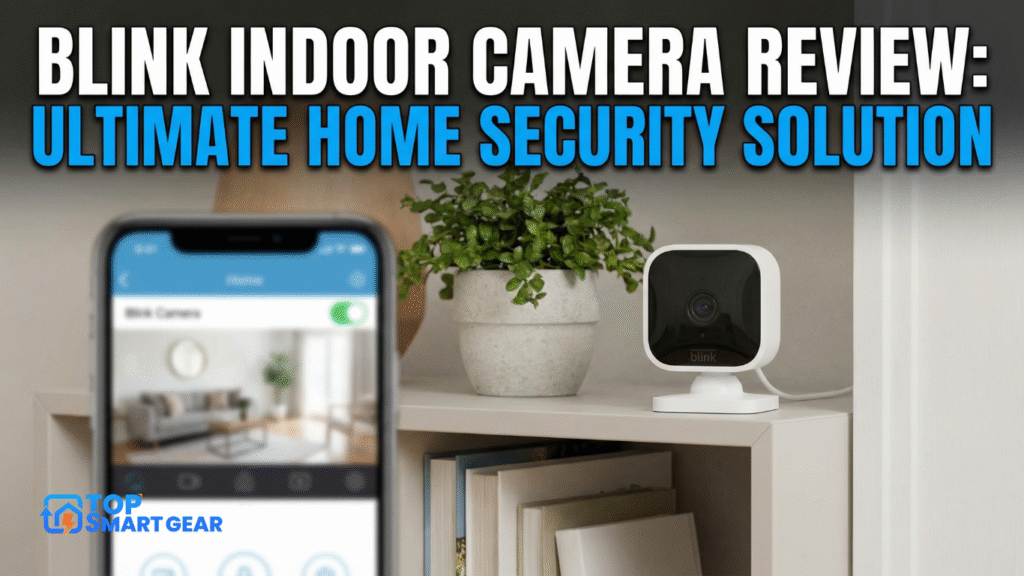
Are you looking for a reliable way to keep an eye on your home without breaking the bank? This Blink Indoor Camera Review explores easy setup, clear video quality, and smart features designed to give you peace of mind.
But does it really deliver on those promises? In this review, you’ll discover everything you need to know before making your decision. From image quality to battery life, we’ll cover it all—so you can feel confident about protecting what matters most to you.
Keep reading to find out if the Blink Indoor Camera is the right fit for your home security needs.
Design And Build
The design and build of the Blink Indoor Camera show careful thought and practical use. It fits well in many places around the home. The size and materials contribute to its ease of use and durability. This section explores its look, strength, and mounting options.
Compact And Sleek Look
The Blink Indoor Camera has a small, neat shape. It does not take up much space. Its simple design fits modern homes well. The black and white colors keep it low-key and clean. It blends easily with room decor. The compact size means it can be placed almost anywhere.
Durability And Materials
Made from quality plastic, the camera feels sturdy. It can handle daily use without damage. The surface resists fingerprints and dust. It works well indoors where conditions are mild. The design protects the lens from scratches. Overall, it offers solid performance over time.
Mounting Options
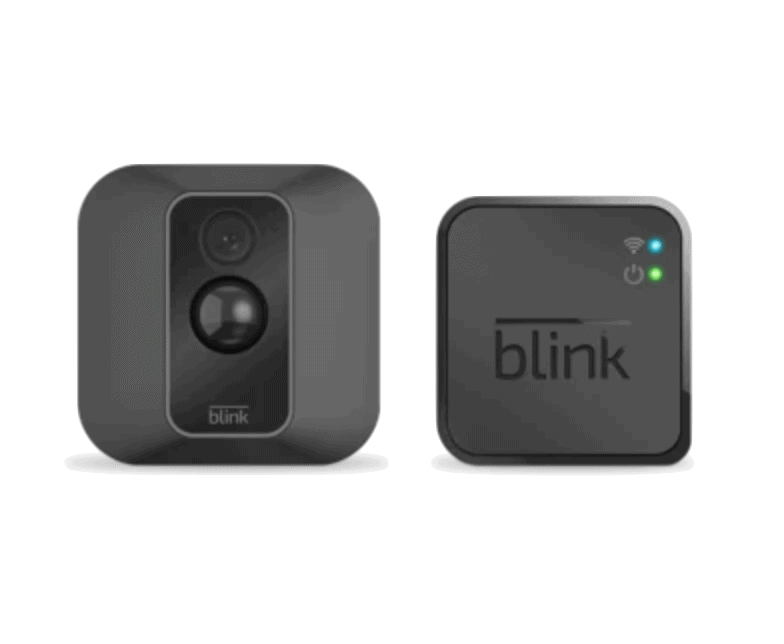
The camera comes with a flexible mounting system. It can stand on a flat surface or attach to a wall. The included stand allows tilting for the best view. Mounting hardware is simple and easy to use. This variety helps place the camera in ideal spots. It suits different rooms and angles without hassle.
Video Quality
The video quality of the Blink Indoor Camera is a key factor for home security. Clear and sharp images help identify people and events easily. This section breaks down the camera’s video performance in detail. Understanding its resolution, night vision, and field of view gives a full picture of what to expect.
Resolution And Clarity
Blink Indoor Camera records video in 1080p HD resolution. This means the images are clear enough to see faces and details. The camera captures smooth video with good color balance. The clarity helps reduce blurry or pixelated footage. It works well for everyday monitoring and quick checks.
Night Vision Performance
The camera uses infrared LEDs for night vision. It can capture black and white video in low light or darkness. The night vision range extends up to 30 feet. This range is enough to cover most rooms clearly. The images remain sharp without much noise, even at night.
Field Of View
Blink Indoor Camera offers a 110-degree field of view. This wide angle covers a large area in one frame. It reduces blind spots and helps monitor more space. The camera can capture movements from side to side easily. This feature adds better coverage to home security.
Motion Detection
The Blink Indoor Camera Review highlights a strong motion detection feature that helps keep your home safe. It quickly notices movement and sends instant alerts to your phone, keeping you aware of what’s happening in your space at all times.
Motion detection works well in many lighting conditions. It can detect movement in the dark and in bright rooms. This makes the camera useful day and night. The technology inside helps to reduce false alarms from pets or small movements.
Sensitivity Settings
The camera lets you adjust how sensitive the motion detection is. You can set it low to avoid many alerts. Or set it high to catch every small movement. This way, you control how much the camera watches for motion. It helps balance between too many alerts and missing important events.
Alert Accuracy
Blink Indoor Camera sends alerts only when needed. It uses smart technology to check what triggers the motion. This cuts down on false alarms caused by shadows or pets. Alerts arrive quickly on your phone. This helps you act fast if something unusual happens.
Custom Activity Zones
You can create specific zones in the camera’s view. These zones tell the camera where to watch for motion. It ignores movement outside these zones. This focus helps avoid alerts from less important areas. You get alerts only from places that matter most to you.
Credit: www.security.org
Installation Process
The installation process of the Blink Indoor Camera is simple and quick. It lets you start monitoring your home in just a few minutes. The camera is designed for easy setup, even for beginners. This section explains the main steps to install the camera properly.
Setup Steps
First, unbox the Blink Indoor Camera and insert the batteries. Next, place the camera where you want to monitor. Use the included stand or mount it on a wall. Power is not needed since it runs on batteries. Turn the camera on by pressing the power button. The camera will start blinking, showing it is ready for setup.
App Integration
Download the Blink app on your smartphone or tablet. The app works with both iOS and Android devices. Open the app and create an account or log in. Follow the app instructions to add a new device. Scan the QR code on the camera or enter the serial number. The app will connect to the camera and guide you through the rest of the setup.
Wi-fi Connectivity
The Blink Indoor Camera Review explains how the camera connects easily to your home Wi-Fi network. Simply select your Wi-Fi in the app and enter the password. The camera supports 2.4 GHz Wi-Fi for better range, and the app confirms once the connection is complete. A strong Wi-Fi signal ensures smooth live video and timely alerts, so placing the camera within good signal range delivers the best performance.
Features And Functionality
The Blink Indoor Camera offers a solid set of features to keep your home safe. Its design focuses on ease of use and reliable performance. Each feature works together to provide clear video, sound, and flexible storage. Below are the main functions that make this camera a good choice for indoor security.
Two-way Audio
The camera includes two-way audio to let you hear and speak. Use your phone to talk through the camera’s speaker. This is great for greeting guests or warning intruders. The microphone picks up sound clearly from the room. You can stay connected without being near the camera.
Cloud Storage Options
Blink offers cloud storage to save your video clips securely. Videos upload automatically after motion detection. Choose from different plans based on how many cameras you have. The cloud keeps your footage safe even if the camera is damaged. You can view clips anytime from the Blink app.
Battery Life
The camera runs on two AA batteries that last up to two years. This means less hassle with charging or wiring. The low power use helps keep the camera online longer. You get reliable monitoring without frequent battery changes. Perfect for places without easy access to power outlets.
Credit: www.youtube.com
Performance And Reliability
The Blink Indoor Camera Review highlights solid performance and dependable reliability. The camera delivers quick response times and smooth video streaming that users can rely on every day. Regular firmware updates keep the system running smoothly while adding useful features, making it a strong choice for home security.
Response Time
The response time of the Blink Indoor Camera is impressively fast. It sends alerts to your phone within seconds of detecting motion. This quick response helps you act promptly if something unusual happens. The camera wakes up almost instantly after detecting activity. This speed reduces delays and keeps you informed in real time.
Live Streaming Experience
Live streaming on the Blink Indoor Camera is clear and steady. The video quality adjusts well to different internet speeds. It offers a smooth feed with minimal lag or buffering. The two-way audio works well for talking and listening. This feature adds extra security and convenience to your monitoring.
Firmware Updates
Blink regularly releases firmware updates for this camera. These updates fix bugs and improve performance. They also add new features to enhance user experience. Installing updates is simple and usually automatic. Keeping the firmware current ensures the camera stays reliable and secure.
Privacy And Security
Privacy and security are key features in any indoor camera. The Blink Indoor Camera keeps your data safe while giving you control over your personal space. It uses strong technology to protect your video and information from unauthorized access. You can manage settings easily to suit your privacy needs. This section explains how Blink handles data encryption, user controls, and privacy modes.
Data Encryption
Blink Indoor Camera uses strong encryption to protect your video streams. Data travels securely between the camera and your phone. This stops hackers from intercepting your footage. Encryption works both during storage and transmission. Your recordings stay private and safe from outside threats.
User Controls
You have full control over your Blink camera settings. Turn the camera on or off anytime with one tap. Choose who can see your live feed and recordings. Manage permissions easily through the app. This gives you peace of mind about who accesses your videos.
Privacy Modes
Blink offers privacy modes to protect your home’s personal moments. Use the privacy mode to pause video recording without unplugging the camera. This feature helps maintain privacy during family time. It lets you keep the camera ready without capturing footage.
Pricing And Plans
The Blink Indoor Camera offers clear pricing and simple plans. Understanding these helps you decide if it fits your budget and needs.
This section breaks down the costs, subscription options, and overall value.
Cost Comparison
The Blink Indoor Camera Review notes that the camera is more affordable than many home security options. It has a lower upfront cost compared to other popular brands, with no extra fees for the device itself, making it an excellent choice for budget-conscious buyers.
Subscription Details
Blink offers a subscription plan called Blink Subscription Plan. It adds cloud storage for recorded videos. Plans start at a low monthly fee. You get 60 days of video history with the plan. It covers multiple cameras under one plan. There is also a free option with limited features and no cloud storage.
Value For Money
Blink Indoor Camera gives strong value for the price. The camera works well even without a subscription. Adding a subscription improves features and video access. Compared to other brands, it balances cost and functionality nicely. This makes Blink a smart choice for home security on a budget.
Pros And Cons
Evaluating the Blink Indoor Camera means weighing its strengths and weaknesses. This helps decide if it fits your needs and budget. Below, find a simple breakdown of the pros and cons.
Pros Of Blink Indoor Camera
- Easy to install with no complex wiring.
- Good video quality for indoor use.
- Long battery life lasting up to two years.
- Works well with Alexa devices.
- Affordable price compared to other cameras.
- Free cloud storage for up to 60 days.
- Compact and lightweight design.
Cons Of Blink Indoor Camera
- No continuous video recording option.
- Limited features in the free app.
- Motion detection can be slow at times.
- Works best in well-lit rooms only.
- Two-way audio quality is average.
- No local storage option available.
- Requires a Wi-Fi connection to function.
Ideal Users
The Blink Indoor Camera fits well for many types of users. It works best for those needing simple, reliable home security. Small families, renters, or pet owners find it especially useful. The camera offers easy setup and clear video, making it ideal for daily monitoring.
People who want to keep an eye on their home while away also benefit. Its wireless design suits users who prefer no complex wiring. Also, those with limited tech skills can use it without trouble. The Blink Indoor Camera blends convenience with effective security.
Best Use Cases
The Blink Indoor Camera Review shows that the camera works especially well for monitoring indoor spaces like living rooms and entryways. Parents use it to keep an eye on children or nannies, while pet owners check on their animals during the day. Renters appreciate the easy installation and removal, and small business owners rely on it to monitor shops or offices. Built-in night vision also helps track activity in low-light conditions.
Compatibility With Smart Home Systems
Blink Indoor Camera works with Amazon Alexa devices. Users control it by voice for live view and alerts. It integrates well with other Alexa smart home products. This makes it simple to add to existing smart setups. It does not support Google Assistant or Apple HomeKit. The camera’s app is user-friendly for manual control too.

Credit: www.pcmag.com
Frequently Asked Questions
What Features Make Blink Indoor Camera Stand Out?
Blink Indoor Camera offers 1080p HD video, two-way audio, and infrared night vision. It’s wire-free and easy to install, making it convenient for home security. The camera supports motion detection alerts and has a long battery life, enhancing user experience and safety.
How Does Blink Indoor Camera Handle Motion Detection?
Blink Indoor Camera uses advanced motion sensors to detect movement. It sends instant alerts to your smartphone when motion is detected. You can customize motion zones to reduce false alarms. This feature ensures you only receive relevant notifications for better security monitoring.
Is Blink Indoor Camera Compatible With Smart Home Devices?
Yes, Blink Indoor Camera integrates seamlessly with Alexa-enabled devices. You can use voice commands to view live streams or control the camera. This compatibility adds convenience and enhances your smart home ecosystem’s functionality and security.
What Is The Battery Life Of Blink Indoor Camera?
Blink Indoor Camera boasts up to two years of battery life on two AA lithium batteries. This long-lasting battery reduces maintenance and ensures continuous home surveillance without frequent replacements. It’s ideal for hassle-free, reliable security monitoring.
Conclusion
The Blink Indoor Camera offers clear video and easy setup. It fits well in most homes and provides reliable security. Battery life lasts long, reducing the need for frequent changes. Motion detection works well to alert you quickly. The app is simple and user-friendly.
Overall, it balances cost and features nicely. A solid choice for basic indoor monitoring. Worth considering for those needing straightforward home security.