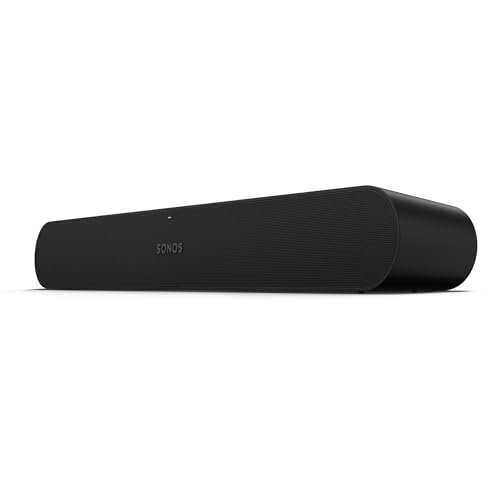
Sonos Ray
- TV connection: optical cable (no HDMI)
- Streaming: Wi-Fi, AirPlay 2, Spotify Connect, Sonos app
- Voice assistant: none built in (no microphone)
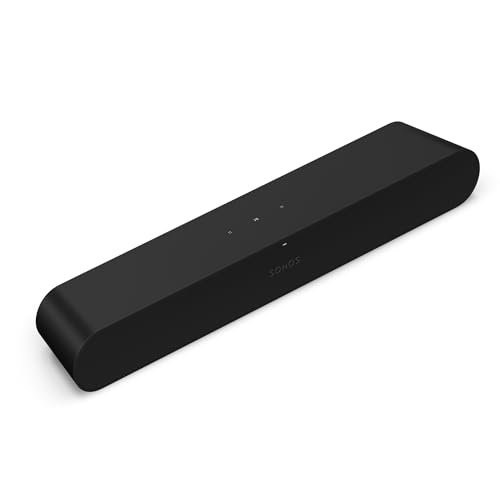
- Size: 21.93 x 3.66 x 2.76 inches
- Weight: 4.19 lb
- Price: check current price
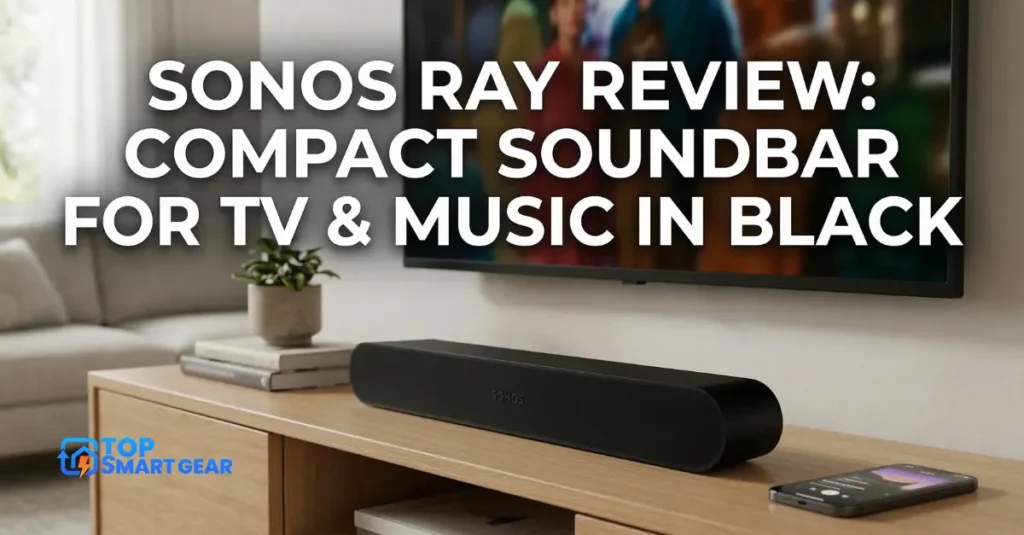
Quick verdict from our Sonos Ray review: the Sonos Ray is Sonos’s smallest and cheapest soundbar. It makes TV dialogue much clearer than built-in TV speakers and doubles as a good Sonos music speaker. It connects with an optical cable, not HDMI, and has no Dolby Atmos or voice assistant, so it’s best for bedrooms and smaller TVs.
How we put this review together: written by Md. Enamul Arafath for TopSmartGear, using Sonos’s official Ray specs, independent expert reviews and verified owner feedback. This is a research-based review, not a hands-on test. Read how we review.
Sonos Ray review: pros and cons
What’s good
- ✅ Much clearer dialogue than TV speakers, with Speech Enhancement
- ✅ Compact; front-firing design fits inside a TV cabinet
- ✅ Simple setup: power cable and optical cable
- ✅ Works with your TV remote; streams music over Wi-Fi and AirPlay 2
What could be better
- ❌ No HDMI, so no Dolby Atmos and fewer TV controls
- ❌ No microphone or voice assistant
- ❌ Limited bass and width for big rooms
Who Should Buy This
The Ray suits people who want clearer TV sound in a bedroom, office or small living room, and who’d like it to work as a Sonos music speaker too. It’s also the cheapest way into a Sonos system.
Skip it if you have a large living room, want Dolby Atmos, or want Alexa built in. The Sonos Beam (Gen 2) adds HDMI eARC, Atmos and voice control.
Technical Specifications
- Brand: Sonos
- Model: Ray
- Size: 21.93 x 3.66 x 2.76 inches
- Weight: 4.19 lb (1.9 kg)
- Colors: Black, White
- Connections: optical audio, Ethernet, Wi-Fi, AirPlay 2
- Audio: Speech Enhancement, Night Sound, Trueplay tuning
- Warranty: 1-year limited warranty
What to Expect Day to Day
You plug in power and the optical cable, then finish setup in the Sonos app; it learns your TV remote’s volume buttons. Expert reviews say dialogue is clear and the sound is noticeably bigger than TV speakers, though bass and width are limited. When the TV is off, it streams music like any Sonos speaker, and you can add a Sonos Sub Mini later for more bass.
How It Compares
| Feature | Sonos Ray | Sonos Beam (Gen 2) |
|---|---|---|
| TV connection | Optical | HDMI eARC |
| Dolby Atmos | No | Yes (virtual) |
| Voice assistant | No | Alexa, Sonos Voice Control |
| Best for | Bedrooms, small TVs | Small to medium living rooms |
What Owners Say
- Owners praise the clear dialogue and compact size.
- Easy setup and joining an existing Sonos system get frequent mention.
- Common complaints: no HDMI and no built-in voice assistant.
Is It Worth the Price?
Sonos has lowered the Ray’s price since launch, and it’s often discounted further, so check the current price and watch for Black Friday deals. At a sale price, it’s a strong upgrade for a smaller TV.
Final Verdict
The Sonos Ray is a smart, simple upgrade for TV sound in a smaller room. If you need Atmos or voice control, step up to the Beam (Gen 2).
Frequently asked questions
Does the Sonos Ray support Dolby Atmos?
No. It connects with an optical cable, which does not carry Dolby Atmos. For Atmos, look at the Sonos Beam (Gen 2) or Arc Ultra.
Does the Sonos Ray have Alexa built in?
No. It has no microphones, but you can control it by voice through a separate Sonos, Amazon Echo or Google Nest speaker.
Will my TV remote control the Sonos Ray?
Usually yes. It has an infrared receiver that learns your TV remote volume buttons.
Can I add a subwoofer to the Sonos Ray?
Yes. The Sonos Sub Mini pairs with the Ray for deeper bass.