Are you ready to upgrade your home with smart lighting, but are not sure which option fits your needs? Understanding what is the best smart lighting system can feel confusing with so many brands and features to choose from.
You want something that’s easy to use, saves energy, and makes your space look amazing all without breaking the bank. You’ll discover the top smart lighting systems that fit your needs perfectly. Keep reading to find the one that will brighten your home and simplify your life.
Top Smart Lighting Systems
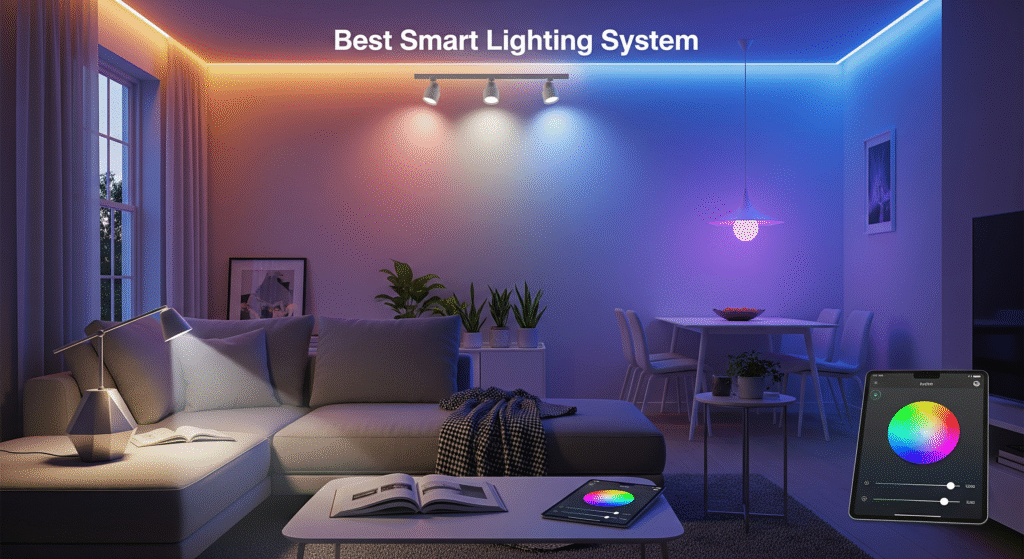
The market for Automated Lighting Solutions has grown fast. Many brands offer Smart Lighting Features that improve comfort and save energy. Choosing the right Customizable Lighting System can be tough. This section covers the Top Smart Lighting Systems for smart light control, app-enabled lighting, and voice-controlled lighting.
Philips Hue
Philips Hue is one of the most popular brands of wireless LED bulbs. It offers a wide range of bulbs, light strips, and fixtures. The system stands out for its Smart Lighting Compatibility with many smart home platforms like Alexa, Google Assistant, and Apple HomeKit.
Philips Hue’s app is user-friendly and makes Smart Light Control easy. Users can:
- Set schedules for lights to turn on/off automatically.
- Change colors and brightness to fit moods or occasions.
- Group lights by rooms for simple control.
- Use geofencing to turn on the lights when you arrive home.
The system supports voice commands, making it easy to control lights hands-free. Philips Hue also offers strong security and frequent updates, ensuring reliable performance.
| Feature | Details |
|---|---|
| Compatibility | Alexa, Google Assistant, Apple HomeKit |
| Light Types | Bulbs, Strips, Lamps, Fixtures |
| App Control | Yes, with scheduling and scenes |
| Voice Control | Yes |
Lifx
LIFX offers bright and colorful Wireless LED Bulbs with no hub needed. This makes it easy to install and use right away. LIFX bulbs connect directly to Wi-Fi, supporting quick setup and strong Smart Lighting Compatibility.
The LIFX app provides detailed Smart Light Control. Features include:
- Millions of color options and adjustable white light.
- Custom effects like flicker or color cycles.
- Grouping lights and creating scenes.
- Energy usage tracking to save power.
LIFX supports voice commands through Alexa, Google Assistant, and Apple HomeKit. The bulbs work well in homes that want bright, vivid lighting with easy app-enabled control.
| Feature | Details |
|---|---|
| Hub Required | No |
| Color Options | Millions |
| App Features | Scenes, Effects, Energy Usage |
| Voice Control | Yes |
Nanoleaf
Nanoleaf focuses on unique, Customizable Lighting Systems that create art with light. Their panels can be arranged in shapes on walls, changing colors and brightness with smart control. Nanoleaf is known for its creative designs and strong Smart Lighting Features.
Users control Nanoleaf through an app that allows:
- Custom light patterns and animations.
- Syncing lights to music or games.
- Voice control via Alexa, Google, and Siri.
- Integration with smart home systems.
This system suits users who want more than just bulbs. It offers decorative and functional lighting combined with easy Smart Light Control.
| Feature | Details |
|---|---|
| Lighting Style | Modular Panels |
| Control Options | App, Voice, Touch |
| Special Features | Music Sync, Custom Animations |
| Compatibility | Alexa, Google, Apple HomeKit |
Sengled
Sengled offers affordable Wireless LED Bulbs with solid Smart Lighting Compatibility. Their products work with Alexa, Google Assistant, and smart hubs. Sengled bulbs are easy to install and manage with app-enabled lighting control.
Key features include:
- Energy-saving bulbs with good brightness.
- Scheduling and timers through the Sengled app.
- Grouping multiple bulbs for room control.
- Works with Zigbee hubs for extended smart home setups.
The Sengled system fits users seeking reliable, budget-friendly smart lights. The bulbs support voice-controlled lights and simple automation.
| Feature | Details |
|---|---|
| Price Range | Budget-friendly |
| Compatibility | Alexa, Google, Zigbee hubs |
| App Control | Yes |
| Voice Control | Yes |
Wyze Bulbs
Wyze Bulbs provide affordable, easy-to-use smart lighting with strong App-Enabled Lighting features. These Wireless LED Bulbs connect directly to Wi-Fi and support voice control through Alexa and Google Assistant.
Wyze app offers:
- Light dimming and color temperature adjustments.
- Scheduling and timers for automation.
- Grouping bulbs for room-wide control.
- Simple setup with no hub required.
Wyze bulbs suit users who want straightforward smart lights with no extra hardware. The system supports basic Smart Light Control and reliable voice commands.
| Feature | Details |
|---|---|
| Hub Required | No |
| Control Options | App, Voice |
| Adjustments | Dimming, Color Temperature |
| Voice Control | Yes |
Key Features To Compare
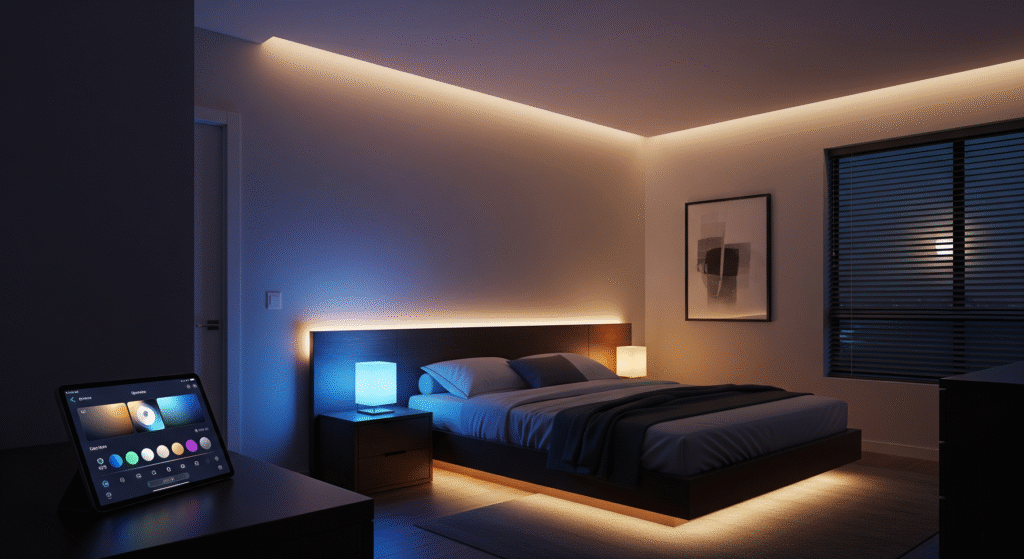
Choosing what is the best smart lighting system depends on several key features that influence performance, compatibility, and energy efficiency. These factors determine how well the system fits your home and how smoothly it works with smart home lighting solutions, voice assistants, and automation settings. Understanding these features makes it easier to compare options and find a reliable, user-friendly smart lighting setup. This section highlights the essential features to review before making a purchase.
Brightness And Color Options
Brightness and color options are vital for smart lighting. Brightness controls how much light the bulb gives out. Some bulbs offer adjustable brightness levels, letting you set the perfect light for any room.
Color options add style and mood. Many smart bulbs offer millions of colors or warm-to-cool white shades. These choices help create cozy spaces or lively environments.
- Brightness: Measured in lumens, higher numbers mean brighter light.
- Color Temperature: Ranges from warm (2700K) to cool (6500K) white.
- Color Range: RGB bulbs offer millions of colors.
| Feature | Basic Bulbs | Advanced Smart Bulbs |
|---|---|---|
| Brightness (Lumens) | 600-800 | 800-1600+ |
| Color Options | Warm to cool white | Millions of colors + white shades |
| Dimming | Manual or none | App-controlled dimming |
Good brightness and color options improve comfort and style in your home. Choose bulbs with flexible settings for different needs.
Connectivity And Compatibility
Connectivity defines how smart bulbs link to your devices. Most systems use Wi-Fi or Bluetooth. Some also use Zigbee or Z-Wave protocols.
Compatibility means the system works with your phone, hub, or smart home gear. Check if bulbs match your existing setup.
- Wi-Fi: Direct connection, no hub needed, but can overload networks.
- Bluetooth: Good for close range, limited devices.
- Zigbee/Z-Wave: Requires a hub, reliable for many devices.
| Connectivity Type | Requires Hub? | Range | Best For |
|---|---|---|---|
| Wi-Fi | No | Up to 100 feet | Small setups, direct control |
| Bluetooth | No | 30-50 feet | Single room, few bulbs |
| Zigbee/Z-Wave | Yes | Up to 300 feet (mesh network) | Large homes, many devices |
Choose connectivity based on home size and devices. Compatibility ensures smooth operation without extra equipment.
Smart Home Integration
Smart home integration allows lights to work with other devices. This feature creates a connected and automated home.
Popular platforms include Amazon Alexa, Google Assistant, and Apple HomeKit. Integration enables voice control and automation routines.
- Voice Commands: Turn lights on or off using voice.
- Automation: Set schedules, scenes, or triggers.
- App Control: Manage lights from anywhere.
Some systems also support IFTTT for custom automation. Check which platforms your smart lighting supports before buying.
| Platform | Features | Common Use |
|---|---|---|
| Amazon Alexa | Voice control, routines | Hands-free commands |
| Google Assistant | Voice, app control | Smart home management |
| Apple HomeKit | Secure control, automation | Apple device users |
Smart home integration makes lighting more convenient and fun to use every day.
Energy Efficiency
Energy efficiency saves money and reduces environmental impact. Smart lighting uses LED bulbs, which consume less power than traditional bulbs.
Look for bulbs with ENERGY STAR certification. They meet strict energy-saving standards.
- LED Technology: Uses up to 80% less energy.
- Scheduling: Turn off lights automatically.
- Dimming: Reduce power usage by lowering brightness.
Smart bulbs also last longer, reducing replacement costs.
| Lighting Type | Average Power Use (Watts) | Lifespan (Hours) |
|---|---|---|
| Incandescent | 60 | 1,000 |
| Compact Fluorescent (CFL) | 13-15 | 8,000 |
| LED Smart Bulb | 8-10 | 25,000+ |
Energy-efficient smart lighting lowers electric bills and helps the planet.
Ease Of Installation
Installation ease affects how quickly you can use smart lighting. Most smart bulbs fit standard sockets like E26 or E27.
Some systems require a hub or bridge, adding steps to setup. Others connect directly to Wi-Fi or Bluetooth.
- Plug and Play: Screw in bulb and connect via app.
- Hub Required: Connect hub to router, then add bulbs.
- App Setup: Guided steps make setup simple.
Clear instructions and customer support improve the installation experience.
| Installation Type | Steps | Time Needed | Skill Level |
|---|---|---|---|
| Direct Wi-Fi/Bluetooth | Install bulb, use app | 5-10 minutes | Easy |
| Hub-Based System | Install hub, connect bulbs | 15-30 minutes | Moderate |
Choose a system that matches your comfort with technology and time availability.
Control Methods
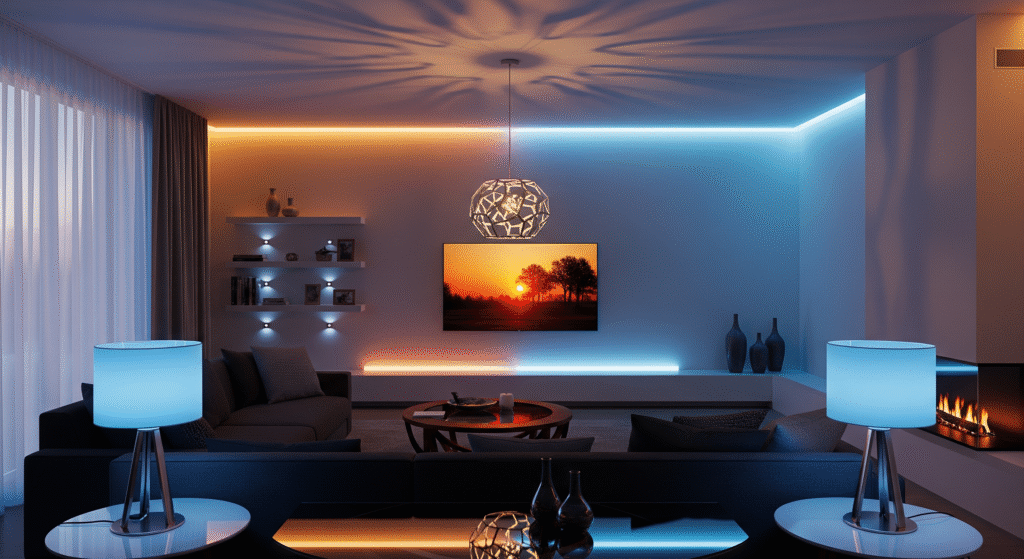
Choosing what is the best smart lighting system also means understanding the different control methods available. How you manage your lights plays a big role in convenience and overall smart home experience. Modern smart home lighting solutions let you adjust brightness, colors, and schedules effortlessly.
Smart lighting systems offer several control options, including mobile apps, voice control via assistants like Alexa or Google Home, and physical smart switches. Each method has its own advantages and suits different lifestyles. Knowing these options helps you pick a system that feels intuitive, flexible, and truly fits your daily routine.
Mobile Apps
Mobile apps are the most popular way to control smart lighting systems. They give you full control from anywhere using your smartphone or tablet. With an app, you can turn lights on or off, change colors, and set timers or scenes.
Apps often include these features:
- Remote Access: Control lights even when you are away from home.
- Scheduling: Set lights to turn on or off at specific times.
- Customization: Choose colors and brightness levels easily.
- Grouping: Control multiple lights in a single room or zone.
Here is a simple comparison of popular app features:
| Feature | App A | App B | App C |
|---|---|---|---|
| Remote Control | Yes | Yes | Yes |
| Scheduling | Yes | No | Yes |
| Color Options | 16 million | White only | 16 million |
| Grouping | Yes | Limited | Yes |
Mobile apps make smart lighting flexible and easy. The only requirement is a stable Wi-Fi or Bluetooth connection. Apps also get regular updates, improving features and fixing issues. This control method fits tech-savvy users and those who want precise control over their lighting.
Voice Assistants
Voice assistants like Alexa, Google Assistant, and Siri offer hands-free control of smart lighting. You just speak commands to adjust your lights. This method is fast and works well when your hands are busy.
Voice control provides these benefits:
- Hands-Free Operation: Turn lights on or off without touching anything.
- Quick Commands: Change brightness or color with simple phrases.
- Integration: Works with many smart home devices for more control.
- Accessibility: Helps people with mobility challenges.
Common voice commands include:
- “Turn on the living room lights.”
- “Dim the bedroom lights to 50%.”
- “Change the kitchen lights to blue.”
- “Set a timer for the hallway lights.”
Voice assistants require a smart speaker or device. They depend on internet connectivity and sometimes struggle with accents or background noise. Still, they offer a natural way to interact with your lighting system, making daily use simple and fun.
Physical Switches
Physical switches remain important for smart lighting control. Many systems include smart switches or buttons that replace traditional wall switches. These offer a tactile and familiar way to manage lights.
Advantages of physical switches:
- Instant Response: No delay compared to wireless commands.
- No Learning Curve: Easy for all family members to use.
- Backup Control: Works even if Wi-Fi or internet is down.
- Simple Installation: Some smart switches fit existing wiring.
Types of physical controls:
| Switch Type | Description | Best Use |
|---|---|---|
| Smart Wall Switch | Replaces a traditional switch, connects to Wi-Fi or a hub. | Rooms with fixed lighting. |
| Remote Control Button | Wireless button to control lights without wall installation. | Flexible lighting zones. |
| Dimmer Switch | Adjusts brightness manually. | Living rooms or bedrooms. |
Physical switches are perfect for people who want simple and reliable light control. They work well alongside apps and voice assistants, offering multiple ways to control smart lighting.
Pricing And Value
Choosing what is the best smart lighting system is not just about features or smart home compatibility pricing and overall value are equally important. Understanding the cost of smart home lighting solutions helps you choose a system that fits your budget without sacrificing quality.
Smart lighting systems vary widely in price, and their true value depends on factors like initial setup costs, optional hub requirements, subscription fees, and long-term energy savings from efficient LED technology. Evaluating these elements makes it easier to find a smart lighting setup that delivers both performance and affordability. This section clearly explains each cost factor to help you make a well-informed choice.
Initial Costs
The initial cost covers the price of smart bulbs, switches, hubs, and other hardware. This expense varies based on brand, the number of lights, and system complexity. Here are some points to consider:
- Smart bulbs range from $10 to $50 each, depending on brightness and features.
- Smart switches
- Hubs or bridges
- Starter kits often bundle bulbs and hubs at a discount.
Below is a simple cost comparison for a basic setup of 5 smart bulbs and 1 hub:
| Component | Low-End Price | High-End Price |
|---|---|---|
| Smart Bulbs (5 units) | $50 ($10 each) | $250 ($50 each) |
| Hub/Bridge | $30 | $100 |
| Total Initial Cost | $80 | $350 |
Choosing a system with no hub can lower costs but might limit features. It is wise to balance cost and functionality for the best value.
Subscription Fees
Some smart lighting systems offer extra features via subscription plans. These may include advanced controls, cloud storage, or integration with other smart home services. Subscription fees are typically monthly or yearly and vary by provider.
- Basic lighting control usually does not require a subscription.
- Advanced automation
- Cloud services
- Free trials can help test premium features before paying.
Here is a quick overview of common subscription types:
| Subscription Type | Price Range | Features Included |
|---|---|---|
| Basic Plan | Free | Standard controls, app access |
| Premium Plan | $3 – $10/month | Advanced automation, remote access, and integrations |
| Cloud Storage | $2 – $5/month | Data storage, usage history |
Evaluate whether the subscription features add enough value for the extra cost. Some users find no need for subscriptions, while others benefit from the added convenience.
Long-term Savings
Smart lighting systems can reduce electricity bills and maintenance costs over time. Energy-efficient LED bulbs use less power than traditional bulbs. Smart controls help turn lights off automatically when not needed.
Key ways smart lighting saves money:
- Lower energy use through dimming and scheduling.
- Longer bulb lifespan compared to regular bulbs.
- Reduced maintenance
- Improved home value
Consider this comparison of annual costs for traditional vs. smart lighting in a typical home:
| Cost Factor | Traditional Lighting | Smart Lighting |
|---|---|---|
| Electricity Cost | $120 | $60 |
| Bulb Replacement | $40 | $15 |
| Total Annual Cost | $160 | $75 |
The initial investment pays off over a few years through these savings. Smart lighting also offers comfort and control, adding extra value beyond money saved.
User Experience
Choosing what is the best smart lighting system depends greatly on the overall user experience. This includes how simple the setup is, how reliably the smart home lighting system performs, and the quality of customer support you can rely on when issues arise. A smooth user experience makes your daily lighting control—whether through mobile apps, smart switches, or voice assistants—more convenient and enjoyable.
A system that is easy to install, stable during everyday use, and backed by helpful support teams will provide long-term satisfaction. Below, we look at the key parts of the user experience: installation process, system reliability, and customer service. These factors play a major role in choosing the smart lighting solution that fits your lifestyle best.
Setup Process
The setup process is the first step to enjoying smart lighting. A smooth setup means less time spent on installation and more time using the lights. The best systems offer clear instructions and simple steps. Many systems use apps to guide you through setup, making it easy even for beginners.
- Step-by-step guides: Most smart lighting systems include detailed manuals or app instructions.
- Compatibility checks: Some apps check if your phone and home devices can connect smoothly.
- Automatic detection: The system often finds new bulbs or switches automatically.
- Wi-Fi or hub: Some systems need a hub, while others connect directly to Wi-Fi.
| System Type | Setup Time | Skill Level | Notes |
|---|---|---|---|
| Wi-Fi Based | 10-20 minutes | Easy | No extra hardware needed |
| Hub Based | 20-40 minutes | Moderate | Hub installation required |
Some systems may require more steps, like pairing each bulb individually. Others allow bulk setup. Look for systems that offer intuitive apps and quick installation. This reduces frustration and makes starting with smart lighting enjoyable.
Reliability
Reliability means the lighting system works well day after day without issues. It should respond quickly to commands and stay connected to your devices. A reliable system avoids flickering lights, delayed responses, or connection drops.
- Stable connection: Wi-Fi or hub connections must stay strong.
- Consistent performance: Lights should turn on/off and dim instantly.
- Software updates: Regular updates keep the system secure and fix bugs.
- Backup options: Some systems save your settings if the internet goes down.
Reliability can vary depending on your home network and the system’s quality. Check reviews for feedback on performance. Systems with solid hardware and a reputation for stability offer better user experience.
| Factor | Impact on Reliability |
|---|---|
| Wi-Fi Strength | Strong Wi-Fi boosts system stability |
| Hub Quality | High-quality hubs reduce connection drops |
| Firmware Updates | Fix bugs and improve performance |
| Device Compatibility | Compatible devices reduce errors |
Customer Support
Good customer support helps solve problems quickly. It improves user experience by giving assistance when issues arise. Look for smart lighting brands that offer multiple support channels and fast responses.
- Help options: Phone, email, chat, and online forums.
- Response time: Fast replies reduce user frustration.
- Knowledge base: Guides, FAQs, and videos help users fix common problems themselves.
- Warranty and returns: Clear policies protect your purchase.
Support availability matters too. Some companies offer 24/7 support, while others work only during business hours. A friendly and helpful support team makes technical problems easier to handle.
| Support Feature | Importance |
|---|---|
| Multiple Contact Methods | More ways to get help |
| Fast Response | Quick problem resolution |
| Self-Help Resources | Empowers users to fix issues |
| Clear Warranty | Peace of mind for buyers |
Security And Privacy
Smart lighting systems add convenience, automation, and style to homes and offices, but security and privacy are still major concerns for many users. When deciding what is the best smart lighting system, it’s important to understand how well it protects your data and your network.
These smart home lighting solutions often collect and share information to operate features like remote control, scheduling, and voice integration. Keeping this data secure is essential to prevent unauthorized access or misuse. Knowing how a smart lighting system manages encryption, device authentication, and network security helps you choose the safest and most reliable option for your needs.
Data Protection
Data protection means keeping your personal information safe from theft or misuse. Smart lighting systems gather data like usage patterns, schedules, and sometimes location. This data can reveal your daily habits. Protecting it is vital to maintain your privacy.
Key data protection features to look for:
- Encryption: Data should be encrypted during storage and transfer.
- Minimal data collection: Systems that only collect necessary data reduce risk.
- Clear privacy policies: Users should understand how their data is used.
- Data control: Users must have options to delete or manage their data.
| Feature | Why It Matters | Example |
|---|---|---|
| Encryption | Protects data from hackers | AES-256 encryption |
| Data Minimization | Limits unnecessary data collection | Collect only usage stats |
| User Control | Empowers users to manage data | Option to delete usage logs |
Always check the manufacturer’s data protection practices. Choose systems with strong protections to keep your information safe.
Network Security
Network security stops hackers from breaking into your smart lighting system. These devices connect to your home Wi-Fi and the internet. Weak security can let attackers control your lights or access other devices on your network.
Important network security measures include:
- Strong password requirements: Avoid default or easy passwords.
- Regular software updates: Fix security flaws quickly.
- Secure communication protocols: Use protocols like WPA3 and TLS.
- Network segmentation: Separate smart devices from sensitive data networks.
Here is a quick comparison of common network security features:
| Security Feature | Purpose | Example |
|---|---|---|
| Strong Passwords | Prevent easy unauthorized access | Complex alphanumeric passwords |
| Firmware Updates | Patch vulnerabilities | Automatic updates monthly |
| Encryption Protocols | Secure data during transfer | WPA3 Wi-Fi security |
| Network Segmentation | Limit device access | Guest Wi-Fi for smart devices |
Network security is the backbone of a safe, smart lighting system. Without it, other protections may fail. Always choose systems with robust network defenses to protect your home.
Future Trends In Smart Lighting
The future of smart lighting is bright, with exciting innovations shaping the way we illuminate homes and businesses. As technology evolves, smart lighting systems become more intelligent, energy-efficient, and seamlessly connected to smart home lighting solutions, voice assistants, and automation platforms.
Keeping up with these trends helps you understand what is the best smart lighting system for your needs, ensuring it offers advanced control, customizable lighting scenes, and eco-friendly performance. Choosing a system that embraces these innovations allows you to enjoy convenience, style, and long-term benefits for your space.
Integration With IoT
IoT lighting integration is transforming how smart lights work in homes and offices. Smart lighting systems now connect seamlessly with the Internet of Things (IoT), allowing devices to communicate and work together. This connection makes lighting smarter and more responsive to user needs.
With IoT, lights can adjust automatically based on:
- Time of day
- Room occupancy
- Weather conditions
- Other smart devices like thermostats or security cameras
These interactions create a more comfortable and energy-efficient environment. Wireless lighting systems eliminate the need for complex wiring. They are easier to install and control remotely.
| Feature | Benefit |
|---|---|
| Voice-Controlled Lighting | Hands-free lighting control through smart assistants |
| Home Automation Lighting | Sync lights with daily routines for convenience |
| Intelligent Lighting Solutions | Adaptive lighting based on user behavior |
IoT integration makes smart lighting more intuitive and energy-conscious. It helps save electricity and creates a personalized lighting experience.
Advanced Automation
Advanced automation takes smart lighting beyond simple on/off controls. Automated lighting control uses sensors and software to adjust lights without manual input. This technology improves comfort and reduces energy waste.
Key features of advanced automation include:
- Motion sensors that turn lights on only when needed
- Scheduling to match daily activities
- Adaptive brightness and color temperature based on natural light
These systems learn user habits and adjust lighting accordingly. For example, lights can dim in the evening to promote relaxation or brighten in the morning to help wake up.
Automation also supports security by simulating occupancy when no one is home. It enhances safety and peace of mind.
| Automation Feature | Function |
|---|---|
| Motion Detection | Lights activate only when movement is detected |
| Light Sensors | Adjust brightness based on ambient light |
| Scheduling | Pre-set lighting routines for different times |
Automated lighting control simplifies daily life and cuts down on energy bills.
Sustainability Innovations
Sustainable smart lighting focuses on reducing environmental impact. Energy-efficient smart bulbs use less power and last longer than traditional bulbs. This lowers electricity use and waste.
Innovations in sustainable smart lighting include:
- Use of LED technology for higher efficiency
- Integration with solar power and renewable energy sources
- Recyclable materials in smart bulbs and fixtures
These solutions help make homes and offices greener. They help users reduce their carbon footprint while enjoying modern lighting benefits.
Key advantages of sustainable smart lighting:
- Lower energy consumption
- Reduced greenhouse gas emissions
- Cost savings over time
Choosing sustainable smart lighting supports global efforts to protect the planet. It also promotes a healthier living environment by improving lighting quality and using safer materials.
Frequently Asked Questions
What Features Define The Best Smart Lighting System?
The best smart lighting system offers easy app control, voice compatibility, energy efficiency, and customizable settings. It supports scheduling and remote access for convenience. Integration with other smart devices enhances user experience and automation.
How Do Smart Lighting Systems Save Energy?
Smart lighting systems use LED bulbs and automation to reduce power usage. They turn lights off when not needed and adjust brightness based on natural light, helping lower electricity bills and environmental impact.
Can Smart Lighting Systems Improve Home Security?
Yes, smart lighting enhances security by simulating occupancy with scheduled lighting. Remote control allows users to turn lights on or off from anywhere, deterring potential intruders effectively.
Are Smart Lighting Systems Compatible With Voice Assistants?
Most smart lighting systems work seamlessly with popular voice assistants like Alexa, Google Assistant, and Siri. This enables hands-free control and adds convenience to daily lighting management.
What is the best smart lighting system for full-home automation?
For whole-home setups, Philips Hue and LIFX are popular because they offer wide compatibility, advanced features, and support for multiple rooms and devices.
Conclusion
Choosing what is the best smart lighting system really depends on your lifestyle, budget, and the way you want to automate your home. Consider factors such as ease of use, voice-control compatibility, energy-efficient smart lighting, and the ability to customize lighting scenes. Some systems are great for beginners, while others offer advanced home automation features and multi-room lighting options.
Take time to compare different smart home lighting solutions and check user reviews to see how reliable they are in real situations. A well-chosen smart lighting system can make your home more comfortable, efficient, and enjoyable. Start with a setup that fits your needs and expand as you get familiar with the technology. Smart lighting is a simple upgrade that brings convenience, personalization, and long-term value to your home.