Are you worried about keeping your home or office safe when you’re not around? A smart wireless security camera might be exactly what you need.
It lets you watch over your space anytime, anywhere, right from your phone. Imagine getting instant alerts if something unusual happens or being able to check in on loved ones with just a tap. You’ll discover how these cameras work, why they’re a game-changer for security, and how to choose the best one for your needs.
Keep reading to find out how you can make your space safer and your mind more at ease.
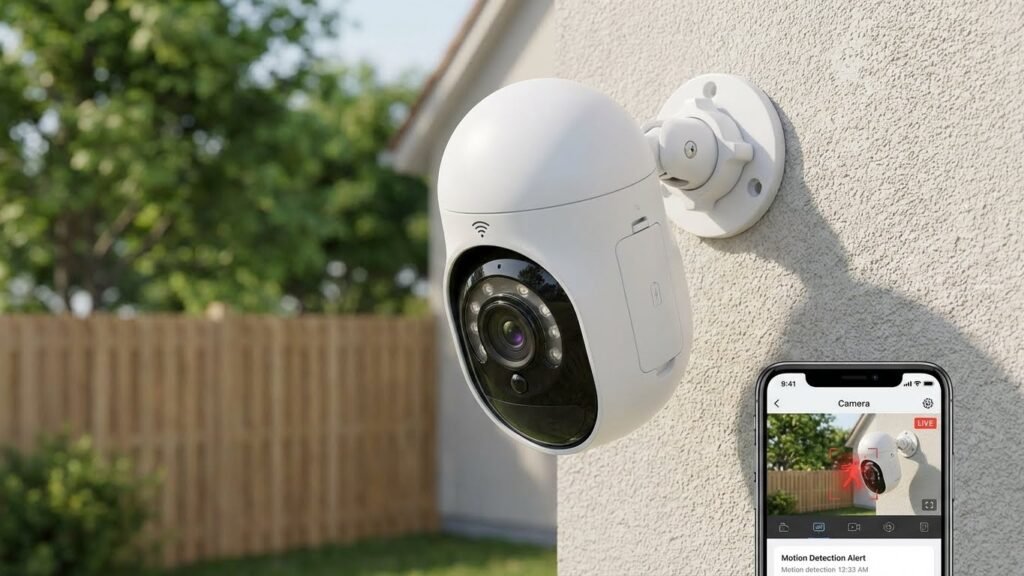
Features Of Smart Wireless Cameras
Smart Wi-Fi Surveillance Cameras offer advanced features that boost home protection and ease of use. These modern devices connect directly to your wireless network, eliminating the need for complex wiring. With high-definition video, night vision, motion detection, and real-time mobile alerts, they provide comprehensive coverage day and night. Understanding the essential functions of a Smart Wi-Fi Surveillance Camera helps you select the best option for your specific needs. Below are some standout features that make these smart cameras a powerful addition to your home security system.
High-resolution Video Quality
High-resolution video is crucial for capturing clear images and details. Most wireless smart home security cameras provide HD or Full HD video, with some models offering 2K or 4K resolution. This clarity helps identify faces, license plates, and other important details.
Benefits of high-resolution video:
- Sharp and clear footage
- Better zoom quality without losing detail
- Improved evidence quality for law enforcement
The table below shows common video resolutions and their benefits:
| Resolution | Pixels | Video Quality | Use Case |
|---|---|---|---|
| HD | 1280 x 720 | Good | Basic home monitoring |
| Full HD | 1920 x 1080 | Clear | General security needs |
| 2K | 2560 x 1440 | Very clear | Detailed surveillance |
| 4K | 3840 x 2160 | Ultra clear | Professional-level security |
Choosing a camera with at least Full HD video ensures you get crisp and useful footage for everyday security.
Night Vision Capabilities
Night vision allows smart wireless cameras to monitor areas even in total darkness. These cameras use infrared (IR) LEDs to light up the scene without visible light.
Key points about night vision:
- Infrared lights illuminate up to 30 feet or more
- Black and white video for clear night images
- Automatic switching between day and night modes
Some cameras have advanced night vision features like color night vision using low-light sensors. This helps see more details and colors in the dark.
Here is a comparison of basic vs. advanced night vision:
| Feature | Basic Night Vision | Advanced Night Vision |
|---|---|---|
| Type of Image | Black and white | Color |
| Infrared LEDs | Yes | Yes, plus a low-light sensor |
| Visibility Range | Up to 30 feet | Up to 50 feet |
Night vision is essential for round-the-clock security. It ensures no activity goes unnoticed during dark hours.
Two-way Audio Communication
Two-way audio lets users listen and speak through the wireless smart home security camera. This feature adds interaction and control from anywhere.
Advantages of two-way audio include:
- Talking to visitors without opening the door
- Scaring off intruders with your voice
- Checking in on family members or pets
Most cameras have a built-in microphone and speaker. You use a smartphone app to hear sounds and talk back. This makes the camera useful beyond just recording video.
Example uses of two-way audio:
- Ask delivery persons to leave packages safely
- Warn suspicious people to stay away
- Comfort children or pets remotely
Two-way audio enhances security by adding real-time communication to your camera system.
Motion Detection And Alerts
Motion detection is a smart feature that detects movement and sends instant alerts to your phone. It helps you react quickly to any suspicious activity.
How motion detection works:
- The camera monitors a set area for changes
- When motion is detected, it triggers recording
- Alerts are sent via app notifications or email
Smart wireless cameras often allow you to customize detection zones. This reduces false alarms from pets or passing cars.
Here are typical alert options:
- Push notifications to mobile devices
- Emails with snapshots or video clips
- Integration with smart home systems for alarms
Motion detection saves storage space by recording only when activity occurs. It also keeps you informed, improving home safety.
Cloud Storage Options
Cloud storage provides safe, remote access to your camera footage. It protects video files even if the camera is stolen or damaged.
Benefits of cloud storage:
- Access videos anytime from anywhere
- Automatic backup of recordings
- Easy sharing of clips with family or authorities
Many smart wireless home security cameras offer monthly or yearly cloud plans. These plans vary by storage size and video retention time.
Common cloud storage features include:
- 24/7 continuous recording or event-based recording
- Secure encryption for data privacy
- Playback and download options via apps
Cloud storage ensures important footage is safe and available when needed. It adds peace of mind to your home security system.
Installation And Setup
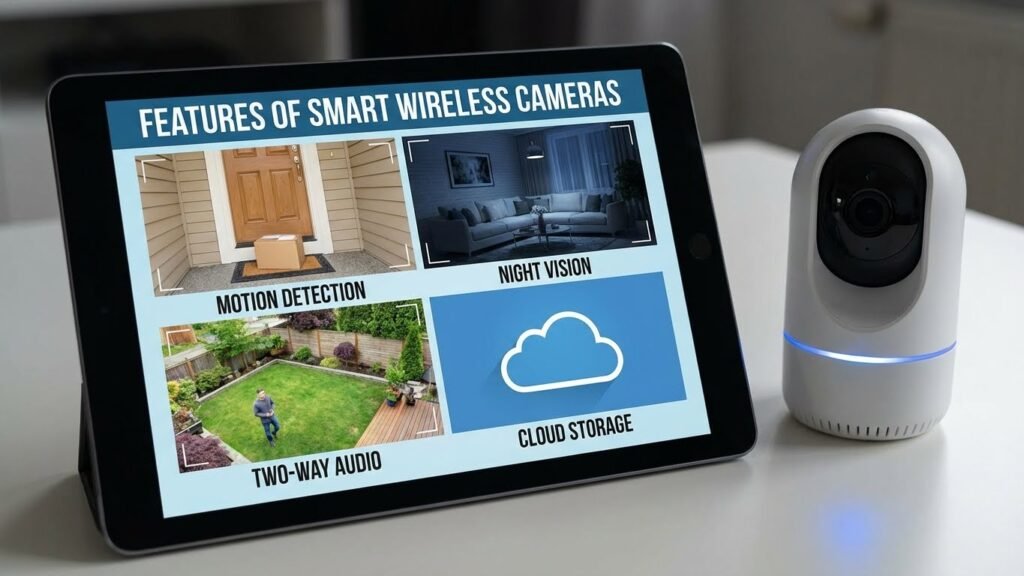
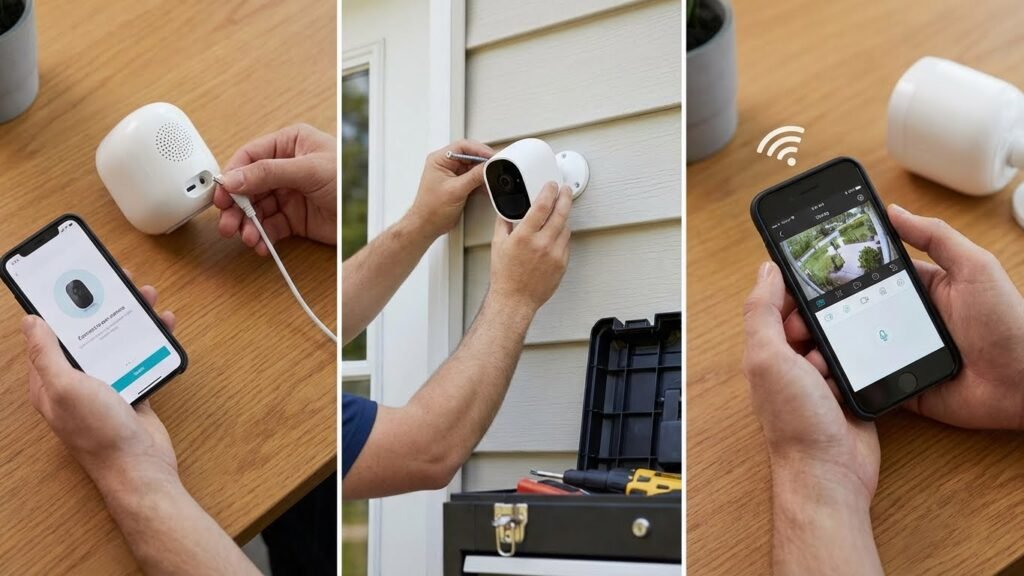
Installing and setting up a smart wireless security camera is simple and quick. This process ensures the camera works well and keeps your home safe. Proper installation helps the camera capture clear video and connect smoothly to your network. Follow these steps to get the best results from your outdoor wireless smart security camera.
Choosing The Best Location
Choosing the right spot for your camera is key to good security. The location affects what the camera can see and how well it works.
- Height: Mount the camera 8 to 10 feet high. This height stops people from reaching it easily but still captures faces clearly.
- View: Pick a spot with a wide view of entry points like doors, windows, or driveways.
- Lighting: Avoid direct sunlight or bright lights facing the camera. These can cause glare or poor image quality.
- Weather Protection: For outdoor cameras, choose a place sheltered from heavy rain or snow.
- Wi-Fi Signal: Make sure the location has a strong Wi-Fi signal for smooth connection.
Use this table to compare good vs. poor locations:
| Good Location | Poor Location |
|---|---|
| 8-10 feet high | Too low or too high |
| Wide view of entrances | Blocked by trees or walls |
| Protected from weather | Exposed to rain or sun |
| Strong Wi-Fi signal | Weak or no signal |
Connecting To Wi-fi Networks
Connecting your smart wireless security camera to Wi-Fi is essential for live streaming and alerts. The setup is easy but needs attention.
Follow these steps:
- Turn on the camera and wait for the indicator light.
- Open the camera’s setup app or software.
- Select your Wi-Fi network from the list.
- Enter your Wi-Fi password carefully.
- Wait for the camera to connect and confirm success.
Tips for a strong Wi-Fi connection:
- Use a 2.4 GHz network if possible; many cameras do not support 5 GHz.
- Place the camera within 100 feet of the router.
- Reduce obstacles like walls or metal objects between the camera and router.
- Restart your router if the camera fails to connect.
Check your router’s settings if you have trouble connecting. Some routers block new devices automatically.
Mobile App Integration
Mobile app integration allows you to control your outdoor wireless smart security camera from anywhere. The app shows live video, sends alerts, and stores footage.
Steps for app setup:
- Download the camera’s official app from Google Play or Apple App Store.
- Create an account or log in.
- Add your camera by scanning the QR code or entering the camera ID.
- Follow the app instructions to link the camera to your account.
App features to use:
- Live View: Watch real-time video anytime.
- Motion Alerts: Get notifications when movement is detected.
- Two-way Audio: Talk through the camera to visitors or intruders.
- Cloud Storage: Save videos securely online.
- Settings: Adjust camera angle, sensitivity, and recording schedules.
Keep the app updated for the best performance and new features.
Power Supply Options
Powering your outdoor wireless smart security camera correctly ensures it works without interruption. There are several options depending on your setup.
- Battery-Powered: Offers flexibility in placement. Recharge or replace batteries as needed. Ideal for locations without power outlets.
- Wired Power: Connects to an electrical outlet. Provides continuous power without needing battery changes.
- Solar Power: Uses solar panels to charge the camera. Great for remote areas with sunlight and reduces maintenance.
Consider these factors when choosing power supply:
| Power Type | Pros | Cons |
|---|---|---|
| Battery | Easy to install, portable | Needs regular charging or battery changes |
| Wired | Reliable, no downtime | Limited by outlet location, requires wiring |
| Solar | Eco-friendly, low maintenance | Needs good sunlight, higher initial cost |
Choose the power option that fits your home and camera location best.
Benefits Over Traditional Cameras
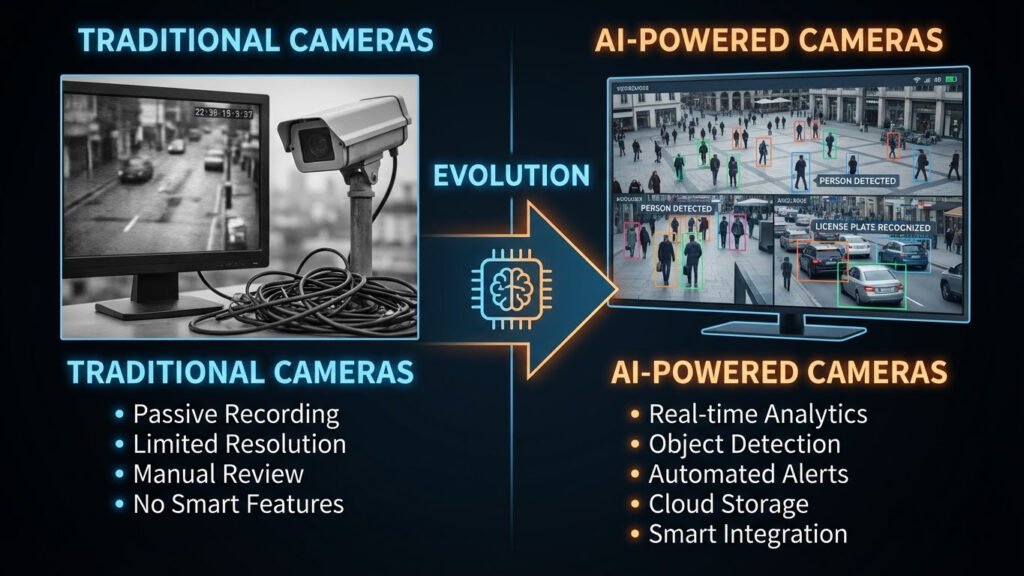
Smart wireless security cameras offer many advantages over traditional wired cameras. They provide easier installation, more features, and better control. These benefits make them a popular choice for homes and businesses. Their design removes many limits of old systems, improving safety and convenience.
Wireless Convenience
Smart Wi-Fi Surveillance Cameras don’t require cables for power or data, making setup fast and hassle-free. You can install them in locations that are difficult to wire, offering more flexibility in placement. Without the need for drilling or complex wiring, these cameras save both time and installation costs.
Key advantages of wireless convenience include:
- Easy setup without professional help
- Cleaner look with no visible wires
- Flexible camera placement indoors and outdoors
- Less damage to walls or ceilings
- Quick relocation if needed
Here is a quick comparison table between wireless and traditional cameras:
| Feature | Wireless Camera | Traditional Camera |
|---|---|---|
| Installation | Simple, no wires needed | Complex, needs wiring |
| Placement | Anywhere with Wi-Fi | Limited by wiring |
| Maintenance | Easy to move and adjust | Time-consuming rewiring |
| Appearance | Minimal wires visible | Wires often exposed |
Remote Monitoring
One major benefit is the ability to watch live video from anywhere. Smart wireless cameras connect to your phone or computer through the internet. This lets you check your property anytime and anywhere.
Remote monitoring offers:
- Live video streaming on mobile apps
- Instant alerts for motion or sound detection
- Two-way audio to talk through the camera
- Access to recorded footage on cloud storage
- Peace of mind while away from home
Remote access helps you respond quickly. For example, you can call a neighbor if the camera detects unusual activity. It also reduces false alarms by letting you verify events in real time.
Here is how remote monitoring improves security:
- Detect suspicious activity faster
- Make informed decisions remotely
- Share footage easily with authorities
- Manage multiple cameras from one device
Scalability And Flexibility
Smart wireless cameras work well for any size property. You can start with one camera and add more anytime. The system grows with your needs without complicated changes.
Scalability features include:
- No need for extra wiring when adding cameras
- Easy integration with other smart devices
- Customizable settings for each camera
- Supports indoor and outdoor models together
- Works with different brands and apps
The flexible design allows you to:
- Cover new areas as your property changes
- Focus cameras on high-risk zones
- Upgrade cameras for better resolution
- Use cameras for multiple purposes (security, baby monitoring, pet watching)
Compared to traditional systems, wireless cameras provide more freedom and less hassle as your security needs evolve.
Enhanced Security Features
Smart wireless cameras include advanced features that old cameras often lack. These features improve detection, alerting, and recording quality.
Important enhanced security features:
- Motion detection: Triggers alerts only when movement occurs
- Night vision: Clear video even in darkness
- AI-based recognition: Differentiates people, animals, and vehicles
- Cloud storage: Secure video backups accessible anytime
- Encryption: Protects video data from hackers
Some cameras also support geofencing, which arms or disarms automatically based on your location. Others offer smart alerts that reduce false alarms caused by pets or weather.
These features boost overall safety and make monitoring more reliable. Traditional cameras usually lack these smart options, making wireless cameras a better choice for modern security.
Privacy And Security Concerns
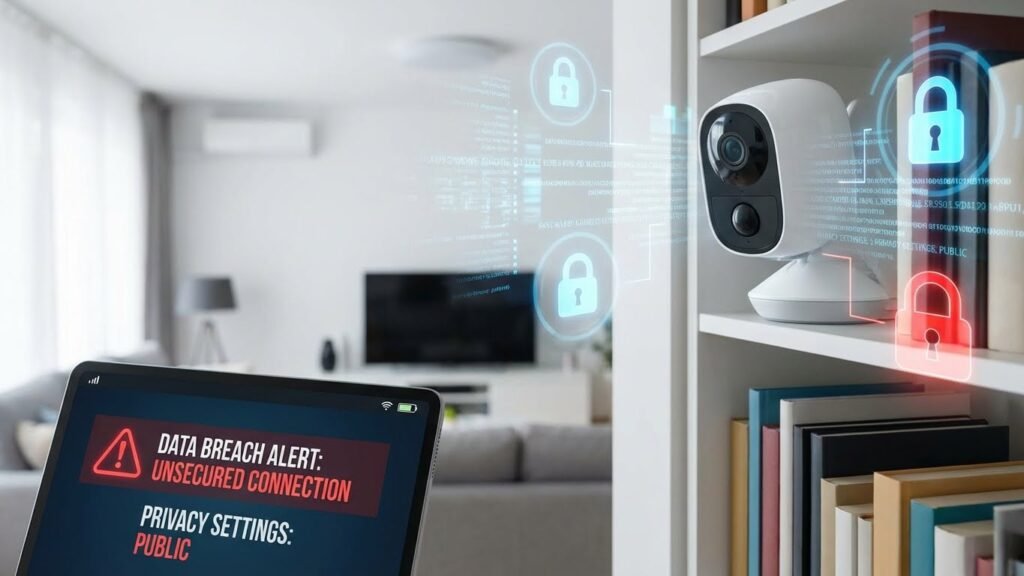
Smart wireless security cameras offer convenience and peace of mind by allowing easy monitoring of homes and businesses. Yet, these devices raise important privacy and security concerns. Protecting the data and ensuring only authorized users have access is critical. Understanding how these cameras handle sensitive information helps users stay safe and confident in their system.
Data Encryption Standards
Data encryption is a key factor in securing a smart security camera wireless system. It protects video feeds and user information from hackers. Encryption changes data into a code that only authorized devices can decode.
Common encryption standards include:
- AES (Advanced Encryption Standard) – Used widely for strong protection of video streams.
- TLS (Transport Layer Security) – Secures data sent over the internet.
- SSL (Secure Sockets Layer) – An older but still used encryption protocol.
Using strong encryption reduces risks such as:
- Intercepted video footage
- Data theft of login credentials
- Unauthorized camera control
| Encryption Type | Purpose | Common Use |
|---|---|---|
| AES | Protect stored and transmitted data | Video stream encryption |
| TLS | Secure internet communication | Data transfer between camera and app |
| SSL | Encrypt data transfer | Legacy device support |
Always choose a smart security camera wireless that uses at least AES 128-bit encryption or higher for better safety.
User Access Controls
Access control ensures only trusted people can see your smart security camera wireless footage. Without proper controls, anyone with the password can watch or change settings.
Key access control features include:
- Multi-factor authentication (MFA) – Requires a second form of verification beyond a password.
- Role-based access – Limits permissions based on user roles like admin or guest.
- Session timeouts – Automatically logs out inactive users to prevent misuse.
Good user access controls offer benefits such as:
- Reduced risk of unauthorized viewing
- Better tracking of who accessed the camera
- Control over who can change settings or download footage
| Access Control Feature | Description | Benefit |
|---|---|---|
| Multi-factor Authentication | Login requires password and second verification | Strong protection against stolen passwords |
| Role-Based Access | Users have different permission levels | Limits camera control to trusted users |
| Session Timeouts | Auto-logout after inactivity | Prevents unauthorized access if device is left open |
Preventing Unauthorized Access
Preventing unauthorized access keeps a smart security camera wireless safe from hackers and intruders. Simple steps help protect your system.
Effective methods include:
- Changing default passwords immediately after setup.
- Regularly updating firmware to fix security flaws.
- Disabling unused services like UPnP that may open security holes.
- Using strong, unique passwords for both camera and Wi-Fi network.
Checking for suspicious activity helps detect breaches early. Enable notifications for:
- New device logins
- Failed login attempts
- Unexpected camera offline alerts
Combining these steps creates a secure environment for your smart security camera wireless system. Stay vigilant and update security settings often.
Popular Brands And Models
Smart wireless security cameras are essential for protecting homes and businesses. Many brands offer a variety of models with different features and prices. Choosing the right camera means understanding the popular brands and their best models. This section highlights the top choices in 2024, covering top-rated, budget-friendly, and premium options. You will find clear details to help decide which camera fits your needs and budget.
Top-rated Cameras In 2024
Several cameras stand out in 2024 for their reliability and performance. These models have high user ratings and positive expert reviews. They offer sharp video quality, easy setup, and smart features like motion detection and night vision.
- Arlo Pro 5: Known for 4K video quality and a wide field of view.
- Ring Stick Up Cam Elite: Offers two-way talk and advanced motion sensors.
- Google Nest Cam (Battery): Great for seamless integration with smart home systems.
- EufyCam 3: Long battery life and local storage options.
These cameras combine ease of use with smart technology. Many support voice control and mobile app alerts. Below is a quick comparison table:
| Model | Video Quality | Battery Life | Smart Features |
|---|---|---|---|
| Arlo Pro 5 | 4K UHD | 6 months | Motion zones, color night vision |
| Ring Stick Up Cam Elite | 1080p HD | Plug-in | Two-way talk, motion alerts |
| Google Nest Cam (Battery) | 1080p HD | Up to 3 months | Person alerts, smart home sync |
| EufyCam 3 | 2K QHD | 1 year | Local storage, AI detection |
Budget-friendly Options
Affordable wireless security cameras provide good value without many extra features. These models suit people with basic security needs or smaller budgets. They still offer clear video and easy setup.
- Wyze Cam v3: Compact, weather-resistant, 1080p video.
- TP-Link Kasa Spot: Simple app control and night vision.
- Blink Mini: Small size with motion detection alerts.
These cameras offer core functions such as live streaming and motion alerts. They might lack cloud storage or advanced AI features.
Here is a summary of budget models:
| Model | Price Range | Resolution | Key Features |
|---|---|---|---|
| Wyze Cam v3 | $30 – $40 | 1080p HD | Color night vision, weatherproof |
| TP-Link Kasa Spot | $35 – $45 | 1080p HD | Two-way audio, motion detection |
| Blink Mini | $30 – $40 | 1080p HD | Compact size, motion alerts |
Premium Features Comparison
Premium wireless security cameras offer advanced functions for enhanced protection. These models often include AI detection, 4K video, and cloud storage plans.
Important features to compare:
- AI Detection: Differentiates people, animals, and vehicles.
- Video Quality: 4K or higher for clear image details.
- Storage Options: Cloud and local storage flexibility.
- Two-Way Audio: Communicate through the camera remotely.
- Smart Home Integration: Works with Alexa, Google Assistant, or Apple HomeKit.
Below is a comparison of premium models and their key features:
| Model | AI Detection | Resolution | Storage | Smart Home |
|---|---|---|---|---|
| Arlo Ultra 2 | Yes | 4K UHD | Cloud & Local | Alexa, Google, Apple |
| Google Nest Cam IQ | Yes | 4K HDR | Cloud Only | Google Assistant |
| Ring Floodlight Cam Pro | Yes | 1080p HD | Cloud Only | Alexa |
Future Trends In Wireless Security Cameras
The world of wireless smart home security cameras is evolving rapidly. New technologies and user demands push manufacturers to develop smarter, more efficient devices. Future trends in wireless security cameras promise better protection, easier use, and longer device life. These cameras will not only record video but also analyze and respond to situations. They will work seamlessly with other smart home devices and stay active longer without frequent charging. Understanding these trends helps users choose the best security solutions for their homes.
Ai And Machine Learning Integration
Artificial Intelligence (AI) and machine learning are changing how wireless smart home security cameras operate. These technologies help cameras identify people, animals, and objects more accurately. Cameras can learn to ignore harmless movements, such as leaves blowing or pets moving, reducing false alarms.
Key benefits of AI integration include:
- Facial recognition: Cameras can recognize familiar faces and alert users about unknown visitors.
- Behavior analysis: AI detects unusual behavior and sends alerts for potential threats.
- Real-time responses: Cameras can trigger alarms or notify authorities automatically.
AI also improves over time by analyzing collected data. This learning process allows cameras to adapt to specific home environments, making security smarter and more reliable.
| Feature | Benefit | Example |
|---|---|---|
| Object Detection | Reduces false alarms | Ignore pets or moving trees |
| Facial Recognition | Identify known people | Family member alerts |
| Behavior Analysis | Detect suspicious activity | Stranger loitering detection |
Improved Battery Life
Battery life is a critical factor for wireless smart home security cameras. Longer battery life means less frequent charging and more continuous protection. Future cameras will use advanced battery technologies and power-saving methods to extend usage time.
Ways to improve battery life include:
- Low-power sensors: Cameras use sensors that consume less energy when no movement is detected.
- Efficient video processing: AI processes data locally, reducing the need for constant video streaming.
- Solar charging options: Some cameras will offer solar panels to recharge batteries during daylight.
With better battery life, users will enjoy more reliable security without the hassle of frequent maintenance. This improvement also supports placement in areas without easy access to power outlets.
| Battery Feature | Benefit | Impact |
|---|---|---|
| Low-power sensors | Save energy during inactivity | Longer standby time |
| Local AI processing | Less data transmission | Reduced power use |
| Solar charging | Automatic battery recharge | Extended outdoor use |
Smart Home Compatibility
Future wireless smart home security cameras will connect smoothly with other smart devices. Integration creates a unified home security system that is easier to control and more effective.
Features enhancing smart home compatibility include:
- Voice assistant support: Cameras will work with Alexa, Google Assistant, and Siri for hands-free control.
- App integration: Users manage cameras alongside lights, locks, and alarms from one app.
- Automation: Cameras trigger actions such as turning on lights or locking doors during suspicious events.
This connected ecosystem improves home safety and convenience. Users get real-time updates and control their security system from anywhere using smartphones or tablets.
| Compatibility Feature | Function | Benefit |
|---|---|---|
| Voice Assistant | Hands-free commands | Easy operation |
| Unified App | Control all devices | Convenience |
| Automation | Trigger smart actions | Improved security |
Frequently Asked Questions
What Features Make A Smart Wireless Security Camera Effective?
Smart wireless security cameras offer HD video, motion detection, two-way audio, night vision, and app alerts. These features enhance home safety by providing real-time monitoring and instant notifications for suspicious activity.
How Do Smart Wireless Security Cameras Connect To The Internet?
They connect via Wi-Fi, allowing remote access through smartphone apps. This wireless setup eliminates the need for cables, making installation easy and flexible in any location.
Are Smart Wireless Security Cameras Compatible With Smart Home Systems?
Yes, most smart wireless security cameras integrate with Alexa, Google Assistant, and Apple HomeKit. This compatibility enables voice control and seamless automation with other smart devices in your home.
Can Smart Wireless Security Cameras Store Footage Locally Or In The Cloud?
They offer both options: cloud storage for easy access anywhere and local storage via SD cards for privacy. Choose based on your security needs and internet reliability.
Conclusion
Smart wireless security cameras keep your home safe and secure. They offer easy setup and flexible placement options. You can watch live video anytime from your phone. Many models include motion detection and night vision features. These cameras help you feel more confident about home security.
Investing in one adds peace of mind without complexity. Simple technology that fits your lifestyle and budget. Stay connected and protect what matters most with smart cameras.