Imagine having eyes that never blink and ears that never miss a sound—right inside your home. A home security camera smart home system gives you just that.
It’s not just about keeping burglars away; it’s about feeling safe, staying connected, and having control no matter where you are. If you want to protect your loved ones and valuables while enjoying the convenience of modern technology, you’re in the right place.
Keep reading to discover how these smart cameras can transform your home into a fortress you can trust.
Benefits Of Smart Home Cameras
Smart home cameras bring many benefits to home security. These devices offer more than just recording video. They help protect your home with advanced technology. Smart cameras improve safety and make monitoring easier. They also connect with other smart devices for a complete security system. Below are key benefits of smart home cameras that make them a smart choice for any household.
Enhanced Security Features
Smart home cameras come with advanced security features that traditional cameras do not offer. These features help detect and respond to threats quickly, giving homeowners peace of mind.
- Motion Detection: Cameras alert you when they sense movement, reducing false alarms.
- Night Vision: Infrared LEDs allow clear video even in complete darkness.
- Two-Way Audio: Speak and listen through the camera to interact with visitors or warn intruders.
- Facial Recognition: Some models identify familiar faces and alert you about strangers.
- Cloud Storage: Saves footage securely online, so you never lose important videos.
These features work together to create a strong security system. Below is a comparison of basic vs. smart home cameras:
| Feature | Basic Camera | Smart Home Camera |
|---|---|---|
| Motion Alerts | No | Yes |
| Night Vision | Limited | Clear Infrared |
| Two-Way Audio | No | Yes |
| Cloud Storage | No | Yes |
| Facial Recognition | No | Available |
Remote Monitoring Capabilities
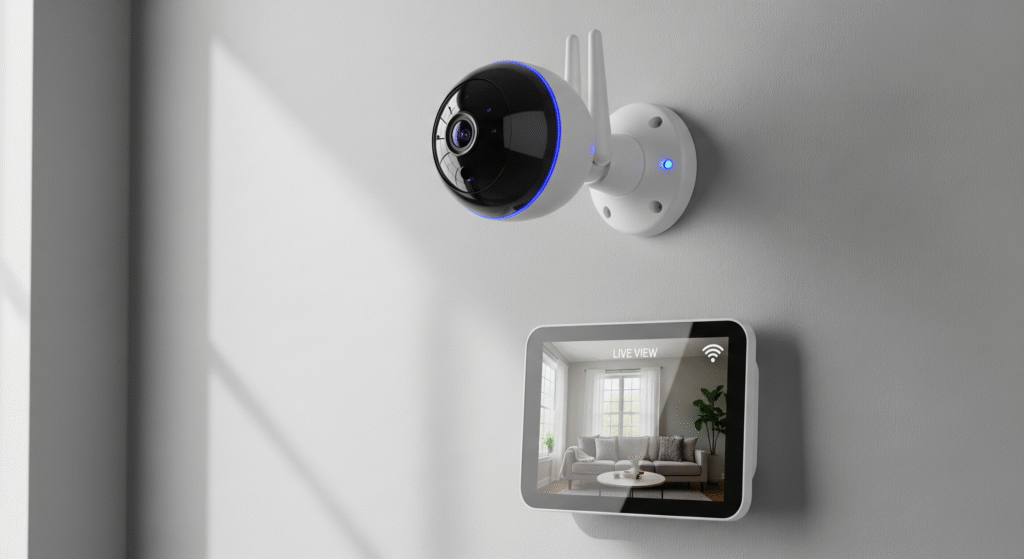
Smart home cameras allow remote monitoring from anywhere. This feature gives control over home security even when you are away.
Using a smartphone app, you can:
- View live video feeds instantly.
- Receive real-time alerts for suspicious activity.
- Replay recorded footage anytime.
- Control camera settings remotely.
This access increases safety and convenience. For example, parents can check on children or pet owners can see their pets. Homeowners can respond quickly to emergencies or false alarms.
The table below shows key benefits of remote monitoring:
| Benefit | Description |
|---|---|
| Instant Alerts | Receive notifications immediately on your phone. |
| Live View | See what is happening at home in real-time. |
| Flexible Control | Adjust camera angles and settings remotely. |
| Peace of Mind | Check on your home anytime, anywhere. |
Integration With Other Smart Devices
Smart home cameras work well with other smart devices. This integration creates a seamless and automated security system.
Common integrations include:
- Smart Door Locks: Lock or unlock doors remotely and check entry logs.
- Smart Lights: Lights can turn on automatically when cameras detect motion.
- Voice Assistants: Use voice commands to control cameras and check feeds.
- Alarm Systems: Cameras trigger alarms when unusual activity occurs.
These connections improve home safety and save time. You can create routines, such as turning on lights and recording video when doors open at night.
Below is an example of how smart devices can work together:
If motion detected by camera at night: Turn on outdoor lights Send alert to phone Activate alarm system This automation makes homes smarter and safer without extra effort.
Types Of Home Security Cameras
Choosing the right home security camera helps protect your house and family. Cameras vary by design and function. Understanding the types of home security cameras helps you pick the best fit for your smart home setup. Each type offers unique features for different needs and places.
Indoor Vs Outdoor Cameras
Indoor and outdoor cameras serve different purposes and have specific features. Indoor cameras monitor inside spaces like living rooms and hallways. They help watch children, pets, or check for break-ins. These cameras often focus on clear video quality and easy setup.
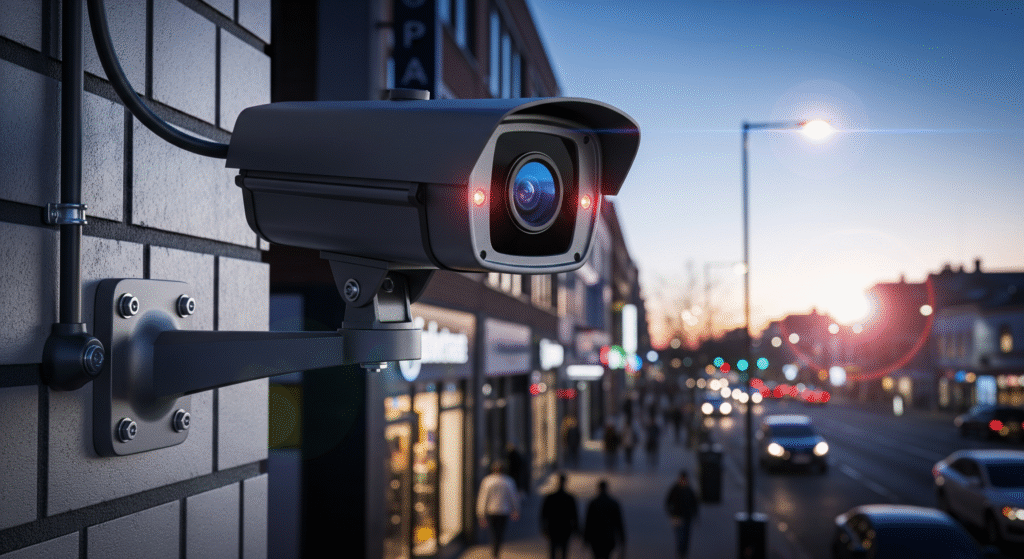
Outdoor cameras protect your property from outside threats. They are built to withstand weather conditions like rain, snow, and heat. Outdoor cameras usually have stronger housings and night vision to see in the dark.
- Indoor Cameras
- Compact size
- Better video clarity
- Two-way audio for communication
- No weather resistance needed
- Outdoor Cameras
- Weatherproof design
- Infrared night vision
- Motion detection alerts
- Wide-angle lenses
| Feature | Indoor Cameras | Outdoor Cameras |
|---|---|---|
| Weather Resistance | No | Yes |
| Night Vision | Optional | Standard |
| Audio Features | Two-way audio common | Usually one-way or none |
| Installation | Easy, plug and play | May require mounting and wiring |
Wired Vs Wireless Options
Home security cameras come as wired or wireless. Each type has pros and cons. Choose based on your home layout and preferences.
Wired cameras connect to power and recording devices with cables. They offer stable connections and do not rely on Wi-Fi. These cameras often work better for large homes or areas with weak internet.
Wireless cameras use Wi-Fi to send video. They are easier to install and move around. Battery-powered models offer placement flexibility but need regular charging.
- Wired Cameras
- Stable, reliable video feed
- Continuous power supply
- Harder to install
- Less prone to hacking
- Wireless Cameras
- Easy to install
- Flexible placement
- May need battery changes
- Depends on Wi-Fi strength
| Aspect | Wired Cameras | Wireless Cameras |
|---|---|---|
| Installation | Complex, needs wiring | Simple, no cables |
| Power | Continuous | Battery or plug-in |
| Connectivity | Wired, stable | Wi-Fi, can drop |
| Security | Harder to hack | Needs strong encryption |
360-degree And Pan-tilt-zoom Cameras
These cameras cover wide areas with flexible viewing. They reduce blind spots and give more control.
360-degree cameras capture a full circle view. They record everything around the camera. These work well in rooms or open spaces where you want total coverage.
Pan-tilt-zoom (PTZ) cameras can move left, right, up, and down. They also zoom in and out to focus on details. You can control these cameras remotely through apps.
- 360-Degree Cameras
- Wide, full-room coverage
- No moving parts
- Good for static monitoring
- May require special viewing software
- Pan-Tilt-Zoom Cameras
- Remote directional control
- Optical zoom for detail
- Active monitoring possible
- Higher cost
| Feature | 360-Degree Cameras | PTZ Cameras |
|---|---|---|
| Field of View | Full circle (360°) | Directional, adjustable |
| Movement | Fixed lens | Motorized pan, tilt, zoom |
| Use Case | Wide area coverage | Focused tracking |
| Control | Passive viewing | Active remote control |
Key Features To Consider
Choosing the right home security camera smart home system involves understanding key features that affect performance and usability. These features ensure the camera captures clear video, sends alerts about unusual activity, and allows easy communication and storage. Paying attention to these details helps protect your home effectively and provides peace of mind.
Video Quality And Night Vision
Video quality is a top priority for home security cameras. Clear images help identify people and details. Most cameras offer HD resolution, ranging from 720p to 4K. Higher resolution means sharper images but may require more storage space.
- 720p: Basic clarity, suitable for general monitoring.
- 1080p (Full HD): Good balance of quality and storage use.
- 4K: Very detailed, ideal for larger areas or zooming.
Night vision lets cameras record in low light or darkness. Infrared (IR) LEDs provide black-and-white images at night. Look for cameras with good night vision, usually between 15 and 50 feet.
| Feature | Why It Matters | Recommended Specs |
|---|---|---|
| Resolution | Sharper images for clear identification | 1080p or higher |
| Night Vision Range | Visibility in dark areas around your home | At least 30 feet |
| Color Night Vision | Better detail in low light | Optional but useful |
Motion Detection And Alerts
Motion detection is essential for smart security cameras. It triggers recording and sends alerts when movement occurs. This feature saves storage space and battery life by recording only when needed.
Effective motion detection should be:
- Accurate: Reduces false alarms from pets or passing cars.
- Adjustable sensitivity: Lets you customize detection zones and alert levels.
- Quick alerts: Sends notifications instantly via app, email, or SMS.
Some cameras include advanced features such as facial recognition and object detection. These help identify people or specific items, improving security and reducing unnecessary alerts.
| Motion Detection Feature | Benefit |
|---|---|
| Custom Detection Zones | Focus on critical areas like doors and windows |
| Adjustable Sensitivity | Limit alerts from small movements like leaves or shadows |
| Instant Alerts | Allows quick response to potential threats |
| Intelligent Detection (Face/Object) | Improves accuracy and reduces false alarms |
Two-way Audio And Storage Options
Two-way audio allows you to listen and speak through the camera. This feature helps communicate with visitors or warn intruders without being at home. It also adds convenience for monitoring children or pets.
- Microphone: Captures sounds near the camera clearly.
- Speaker: Lets you talk to people at your door or in the yard.
Storage options affect how long you can keep video recordings. Cameras offer local storage, cloud storage, or both.
- Local Storage: Uses SD cards or network storage devices. It is private but can be lost if the camera is stolen.
- Cloud Storage: Saves videos online with subscription plans. Offers easy access and backup, but may cost monthly fees.
Compare storage capacities and costs to choose the best option. Some cameras support continuous recording, while others record only when motion is detected.
| Storage Type | Advantages | Disadvantages |
|---|---|---|
| Local Storage | No monthly fees, quick access | Risk of theft or damage, limited space |
| Cloud Storage | Secure backup, remote access | Subscription costs depend on the internet |
Installation And Setup Tips
Installing a home security camera smart home system requires careful planning and execution. Proper installation ensures the camera works effectively and covers the right areas. Setting up the camera involves choosing the best spots, connecting to a reliable network, and maintaining power. Following these tips can help secure your home and provide peace of mind.
Optimal Camera Placement
Placing security cameras in the right locations is crucial for good coverage and clear images. Cameras should cover entrances, driveways, and any blind spots around the house. Avoid placing cameras where direct sunlight or strong lights can cause glare. Position cameras at a height of 7 to 10 feet for the best view and to prevent tampering.
- Front and back doors: Monitor main entry points.
- Garage and driveway: Watch for vehicle movement.
- Common outdoor areas: Cover patios, yards, and walkways.
- Indoors: Focus on hallways and main rooms.
Use this table to compare placement tips for indoor and outdoor cameras:
| Placement Area | Recommended Height | Key Considerations |
|---|---|---|
| Outdoor | 7-10 feet | Weatherproof, avoid glare, cover entrances |
| Indoor | 6-8 feet | Focus on hallways, main rooms, avoid direct light |
Test camera angles before fixing the mounts. Adjust to capture clear faces and movements. Keep cameras away from objects that block the view.
Network Configuration
Smart home security cameras need a stable network to work well. Connect cameras to a strong Wi-Fi signal for smooth video streaming and alerts. Use a separate network or VLAN for security devices to protect privacy. Avoid placing cameras too far from the router to prevent connection drops.
Use these tips for better network setup:
- Check Wi-Fi strength: Use apps to test signal at camera spots.
- Set static IP addresses: Prevent connection issues caused by changing IPs.
- Enable encryption: Use WPA3 or WPA2 security protocols for Wi-Fi.
- Update firmware: Keep camera software current to fix bugs and improve security.
Use this checklist for quick network setup:
- Scan area for Wi-Fi coverage
- Assign fixed IP to each camera
- Secure router with strong password
- Enable guest network for visitors
- Monitor bandwidth to prevent slowdowns
Power Supply And Maintenance
Reliable power is essential for 24/7 camera operation. Choose wired cameras for constant power or wireless cameras with strong batteries. For battery-powered cameras, check battery life regularly and replace or recharge as needed. Use solar panels for outdoor cameras to extend battery life in sunny areas.
Maintenance keeps cameras working well:
- Clean lenses: Remove dust and dirt monthly for clear images.
- Check mounts: Ensure cameras stay firmly in place.
- Test alerts: Confirm notifications work on your phone.
- Inspect cables: Look for damage or wear on wired cameras.
The table below shows power options and pros for smart home cameras:
| Power Type | Advantages | Considerations |
|---|---|---|
| Wired | Constant power, no battery changes | Needs professional installation |
| Battery | Easy setup, flexible placement | Requires regular charging or battery swaps |
| Solar | Eco-friendly, extends battery life | Needs sunny location, initial cost higher |
Privacy And Security Concerns
Home security camera smart home systems offer great convenience and safety for your home. They help monitor activities and alert you to any unusual events. However, these devices also raise essential privacy and security concerns. Many people worry about how their video data is stored, who can access it, and whether hackers can invade their privacy. Understanding these concerns helps you use smart home security camera systems safely and protect your personal information effectively.
Data Encryption And Security Measures
Data encryption is a key step in protecting your smart home camera footage. Encryption scrambles video files so only authorized users can view them. Without proper encryption, hackers might intercept and see your video streams.
Standard security measures include:
- End-to-End Encryption: Video is encrypted at the camera and decrypted only on your device.
- Secure Cloud Storage: Videos stored in the cloud use strong encryption protocols, such as AES-256.
- Regular Firmware Updates: Cameras receive updates to fix security flaws and improve protection.
- Two-Factor Authentication (2FA): Adds an extra layer of login security beyond passwords.
| Security Feature | Purpose |
|---|---|
| SSL/TLS Encryption | Secures data during transmission between devices and servers. |
| AES-256 Encryption | Protects stored video with strong, industry-standard encryption. |
| Automatic Updates | Keeps software safe from new threats. |
Always check your camera’s security features before buying. Encryption and regular updates reduce risks of data breaches.
User Privacy Settings
Smart cameras come with settings to control what data they collect and share. Adjusting these options helps protect your privacy. Many users do not change default settings, leaving them vulnerable.
Necessary privacy settings include:
- Camera Activation: Turn the camera off or block the lens when privacy is needed.
- Motion Detection Zones: Limit recording to certain areas, avoiding private spaces.
- Data Sharing Preferences: Opt out of sharing footage with third parties or manufacturers.
- Notification Controls: Choose what alerts you receive and how often.
Some cameras also offer privacy modes or physical shutters. Use these when hosting guests or during personal moments.
Review your privacy settings regularly. Technology updates can change default options or add new controls.
Preventing Unauthorized Access
Unauthorized access is a major threat to smart home cameras. Hackers may try to view or control your camera without permission. Taking steps to prevent this is crucial.
Tips to protect your camera include:
- Use Strong Passwords: Avoid default or simple passwords. Combine letters, numbers, and symbols.
- Enable Two-Factor Authentication: Adds a code sent to your phone for login.
- Secure Your Wi-Fi Network: Use WPA3 encryption and a strong router password.
- Limit User Access: Only allow trusted people to access the camera feed.
- Monitor Login Activity: Check for unusual logins or device connections.
Regularly update your camera’s password and software. Avoid accessing cameras on public Wi-Fi. Use a VPN if remote access is needed.
Preventing unauthorized access protects your home and your family’s privacy from cyber threats.
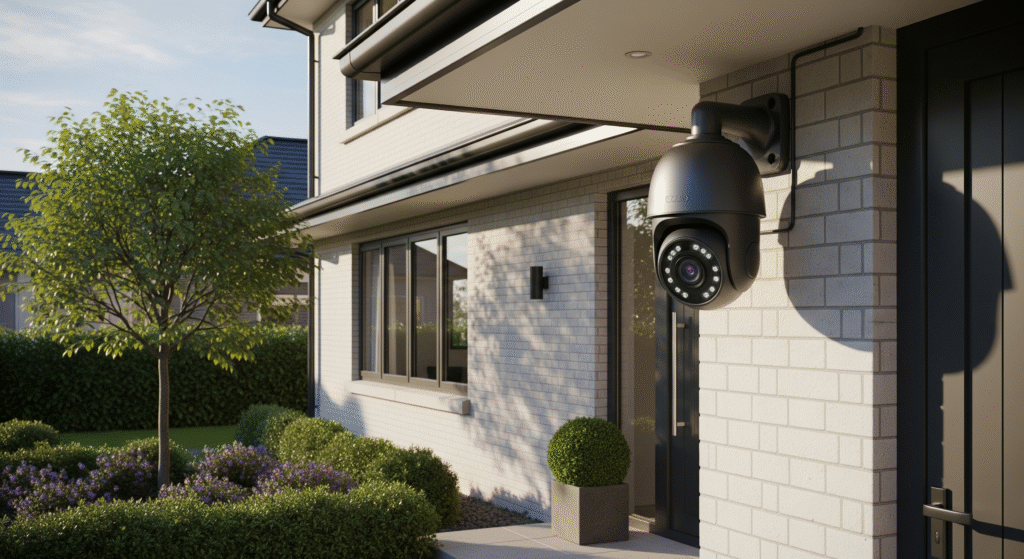
Popular Smart Home Camera Brands
Smart home security cameras have become essential for protecting homes and loved ones. Popular brands offer various models with different features, prices, and quality. These brands focus on easy installation, clear video, and smart alerts. Choosing a trusted brand ensures reliable performance and good customer support. Here is an overview of popular smart home camera brands and what they offer.
Top Features From Leading Brands
Leading smart home camera brands provide a range of useful features. These improve home security and make monitoring simple and effective.
- High-Definition Video: Most cameras offer 1080p or higher resolution for clear images.
- Night Vision: Infrared technology allows cameras to see in low light or darkness.
- Two-Way Audio: Users can listen and speak through the camera using a smartphone app.
- Motion Detection: Cameras send alerts when they detect movement, reducing false alarms.
- Cloud Storage: Video clips are saved online for easy access and backup.
- Smart Home Integration: Brands often support Alexa, Google Assistant, or Apple HomeKit.
- Wide-Angle Lens: Cameras cover larger areas with less blind spots.
| Brand | Unique Feature | Integration |
|---|---|---|
| Arlo | Wire-free design, advanced AI detection | Alexa, Google Assistant, Apple HomeKit |
| Ring | Video doorbells, neighborhood alerts | Alexa |
| Nest (Google) | Familiar face alerts, continuous recording | Google Assistant, Alexa |
| Eufy | Local storage, no monthly fees | Alexa, Google Assistant |
Price Ranges And Value
Smart home security cameras vary widely in price. Budget, features, and brand influence costs. Understanding price ranges helps pick the best value for your needs.
Entry-level cameras start around $50 to $100. These offer basic video quality and simple features. They suit small spaces or first-time buyers.
Mid-range cameras cost between $100 and $200. They often include advanced motion detection, better video resolution, and cloud storage plans.
High-end cameras exceed $200. These have premium features like AI detection, 4K video, and strong smart home integration.
Some brands require monthly fees for cloud storage or advanced features. Others provide local storage options with no extra cost.
| Price Range | Features | Best For |
|---|---|---|
| $50 – $100 | Basic HD, motion alerts | Small homes, budget buyers |
| $100 – $200 | Enhanced video, cloud storage | Families, medium homes |
| $200+ | 4K video, AI detection | Large homes, tech enthusiasts |
Consider total cost, including equipment and any subscription fees. Choose a camera that balances price and features for your home.
Customer Reviews And Ratings
Customer feedback reveals real experiences with smart home cameras. Reviews highlight strengths and common issues.
Most popular brands have thousands of reviews across online stores. Ratings usually range from 4 to 5 stars for top models.
Common praised points include:
- Easy installation and setup
- Clear video quality day and night
- Responsive customer support
- Useful motion alerts with low false alarms
Common complaints involve:
- Subscription costs for cloud storage
- Occasional app glitches or connection drops
- Limited field of view on some models
| Brand | Average Rating | Review Highlights |
|---|---|---|
| Arlo | 4.5 / 5 | Excellent video, pricey subscriptions |
| Ring | 4.3 / 5 | Good alerts, occasional app issues |
| Nest | 4.6 / 5 | Smart alerts, easy integration |
| Eufy | 4.4 / 5 | No fees, solid local storage |
Reading multiple reviews helps pick a camera that fits your expectations and home setup.
Future Trends In Smart Home Security
Home security camera and smart home systems are becoming more than just tools for monitoring your home. The future holds exciting changes that will make these systems smarter, faster, and more connected. Upcoming trends in home security camera smart home technology focus on improving safety through AI, enhanced alerts, and broader device networks. These advances will help protect homes more efficiently and more easily.
AI and Machine Learning Integration
The integration of AI (Artificial Intelligence) and machine learning is reshaping smart home security cameras. These technologies allow cameras to learn and adapt over time. Instead of just recording video, cameras can now recognize faces, detect unusual activities, and reduce false alarms.
Key benefits of AI and machine learning in security cameras include:
- Facial recognition: Identifies family members and alerts for strangers.
- Behavior analysis: Detects suspicious actions like loitering or unusual movements.
- Automatic updates: Cameras improve themselves with software updates without user input.
Here is a simple comparison of traditional vs. AI-powered security cameras:
| Feature | Traditional Cameras | AI-Powered Cameras |
|---|---|---|
| Motion Detection | Basic, many false alarms | Smart, reduces false alarms |
| Face Recognition | No | Yes |
| Learning Ability | No | Yes |
AI helps cameras focus on essential details. This saves time and increases security. The future will see even more intelligent cameras that predict problems before they happen.
Advanced Analytics And Alerts
Smart home security cameras will soon offer advanced analytics to deliver more accurate alerts. Instead of generic warnings, these systems will send specific messages based on what they detect.
Advanced analytics will include:
- Activity recognition: Differentiates between a pet, a visitor, and an intruder.
- Zone monitoring: Sends alerts only if certain vital areas are crossed.
- Real-time alerts: Instant notifications via app, email, or text.
These features reduce false alarms and let users act faster. Alerts can be customized for different family members or situations.
Below is an example of how alerts may be categorized:
- Low priority: Pet movement detected.
- Medium priority: Unknown person at the door.
- High priority: Forced entry or break-in detected.
With detailed alerts, users can make quick decisions. This improves response time and enhances safety. Future cameras will learn which alerts matter most to each user.
Smart Home Ecosystem Expansion
The smart home ecosystem will grow to include more devices working together. Security cameras will not act alone but will connect with alarms, lights, locks, and other smart gadgets.
Benefits of ecosystem expansion include:
- Seamless integration: Cameras trigger other devices automatically.
- Central control: Manage all devices from a single app or voice assistant.
- Improved automation: Lights turn on during detected motion; doors lock if suspicious activity appears.
Table shows common smart home devices linked with security cameras:
| Device | Role in Security | Example Action |
|---|---|---|
| Smart Locks | Control access | Auto-lock doors after camera detects no activity |
| Smart Lights | Illuminate areas | Turn on lights when motion is detected |
| Alarm Systems | Alert homeowners | Sound alarm if camera detects break-in |
Future smart homes will feel more connected and responsive. Cameras will play a central role in this network, making homes safer and smarter.
Frequently Asked Questions
What Are The Benefits Of A Home Security Camera Smart Home?
A smart home security camera offers real-time monitoring and alerts. It enhances safety by detecting unusual activities instantly. Integration with other smart devices improves convenience. Remote access allows you to check your home anytime, anywhere. Overall, it boosts security and peace of mind efficiently.
How Do Smart Home Security Cameras Connect?
Smart home security cameras connect via Wi-Fi or Ethernet. They link to your home network for remote access. Most use apps for live streaming and notifications. Some integrate with smart hubs or voice assistants. This connectivity enables seamless control and monitoring from smartphones.
Can Smart Home Cameras Work Without Internet?
Most smart home cameras need internet for remote features. However, some store footage locally on SD cards. They can function offline for recording but lack live streaming. Without internet, you miss real-time alerts and remote access. Internet connection is essential for full smart functionality.
Are Smart Home Security Cameras Easy To Install?
Yes, most smart security cameras offer easy installation. They usually come with mounting kits and clear instructions. Many models support wireless setup, reducing wiring hassle. Mobile apps guide you step-by-step through configuration. This simplicity makes smart cameras user-friendly for all homeowners.
Conclusion
Home security camera smart home systems help protect your home and family. They offer real-time video and easy access on your phone, allowing you to monitor your home anytime, even when you’re away. Many models detect motion and send alerts instantly, and installation is simple while fitting most budgets.
Choosing the right camera adds peace of mind daily. Stay safe with smart technology that works for you. A secure home feels comfortable and worry-free. Smart cameras make home security clear and easy.