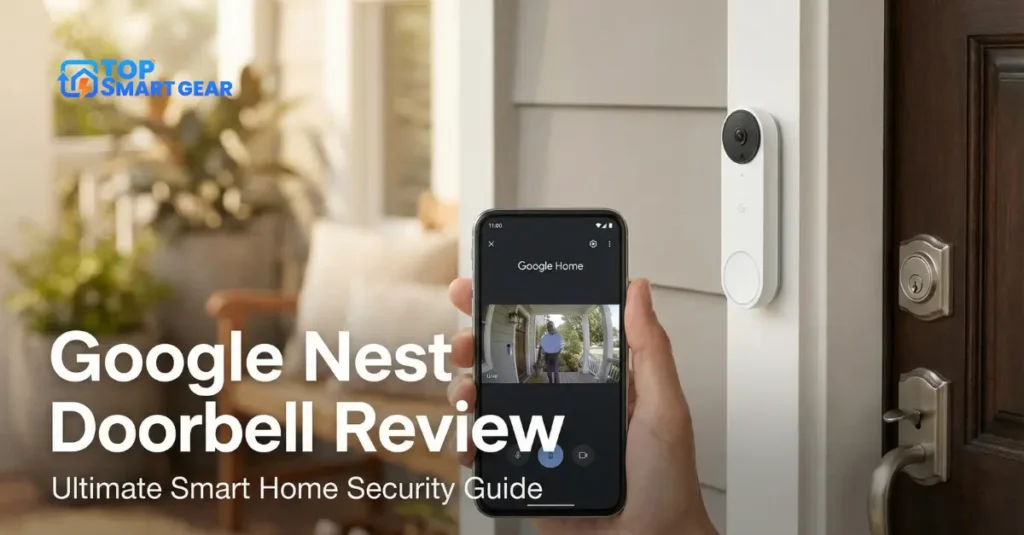
Are you looking for a smart doorbell that keeps your home safe and lets you see who’s at your door from anywhere? This Google Nest Doorbell Review explores its features, performance, and why it could be the perfect addition to your smart home.
But does it live up to the hype? In this review, you’ll discover how this device can change the way you answer your door, keep your family secure, and even save you time. If you want to know whether the Google Nest Doorbell is the right fit for your home, keep reading.
Your next smart home upgrade might be just a few paragraphs away.
Credit: saintnicholashospital.com.br
Design And Build
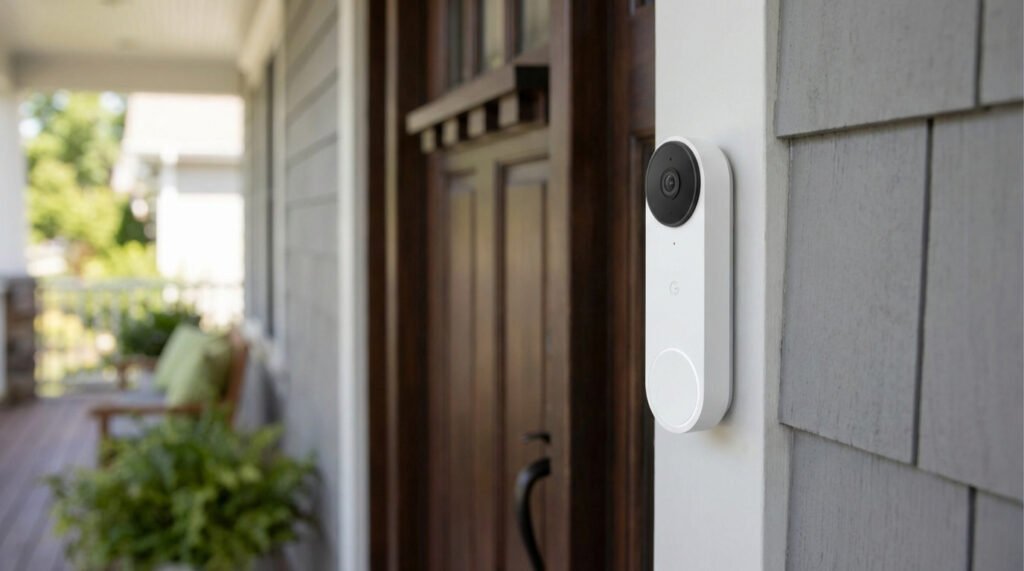
The design and build of the Google Nest Doorbell play a big role in its overall appeal. It looks modern and fits well on most front doors. The materials used ensure it lasts through different weather conditions. The design also helps the device blend in without drawing too much attention.
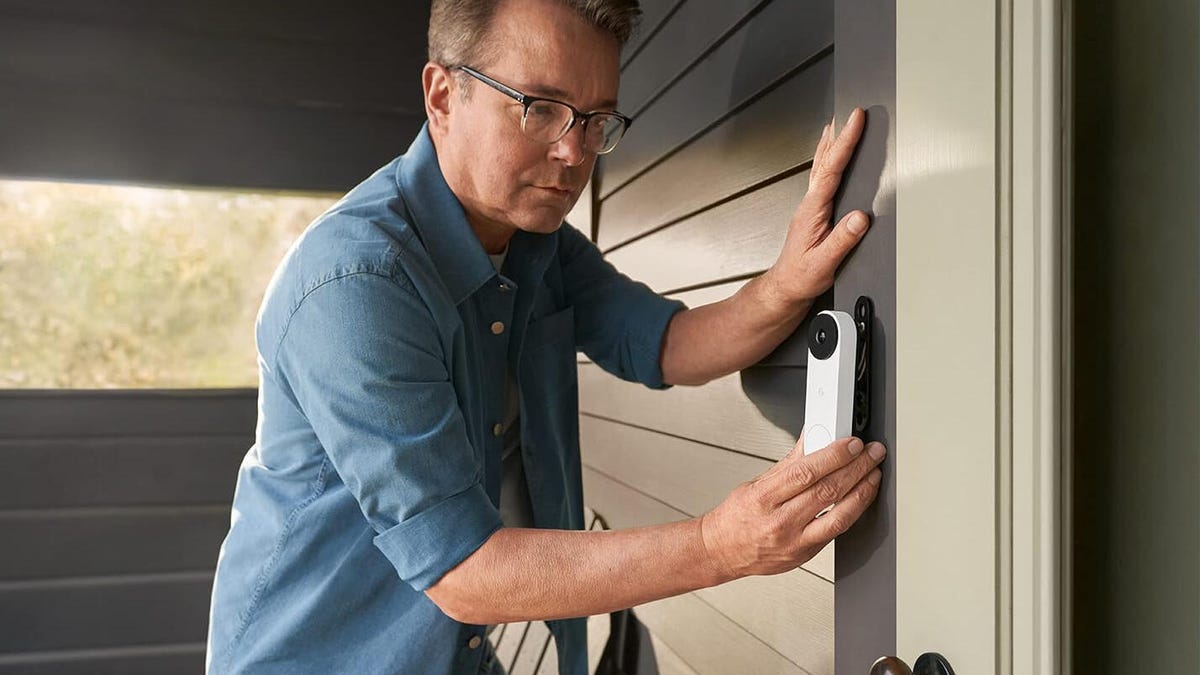
Easy installation adds to its user-friendly design. Many users can set it up without professional help. The process is straightforward and does not take long. Clear instructions guide through each step smoothly.
Appearance And Materials
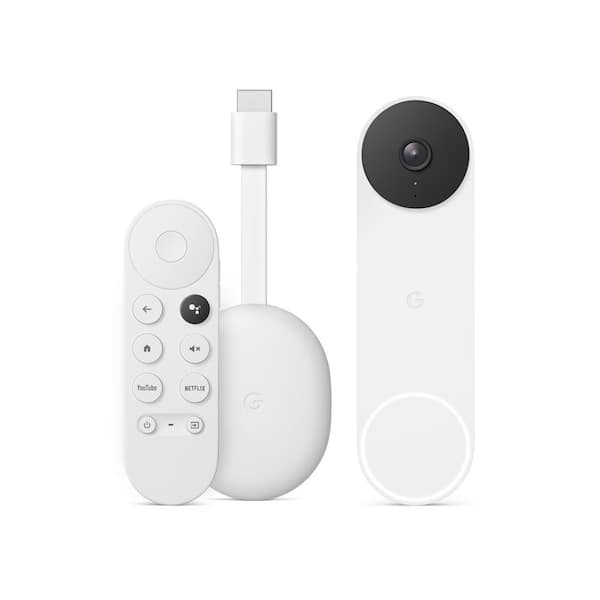
The Google Nest Doorbell has a sleek, slim shape. It uses a mix of plastic and metal parts. The front face is smooth and glossy. The button lights up softly at night.
This doorbell comes in neutral colors. It matches well with most home exteriors. The materials feel strong and durable. It can handle rain, sun, and cold weather without damage.
Installation Process
Setting up the Google Nest Doorbell is simple. It comes with all the needed tools. The package includes screws and mounting brackets.
First, attach the base plate to the wall. Next, connect the wires carefully. Then, click the doorbell onto the base plate. Use the app to complete setup and connect to Wi-Fi.
The whole process takes about 15 to 20 minutes. No special skills or tools are needed. Most homeowners can install it themselves without trouble.
Video And Audio Quality
The Google Nest Doorbell Review highlights its solid video and audio quality, allowing you to see and hear visitors clearly. This section breaks down the key features that matter most for everyday use.
Camera Resolution And Field Of View
The camera delivers sharp video at 960 x 1280 pixels. It captures clear images of visitors and packages. The field of view is wide at 145 degrees. This angle covers most door areas without blind spots. It helps catch movement from different angles.
Night Vision Performance
Night vision uses infrared LEDs to produce clear video in low light. It shows visitors even in complete darkness. The images remain sharp, not grainy or blurry. This feature ensures safety at any hour.
Two-way Audio Features
The Nest Doorbell includes a built-in microphone and speaker. It allows real-time conversation with visitors. The audio is clear with minimal delay. Background noise is reduced for better clarity. This feature lets you greet guests or give instructions remotely.
Smart Features
The Google Nest Doorbell offers smart features that boost home security and convenience. These features help you stay aware of visitors and activity at your door. The doorbell uses advanced technology to give clear alerts and easy control.
Motion Detection And Alerts
The doorbell detects motion near your door. It sends alerts to your phone instantly. You can see who is outside even before they ring. The system reduces false alerts by recognizing usual movements. This helps you stay informed without constant notifications.
Facial Recognition
Facial recognition identifies familiar faces at your door. It tells you if a family member or friend is visiting. This feature adds a personal touch to your alerts. You get more useful information with less effort. It makes the doorbell smarter and more helpful.
Integration With Google Home
The doorbell works well with Google Home devices. You can ask Google to show the door’s camera on smart displays. This makes it easy to check visitors without using your phone. The integration also allows voice commands for quick control. It creates a smooth smart home experience.
App Experience
In this Google Nest Doorbell Review, the app experience is a key part of using the device. It connects you directly to your doorbell, allowing you to see and talk to visitors from anywhere. The app is designed to be simple and intuitive, making it easy to manage your doorbell and stay connected to your home.
User Interface And Navigation
The app’s user interface is clean and easy to use. Icons and buttons are clear and well-spaced. Menus are simple, allowing quick access to important features. Navigation feels natural, even for users new to smart home apps. Finding live video or settings takes just a few taps.
Live View And Playback
Live View offers a real-time video feed from the doorbell camera. The video quality is sharp and loads quickly. Playback lets you watch recorded clips from past events. The timeline is easy to scroll through, so you can find specific moments fast. Controls like pause, rewind, and fast-forward work smoothly.
Notification Customization
Notifications can be tailored to fit your needs. You choose what alerts to receive, such as motion or visitor rings. Sound and vibration settings are adjustable for each type. This helps avoid unnecessary alerts and keeps you informed only about what matters most.
Power And Connectivity
The Google Nest Doorbell offers reliable power and connectivity, essential for daily use. Understanding these features helps you get the best from your device. The doorbell balances power efficiency with strong network support. This section covers battery life, charging options, and Wi-Fi needs.
Battery Life And Charging Options
The Nest Doorbell uses a rechargeable battery. It lasts about one to two months on a full charge. Actual life depends on usage and settings. Frequent motion alerts or video streaming can reduce battery life.
You can charge the battery by removing it and using a USB-C cable. Charging takes a few hours. The doorbell also supports wired power. This option ensures constant power without recharging.
Wi-fi And Network Requirements
The device requires a stable Wi-Fi connection for smooth operation. It works best with 2.4 GHz or 5 GHz networks. The minimum speed recommended is 2 Mbps upload for video streaming. Strong Wi-Fi ensures real-time alerts and clear video.
Connecting the doorbell to your network is simple. The Google Home app guides you through the setup. Keep the router close to the doorbell for better signal strength.
Privacy And Security
Privacy and security are key factors for smart doorbells. The Google Nest Doorbell focuses on protecting your data and keeping your home safe. It uses strong security measures to protect video feeds and personal information.
Users have control over who sees their data and how it is shared. These features help build trust and ensure privacy at every step.
Data Encryption
In this Google Nest Doorbell Review, security and privacy are top priorities. The Google Nest Doorbell encrypts all video and audio data during transmission and storage, making it difficult for hackers to access your footage. This strong encryption protects both your home’s security and your personal privacy.
User Control And Permissions
You decide who can view your doorbell’s video. The app allows you to set access for family or friends. It also lets you adjust privacy settings at any time. You control notifications and what data Google collects. This control helps keep your information private and secure.
Pricing And Subscription
The Google Nest Doorbell offers clear pricing options and subscription plans. Understanding these costs helps decide if this smart doorbell fits your budget. The device cost is straightforward, while subscription plans add useful features.
Device Cost
The Google Nest Doorbell price is reasonable for its features. It usually costs around $130 to $180. This price may vary depending on the seller or any ongoing deals. The device comes with built-in video and two-way talk. No extra fees apply to basic use. You buy the device once and install it yourself. No monthly payments are required to use basic functions.
Subscription Plans And Benefits
Subscription plans offer extra benefits for the Nest Doorbell. Google provides a Nest Aware plan for video history and alerts. The plan starts at $6 per month or $60 per year. It records video up to 30 days, helping review past events. Without a plan, you get only three hours of event history. The subscription also adds person detection and activity zones. This means fewer false alerts and more accurate notifications. Subscribing improves security and convenience. You can cancel anytime without a penalty.
Comparison With Competitors
The Google Nest Doorbell Review shows why this doorbell stands out in a crowded smart doorbell market. Comparing it with competitors highlights its strengths and weaknesses. This section breaks down the key differences and value, helping you decide if it’s the right choice for your home.
Feature Differences
The Nest Doorbell offers HD video with night vision and two-way audio. It detects people, packages, and animals. Competitors may have similar features but often lack Nest’s alert accuracy.
Some models provide 24/7 video recording, but Nest requires a subscription. Some brands offer local storage options, but Nest does not. The Nest app integrates well with other Google devices, a plus for Google Home users.
Competitors might have wider fields of view or longer battery life. However, Nest’s design is compact and weather-resistant. Each option has trade-offs depending on what features matter most to you.
Value For Money
The Nest Doorbell’s price is mid-range compared to others. It offers reliable performance and solid build quality. The subscription fee adds to the cost for full functionality.
Some competitors are cheaper but may lack smart alerts or a high-quality app. Others cost more but include free video storage. Nest is a strong choice for users who want easy integration with Google services.
Assess your budget and which features you need most. Spending a bit more on Nest may pay off in convenience and user experience. Budget options work if you want basic doorbell functions without smart extras.
Pros And Cons
Every product has strengths and weaknesses. The Google Nest Doorbell is no different. This section explores its key pros and cons. Knowing these helps you decide if it fits your needs.
Pros Of Google Nest Doorbell
- Easy to install with clear instructions.
- High-quality video with sharp images.
- Works well in low light with night vision.
- Smart alerts notify you about visitors quickly.
- Integrates smoothly with other Google devices.
- Offers both battery and wired power options.
- Two-way talk lets you speak to visitors remotely.
Cons Of Google Nest Doorbell
- Subscription needed for full video history access.
- Battery life can be short with frequent use.
- Occasional delays in motion alerts.
- Requires strong Wi-Fi for best performance.
- Some features are limited without a Google ecosystem.
- The price is higher than that of some other doorbells.
Who Should Buy It
The Google Nest Doorbell Review highlights a smart way to see visitors and keep your home secure. It fits a variety of lifestyles and homes, and understanding who benefits most can help you decide if it’s right for you. The following sections explain the best use cases and ideal users for this doorbell.
Best Use Cases
Perfect for busy homes needing extra security. It helps watch packages and deliveries safely. Great for people wanting to see guests without opening the door. Useful in places with heavy visitor traffic or frequent deliveries. Also suits those who want to check their home remotely. Works best with other smart home devices for added control.
Ideal User Profiles
Homeowners seeking easy-to-use security tech. Families wanting to monitor kids or pets at the door. People who travel often and want remote access. Those living in neighborhoods with package theft issues. Anyone who prefers voice control and smart alerts. Users who want a clear video day and night.
Frequently Asked Questions
What Features Does The Google Nest Doorbell Offer?
The Google Nest Doorbell includes HD video, two-way audio, and motion detection. It supports smart alerts and integrates with Google Assistant for voice control and automation.
How Does The Google Nest Doorbell Improve Home Security?
It provides real-time video alerts and records activity around your door. The doorbell helps deter package theft and allows you to verify visitors remotely.
Is The Google Nest Doorbell Easy To Install?
Yes, it offers simple installation with step-by-step instructions. It supports both wired and battery-powered setups, making it flexible for homes of all types.
Can I Use Google Nest Doorbell Without A Subscription?
Basic features like live video and alerts are free. However, a Nest Aware subscription unlocks advanced features like video history and intelligent alerts.
Conclusion
In this Google Nest Doorbell Review, the camera delivers clear video and easy usability, helping keep your home safe day and night. Installation is simple and fits most doors, while the app sends instant alerts to your phone. The long-lasting battery means less frequent charging and more peace of mind.
It works well with other smart home devices. You get good value for the price. This doorbell suits those wanting smart security without fuss. A solid choice for peace of mind.