Curious about How Do Smart Light Bulbs Work? Learning how they connect and respond to your phone or voice commands helps you understand why smart lighting is so convenient.
It sounds like magic, but it’s all about smart technology that makes your life easier and more comfortable. You’ll discover exactly how these bulbs connect to your home, what makes them different from regular bulbs, and how they can transform the way you light up your space.
Keep reading, and you’ll soon see why switching to smart lighting might be one of the best decisions for your home.
Basics Of Smart Light Bulbs
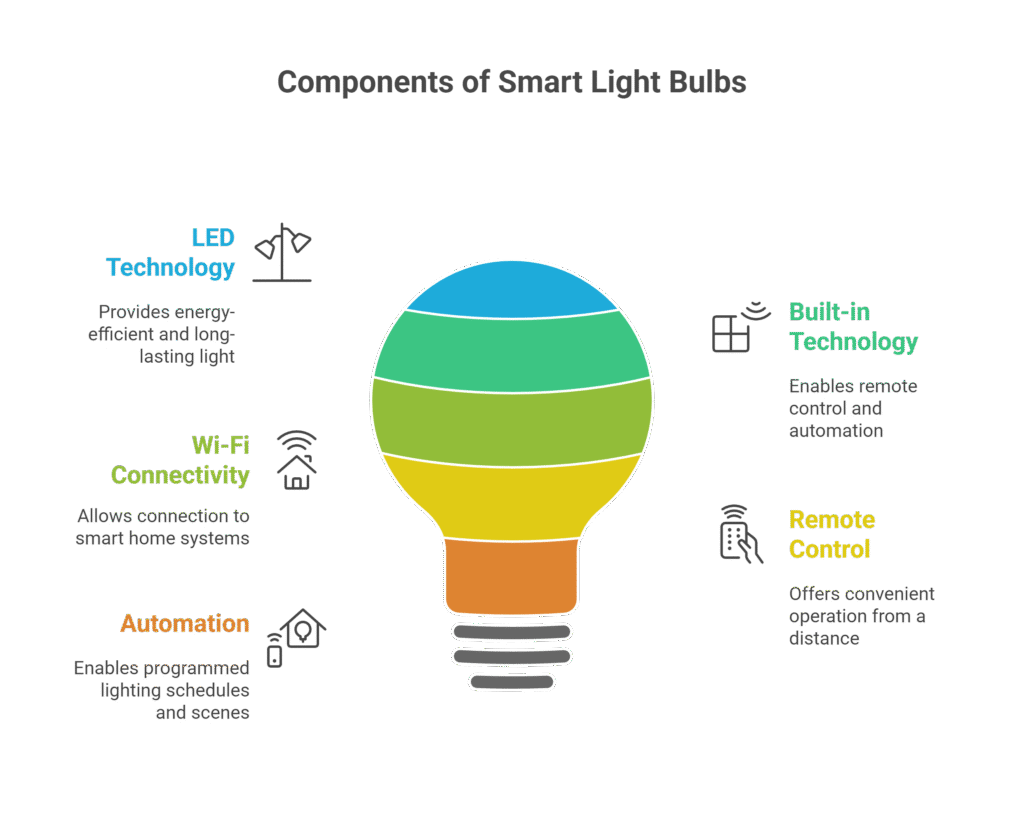
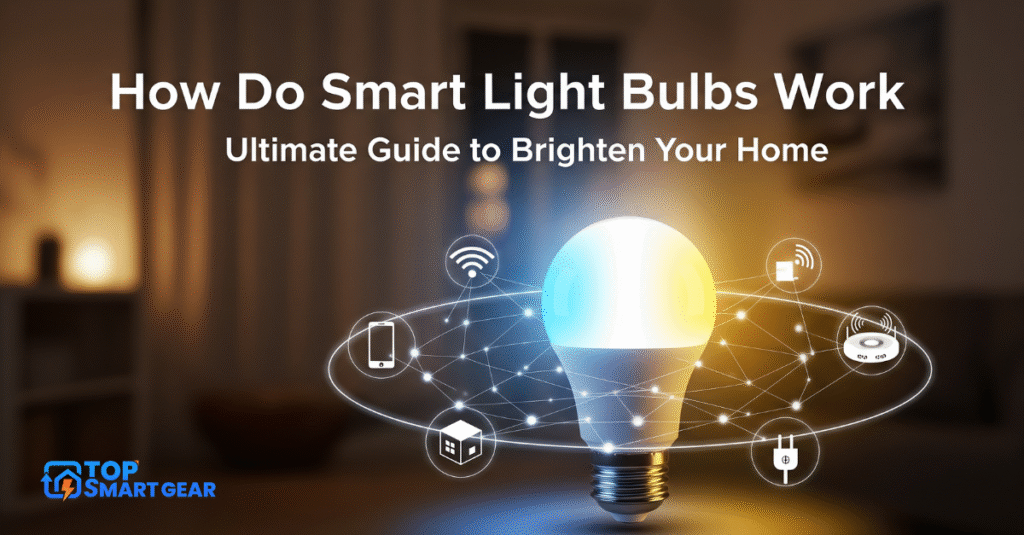
Smart light bulbs bring modern technology into everyday lighting. Understanding the basics of smart light bulbs helps users see how they enhance home comfort and energy use. So, what is a smart light bulb? It is an LED bulb with built-in technology that allows remote control and automation. These bulbs connect to Wi-Fi or other smart home systems, offering features beyond simple on/off lighting.
Components Inside
Each smart light bulb contains several key components that work together to enable smart features. At the core is the LED chip, which produces light efficiently and lasts longer than traditional bulbs.
- Microcontroller: This small computer chip controls the bulb’s operations and processes commands.
- Wireless module: Enables communication via Wi-Fi, Bluetooth, or Zigbee. This lets users control the bulb remotely using apps or voice assistants.
- Power supply: Converts electricity to the right voltage and current for the LED and other electronics.
- Light diffuser: Evenly spreads light to avoid harsh spots or glare.
These components are housed inside a standard bulb shape, making installation easy. The microcontroller receives signals from your phone or smart home hub and changes the light’s color, brightness, or schedule.
| Component | Function |
|---|---|
| LED chip | Produces light efficiently |
| Microcontroller | Processes commands and controls bulb functions |
| Wireless module | Allows remote communication |
| Power supply | Manages electrical input for safe operation |
| Light diffuser | Distributes light evenly |
Types Of Smart Bulbs
Smart bulbs come in various types, each offering different features. Choosing the right type depends on your needs and your home’s existing setup.
- Wi-Fi Smart Bulbs: Connect directly to your home Wi-Fi network. They work with apps and voice assistants without extra hubs.
- Bluetooth Smart Bulbs: Pair with your phone or tablet nearby. They don’t need internet, but have a limited range.
- Zigbee and Z-Wave Bulbs: Use special hubs to connect multiple devices. These are good for larger smart home systems and offer strong signals.
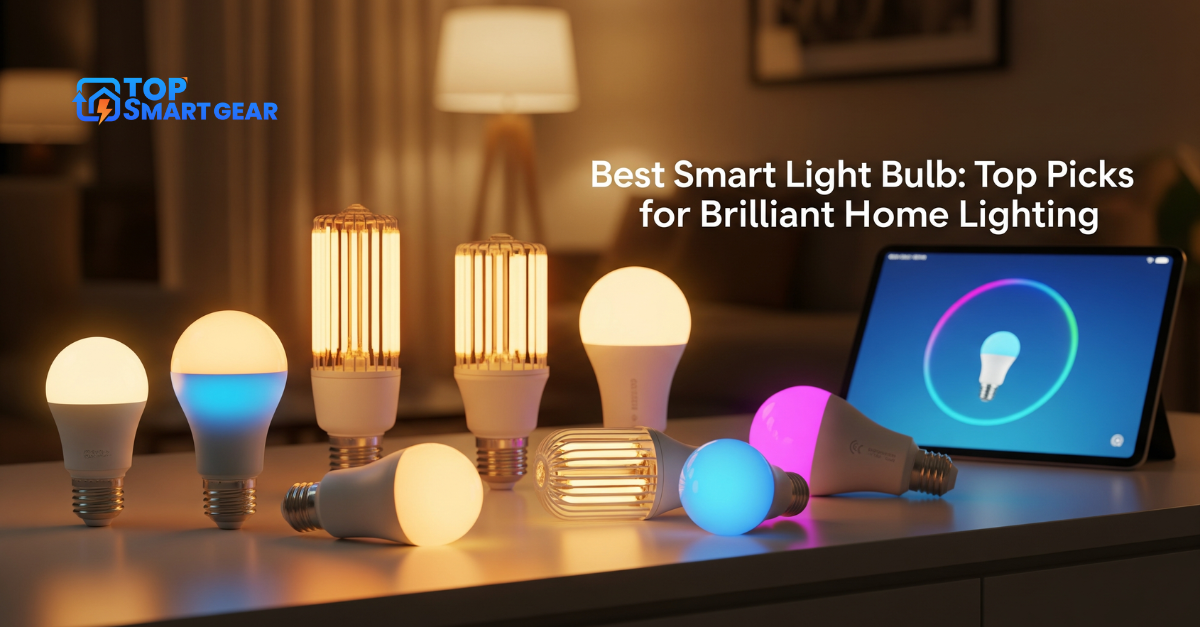
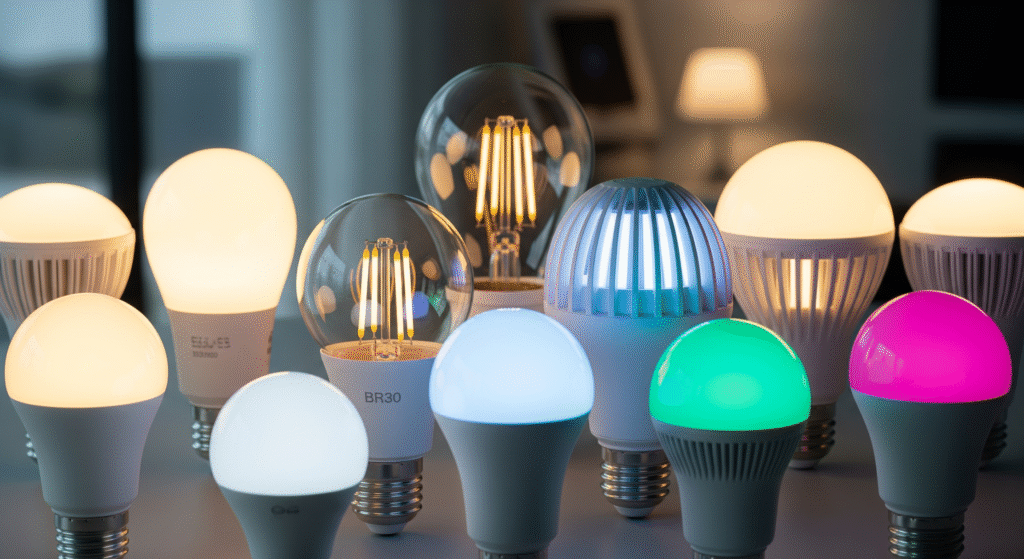
- Color-Changing Bulbs: Let you pick from millions of colors and adjust brightness to suit moods or activities.
- White Temperature-Adjustable Bulbs: Change from warm to cool white light to help with focus or relaxation.
| Type | Connectivity | Features | Best For |
|---|---|---|---|
| Wi-Fi | Wi-Fi | Remote control, voice commands | Simple setup, no hub |
| Bluetooth | Bluetooth | Local control, no internet | Small areas, personal use |
| Zigbee/Z-Wave | Zigbee or Z-Wave hub | Long range, many devices | Large smart home networks |
| Color Changing | Varies | Adjust colors and brightness | Mood lighting, decoration |
| White Temperature Adjustable | Varies | Change light warmth | Task lighting, comfort |
Understanding these types helps in choosing a smart bulb that fits your lifestyle. Each offers unique benefits and control options, making lighting smarter and more adaptable.
Connectivity Options
Smart light bulbs connect to your home network or devices using different technologies. Understanding how do smart light bulbs work helps you see how these connectivity options let you control or automate lights remotely. Choosing the right connection affects ease of use, range, and compatibility with other smart devices, making it easier to pick the best bulb for your needs.
Wi-fi Enabled Bulbs
Wi-Fi-enabled bulbs connect directly to your home wireless network. This means you can control them from anywhere using a smartphone app. These bulbs do not need a separate hub or bridge, making setup simple.
Benefits of Wi-Fi bulbs:
- Easy to install and connect
- Control from anywhere with internet access
- Works well with many smart home systems like Alexa and Google Home
Considerations: Wi-Fi bulbs use your home internet, which can slow down if many devices connect at once. They may also consume more power than other bulbs in standby mode.
| Feature | Wi-Fi Enabled Bulbs |
|---|---|
| Range | Depends on Wi-Fi coverage in the house |
| Hub Needed | No |
| Control | App or voice, from anywhere |
Bluetooth Controlled Bulbs
Bluetooth bulbs connect directly to your phone or tablet without Wi-Fi. They work well for small spaces or rooms where you stay close to the bulb. Bluetooth uses less power and is faster to set up than Wi-Fi bulbs.
Advantages of Bluetooth bulbs:
- No internet needed
- Quick and easy to pair with devices
- Good for rooms with weak Wi-Fi signals
Limitations: Bluetooth bulbs only work within a short range—usually up to 30 feet. You cannot control them remotely unless you add a hub or bridge.
| Feature | Bluetooth Controlled Bulbs |
|---|---|
| Range | Short, about 30 feet |
| Hub Needed | No (for basic use) |
| Control | App or voice, near the bulb |
Zigbee And Z-Wave Protocols
Zigbee and Z-Wave are wireless protocols designed for smart home devices. These bulbs connect via a hub or bridge that manages multiple devices. They use low power and create a mesh network, where bulbs relay signals to each other.
Key features of Zigbee and Z-Wave:
- Mesh Networking: Extends range by passing signals through multiple bulbs.
- Low Power Use: Bulbs use less energy than Wi-Fi bulbs.
- Reliable Connection: Less interference than Wi-Fi or Bluetooth.
Differences between Zigbee and Z-Wave:
| Feature | Zigbee | Z-Wave |
|---|---|---|
| Frequency | 2.4 GHz | 908 MHz (US), 868 MHz (EU) |
| Range | 10-20 meters per device | 30-50 meters per device |
| Device Limit | Thousands | Up to 232 |
These protocols require a hub but offer strong, stable connections. They suit larger homes or setups with many smart devices.
Control Mechanisms
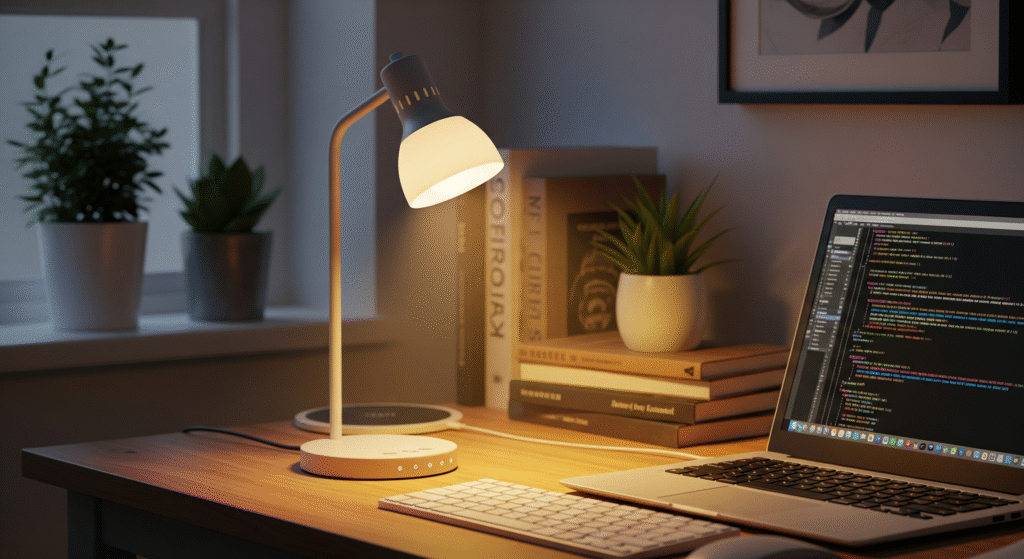
Smart light bulbs offer many ways to control your home lighting. Knowing how do smart light bulbs work helps you understand the different control mechanisms that make these bulbs flexible and easy to use. You can change brightness, colors, and schedules using mobile apps, voice assistants, or physical switches. Each method offers a unique way to manage your lights, and understanding these options makes it easier to choose the one that best fits your lifestyle.
Mobile Apps
Mobile apps are the most popular way to control smart bulbs. They connect your phone to the bulbs using Wi-Fi or Bluetooth. This connection lets you control lights from anywhere. For example, you can turn lights on or off before entering a room. You can also adjust brightness and colors with just a few taps.
Apps often provide extra features:
- Set schedules and timers for your lights
- Create custom lighting scenes for different moods
- Group multiple bulbs for easy control
- Monitor energy usage in some cases
Learning how to control lights from your phone is simple. Most apps have a user-friendly design. After installing the app, connect it to your bulbs by following the setup guide. You can then explore the app’s interface to customize your lighting.
| Feature | Benefit |
|---|---|
| Remote Access | Control lights from anywhere with an internet connection |
| Scheduling | Automate lights to turn on/off at set times |
| Customization | Choose colors and brightness levels easily |
| Grouping | Manage multiple bulbs at once |
Voice Assistants
Voice assistants like Alexa, Google Assistant, and Siri let you control smart bulbs with your voice. This hands-free control adds convenience and speed. You just say commands, and the lights respond immediately.
Voice control supports many actions:
- Turning lights on or off
- Adjusting brightness
- Changing colors
- Setting timers or routines
To start, link your smart bulbs with a voice assistant app. Then use simple commands like “Turn on the living room light” or “Dim the bedroom light to 50%.” Voice assistants understand natural language, making it easy for everyone to use.
Voice control is perfect when your hands are full or you want quick light changes. It also works well for people with mobility issues.
| Voice Assistant | Supported Commands | Device Compatibility |
|---|---|---|
| Amazon Alexa | On/Off, Brightness, Color, Groups | Echo devices, Fire TV |
| Google Assistant | On/Off, Brightness, Color, Routines | Google Nest, Android phones |
| Siri (HomeKit) | On/Off, Brightness, Scenes | iPhone, iPad, HomePod |
Physical Switch Integration
Some smart bulbs work with your existing physical switches. This means you can still turn lights on or off the traditional way. However, the switch may need to stay on for the smart features to work fully.
There are different setups for physical switch integration:
- Smart Switches: Replace your old switch with a smart version that controls the bulb wirelessly.
- Bypass Switch: Keep the original switch on and control the bulb through apps or voice commands.
- Dual Control: Use both the physical switch and mobile app or voice commands to manage lights.
This method is useful for people who want manual control without losing smart functions. You can still control the lights if your phone or voice assistant is unavailable. It also helps guests who do not use smart devices.
Physical switch integration ensures your smart bulbs are easy to use for everyone in the home.
Features And Functions
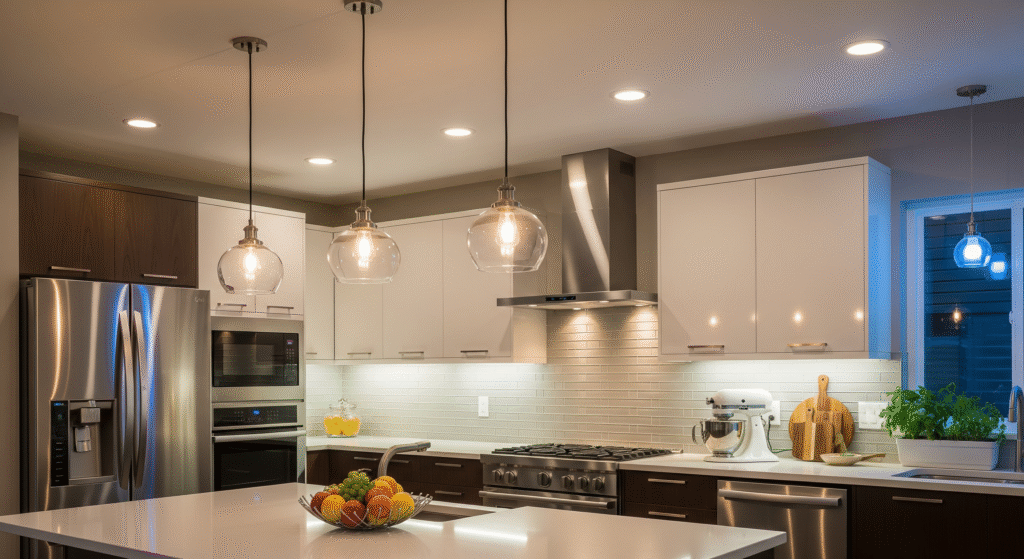
Smart light bulbs offer more than just basic lighting. Understanding how do smart light bulbs work reveals why their features and functions make them a key part of the best smart lighting systems. These bulbs connect to your smartphone or smart home hub, allowing easy control, customization, and automation. Knowing their main features helps you understand why they are so popular in modern homes.
Dimming And Color Changing
One of the most popular features of smart light bulbs is dimming and color changing. You can adjust the brightness to fit any mood or activity. Whether you want soft light for reading or bright light for working, dimming gives you full control.
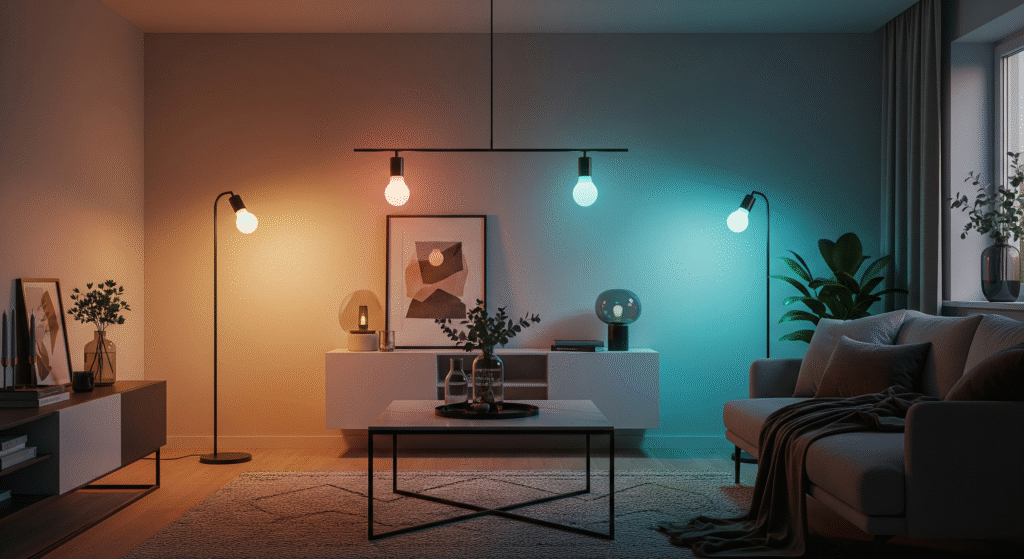
Color changing adds even more flexibility. Many smart bulbs can display millions of colors. This means you can set the perfect color for a party, relax with warm tones, or energize your space with cool blues.
- Adjust brightness: From very dim to fully bright
- Choose colors: Millions of options for different settings
- Set scenes: Save your favorite color and brightness combos
| Feature | Benefit |
|---|---|
| Dimming | Control light intensity to reduce eye strain |
| Color Changing | Create ambiance for any occasion |
Scheduling And Automation
Smart bulbs enable scheduling and automation, making life easier. You can set timers to turn lights on or off at specific times. This helps save energy and adds convenience. For example, lights can turn on before you arrive home or switch off when you go to bed.
Automation works with other smart devices. Lights can react to your actions, such as turning on when you enter a room or dimming during movie time. This creates a seamless experience without manual control.
- Set daily or weekly schedules for lighting
- Use motion sensors to trigger lights
- Integrate with voice assistants for hands-free control
| Automation Type | Example |
|---|---|
| Time-based | Lights turn off at 11 PM |
| Sensor-based | The lights turn on when motion was detected |
| Voice control | Turn lights on with voice commands |
Energy Efficiency
Energy efficiency is a top reason to choose smart bulbs. They use LED technology, which consumes less power than traditional bulbs. Smart bulbs also allow precise control, avoiding wasted electricity.
Using the best smart lighting system reduces your energy bills. You can program lights to turn off automatically or dim when full brightness is not needed. This lowers overall power use without sacrificing comfort.
- LED bulbs: Use up to 80% less energy than incandescent bulbs
- Smart controls: Prevent lights from staying on unnecessarily
- Long lifespan: Less frequent replacements save money and waste
| Feature | Energy Benefit |
|---|---|
| LED Technology | Lower power consumption |
| Automated Scheduling | Reduce unnecessary usage |
| Dimming | Use only needed light intensity |
Installation And Setup
Installing and setting up smart light bulbs is the first step to creating a connected home lighting system. The process involves replacing old bulbs, linking the new bulbs to your network, and making sure everything works correctly. This section explains each step clearly and simply. Follow these instructions to enjoy smart lighting quickly and without hassle.
Replacing Traditional Bulbs
Start by turning off the power to the light fixture. This is important to avoid electric shock. Next, remove the old bulb carefully by twisting it counterclockwise. Make sure the bulb has cooled down before handling it.
Now, take your new smart bulb and screw it into the socket by turning it clockwise. Do not force it if it feels stuck; check the bulb type to match the socket size. Most smart bulbs use standard sizes like E26 or E27.
Key points for replacing bulbs:
- Turn off the power before starting.
- Remove the old bulb gently.
- Match the bulb base with the socket size.
- Install the smart bulb by twisting it in place.
- Turn the power back on after installation.
| Bulb Type | Socket Size | Common Use |
|---|---|---|
| LED Smart Bulb | E26 / E27 | Standard lamps and ceiling fixtures |
| Smart Candle Bulb | E12 / E14 | Chandeliers and decorative lamps |
After installing the smart bulb, check if it lights up. This means the bulb is ready for the next step: network connection.
Connecting To Networks
Smart bulbs need a wireless connection to your home network to work with apps or voice assistants. Most smart bulbs connect through Wi-Fi or Bluetooth. Follow the steps below to connect your bulb to the network.
- Download the bulb’s official app on your smartphone.
- Open the app and create an account if required.
- Turn on the smart bulb and make sure it is in pairing mode (often blinking).
- Use the app to search for nearby bulbs.
- Select your bulb from the list and enter your Wi-Fi password if needed.
- Wait for the app to confirm the connection.
Tips for smooth connection:
- Keep your phone near the bulb during setup.
- Ensure your Wi-Fi network is 2.4 GHz, as many bulbs do not support 5 GHz.
- Turn off VPN or firewall apps that may block the connection.
Once connected, the app lets you control the bulb’s brightness, color, and schedule. You can also link the bulb to smart home systems like Alexa or Google Home.
Troubleshooting Tips
Sometimes, smart bulbs may not work as expected. Common problems include connection failures, app errors, or unresponsive bulbs. Try these steps to fix issues quickly.
- Check power supply: Make sure the bulb is fully screwed in and the power is on.
- Reset the bulb: Turn the bulb off and on several times to reset it to factory settings (check the manual for exact steps).
- Restart your router: Network issues can stop the bulb from connecting properly.
- Update the app and firmware: Use the latest versions for better performance.
- Move the bulb closer to the router: Weak Wi-Fi signals can cause disconnects.
| Problem | Possible Cause | Solution |
|---|---|---|
| Bulb not turning on | Loose connection or power off | Screw in bulb tightly; check power switch |
| App cannot find bulb | Bulb not in pairing mode | Reset bulb; try pairing again |
| Bulb disconnects frequently | Weak Wi-Fi signal | Move bulb closer to router |
Following these troubleshooting tips saves time and avoids frustration. Most problems resolve with simple fixes.
Security And Privacy
Smart lighting technology offers many benefits, such as convenience and energy savings. Understanding how do smart light bulbs work also highlights potential security and privacy concerns. Wi-Fi-enabled bulbs connect to your home network, making them targets for hackers. Knowing how smart bulbs protect your data and maintain privacy helps you make safer choices and enjoy the benefits of smart lighting without risks.
Data Encryption
Data encryption is a key method to protect information sent between smart bulbs and your devices. It changes data into a secret code that only authorized devices can read. This prevents outsiders from stealing or changing your information.
Most smart lighting technology uses strong encryption standards like:
- WPA2 or WPA3 for Wi-Fi security
- TLS (Transport Layer Security) for data transmission
- AES (Advanced Encryption Standard) for stored data
Encryption helps keep your commands and settings private. It stops hackers from spying on when you turn lights on or off, or what colors you use. Without encryption, smart bulbs could leak personal habits or be controlled by strangers.
| Encryption Type | Purpose | Benefit |
|---|---|---|
| WPA2/WPA3 | Secure Wi-Fi connection | Prevents unauthorized network access |
| TLS | Protects data in transit | Keeps commands safe from interception |
| AES | Encrypts stored data | Secures user settings and info |
Access Controls
Access controls limit who can use and manage your smart bulbs. They help maintain data privacy in smart lighting by ensuring only trusted users can make changes.
Common access control methods include:
- Password protection: Requires a strong password for your smart bulb app or hub.
- Two-factor authentication (2FA): Adds a second step to verify your identity.
- User roles: Lets you assign permissions to family members or guests.
Good access controls reduce the risk of smart bulb vulnerabilities. For example, if someone steals your phone, they can’t easily control your lights without a password or 2FA. Also, limiting guest access stops unwanted users from changing settings or spying on your habits.
| Access Control | Description | Security Benefit |
|---|---|---|
| Password Protection | Secure login credentials | Blocks unauthorized users |
| Two-Factor Authentication | Extra verification step | Prevents account takeover |
| User Roles | Assign permissions | Controls who can manage bulbs |
Potential Risks
Smart bulbs have some risks despite security measures. Smart bulb vulnerabilities can expose your home network or personal data. Attackers may try to:
- Hijack your bulbs: Control lights remotely to cause disruptions or spy on you.
- Access your network: Use the bulb as a gateway to hack other devices.
- Steal data: Collect usage patterns or personal information.
Many risks come from poor setup or outdated software. Using weak passwords or ignoring updates increases chances of attacks. Public Wi-Fi networks can also expose smart bulbs to threats.
To lower risks:
- Change default passwords immediately.
- Keep firmware updated regularly.
- Use secure home Wi-Fi networks only.
- Disable remote access if not needed.
Being aware of these risks helps protect your smart lighting system and data privacy in smart lighting environments.
Future Trends
The future of smart light bulbs holds exciting possibilities that will change how people use lighting at home. These bulbs will not only provide light but also connect deeply with other devices. Expect smarter, faster, and greener technology that fits everyday life. This section explores upcoming trends shaping smart light bulbs.
Integration With Smart Homes
Smart light bulbs will become more connected with other smart home devices. This means lights will work smoothly with thermostats, security systems, and voice assistants. The goal is to create one easy system to control everything.
Key points about this integration:
- Unified Control: Control lights with one app alongside other devices.
- Voice Commands: Use voice assistants like Alexa or Google Assistant to adjust lighting hands-free.
- Automation: Lights will turn on/off or change color based on time, activity, or presence.
- Scene Setting: Set moods or routines where lights adjust with music or TV shows.
The following table shows how smart bulbs will link with other smart home products:
| Device Type | Integration Feature | Benefit |
|---|---|---|
| Thermostats | Lights dim when room cools or heats | Energy saving and comfort |
| Security Cameras | Lights flash on alert or motion detection | Improved home safety |
| Voice Assistants | Hands-free lighting control | Convenience and accessibility |
Advances In Technology
Smart light bulbs will use newer technology to work better and offer more features. Chips will become smaller and faster. Wireless connection will improve, making controls smoother and more reliable.
Important tech advances include:
- Better Connectivity: Use of Wi-Fi 6 and Thread for faster, stable connections.
- Improved Sensors: Detect motion, light levels, and even air quality.
- Adaptive Lighting: Bulbs adjust brightness and color to match natural light and human moods.
- AI Integration: Lights learn user habits and make smart adjustments automatically.
These features will make smart bulbs more useful and enjoyable. For example, adaptive lighting can reduce eye strain and improve sleep by changing light color in the evening.
Sustainability Improvements
Future smart light bulbs will focus on saving energy and helping the environment. Using less power and lasting longer will reduce waste and cut electricity bills.
Ways bulbs will become more sustainable:
- Energy Efficiency: Use LEDs with lower power consumption.
- Longer Lifespan: Durable materials to reduce replacements.
- Recyclable Materials: Design bulbs with parts that can be recycled easily.
- Smart Energy Use: Automatically turn off or dim in empty rooms.
Here is a quick comparison of typical bulbs and future smart bulbs:
| Feature | Traditional Bulb | Future Smart Bulb |
|---|---|---|
| Energy Use | High | Low |
| Lifespan | 1,000 hours | 25,000+ hours |
| Material | Mixed, hard to recycle | Eco-friendly, recyclable |
| Smart Features | None | Energy-saving automation |
Frequently Asked Questions
What Technology Powers Smart Light Bulbs?
Smart light bulbs use LED technology combined with wireless communication like Wi-Fi or Bluetooth. This allows remote control and automation via apps or smart home systems. LEDs also provide energy efficiency and long lifespan, enhancing their smart features.
How Do Smart Bulbs Connect To Devices?
Smart bulbs connect through Wi-Fi, Bluetooth, or Zigbee protocols. This enables control via smartphones, voice assistants, or smart hubs. The connection ensures instant commands for turning on, off, dimming, or changing colors from anywhere.
Can Smart Bulbs Save Energy Compared To Regular Bulbs?
Yes, smart bulbs use LED technology, which consumes less power than traditional bulbs. They also offer scheduling and dimming features, reducing unnecessary usage and lowering electricity bills efficiently.
Are Smart Light Bulbs Compatible With Voice Assistants?
Most smart bulbs work seamlessly with voice assistants like Alexa, Google Assistant, and Siri. This compatibility allows hands-free control using simple voice commands for convenience and enhanced user experience.
How Do Smart Light Bulbs Work in a smart home system?
Smart light bulbs connect to your home Wi-Fi, Bluetooth, or Zigbee network, allowing you to control them via a mobile app, voice assistant, or automation system.
Conclusion
Smart light bulbs connect to your phone or voice assistant with ease. They use Wi-Fi or Bluetooth to receive commands, letting you adjust brightness and color with just a few taps. These bulbs use LED technology to save energy and help you create the perfect mood at home.
Smart lighting makes everyday life more comfortable and fun. Now that you understand How Do Smart Light Bulbs Work, it’s clear why they’re becoming so popular. Try one in your home to feel the difference yourself—simple, smart, and convenient lighting for everyone.