Are you tired of your smart speaker sounding dull or flat? Learn how to improve smart speaker sound so it delivers clear, rich audio that fills the room and enhances your listening experience.
The good news is, you don’t have to settle for mediocre audio. Small changes can make a huge difference in how your smart speaker performs. You’ll discover simple and effective ways to boost your speaker’s sound quality. Keep reading to unlock the full potential of your device and enjoy music, podcasts, and calls like never before.

Credit: lepaystchad.com
Optimize Speaker Placement
Optimizing the placement of your smart speaker plays a big role in improving its sound quality. The right spot helps the speaker deliver clear and rich audio. Small changes in placement can make a noticeable difference.
Choose The Right Location
Pick a flat and stable surface for your smart speaker. Hard surfaces like wood or glass help sound reflect better. Avoid soft surfaces like carpets or cushions, which absorb sound. Place the speaker near the center of the room for balanced sound.
Avoid Obstacles And Walls
Keep the speaker away from objects that block sound waves. Furniture, curtains, or large decorations can reduce sound clarity. Avoid placing the speaker too close to walls. Sound waves bounce and can cause echo or muffled audio.
Elevate For Better Sound
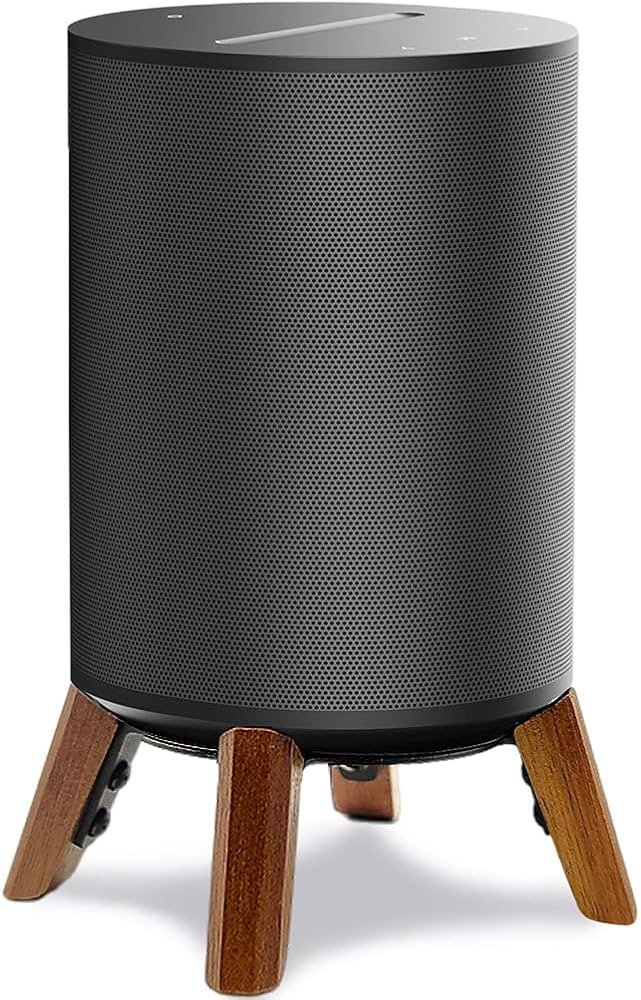
Raise the speaker off the floor. Use a shelf or table to elevate it to ear level. Higher placement helps sound spread more evenly. It also reduces vibrations and improves bass response. Elevation makes listening more comfortable and clear.
Adjust Sound Settings
Adjusting the sound settings on your device can make a big difference. This guide on how to improve smart speaker sound helps you control how music or voice is heard. Each setting affects the audio in a unique way, letting you customize your listening experience for the best quality.
Changing these settings helps match the sound to your room and your taste. It makes listening more enjoyable. Use the options inside your speaker’s app or settings menu.
Use Equalizer Features
Equalizers let you change sound frequencies. You can make voices clearer or boost instruments. Most smart speakers have simple equalizer controls. Slide bars or presets adjust different sound ranges. Try different settings to find what sounds best to you.
Balance Bass And Treble
Bass controls the low sounds, like drums or deep voices. Treble controls the high sounds, such as cymbals and high notes. Adjusting bass and treble creates a fuller sound. Too much bass can cause muffled audio. Too much treble can sound sharp or harsh. Find a balance that feels natural.
Enable Surround Sound Modes
Some smart speakers offer surround sound modes. These create a wider, richer sound experience. The sound appears to come from different directions. This setting works well for music and movies. Try turning it on and off to see the difference. It can make your listening more immersive.
Minimize Background Noise
Background noise can reduce the quality of sound from your smart speaker. It makes voices unclear and music less enjoyable. Minimizing this noise helps the speaker perform better. It creates a clearer and richer sound experience. Simple steps can lower unwanted sounds around your device.
Reduce Ambient Sounds
Turn off fans, air conditioners, and other noisy devices near your speaker. Close windows and doors to block outside noise. Soft furnishings like curtains and rugs absorb sound and cut echoes. Position the speaker away from noisy appliances or busy areas. These changes create a quiet space for better sound.
Choose Quiet Times For Use
Play music or ask questions when your home is calm. Avoid using the speaker during loud activities or peak noise hours. Early mornings or late evenings often have less background noise. This timing helps the speaker hear commands clearly. It also improves the quality of audio playback.
Use Noise-cancelling Accessories
Attach noise-cancelling microphones or covers designed for smart speakers. These accessories block unwanted sounds and focus on your voice. They help the speaker pick up commands even in noisy rooms. Choose simple, compatible devices for easy setup. Noise-cancelling tools enhance listening and speaking clarity.

Credit: smart.dhgate.com
Maintain Your Device
Maintaining your device is essential for the best audio experience. Our guide on how to improve smart speaker sound explains that dust, software glitches, or hardware issues can reduce sound quality. Following simple care steps helps keep your smart speaker performing well.
Clean Speaker Grilles
Dust and dirt block sound from coming out well. Use a soft brush or cloth to clean the grilles. Avoid water or harsh chemicals that can damage the device. Clean regularly to keep it sound, crisp, and clear.
Update Firmware Regularly
Firmware updates fix bugs and improve sound features. Check your device’s app or settings to see if updates are available. Install updates quickly to keep your speaker running smoothly. Updated software helps your speaker perform better.
Check For Hardware Issues
Physical damage can affect sound quality. Look for cracks, loose parts, or other damage. Test the speaker with different sounds and volumes. Contact support if you find hardware problems. Fixing issues early can save your speaker.
Use External Audio Enhancers
Using external audio enhancers can make your smart speaker sound much better. These devices help improve volume, clarity, and bass. They let your speaker fill the room with richer sound. This is a simple way to improve audio quality without buying a new speaker.
Connect To External Speakers
Many smart speakers let you connect to external speakers. Use a cable or wireless connection to link them. External speakers usually have bigger drivers. These drivers produce louder and clearer sound. This setup adds depth and detail to your music.
Add A Subwoofer
A subwoofer adds strong bass to your audio. It handles low sounds that small speakers miss. Connect a subwoofer to your smart speaker or to the external speakers. This brings powerful bass that makes music feel alive. It’s great for movies and music with beats.
Use Bluetooth Audio Boosters
Bluetooth audio boosters improve wireless sound signals. They reduce sound loss and interference. These devices help your smart speaker play audio more clearly at higher volume. Just pair the booster between your speaker and the audio source. This trick enhances sound without extra wires.
Credit: www.amazon.com
Frequently Asked Questions
How Can I Enhance My Smart Speaker’s Sound Quality?
Place the speaker on a stable surface away from walls. Adjust equalizer settings in the app for balanced sound. Regularly update the speaker’s firmware to improve audio performance and fix bugs.
What Is The Best Room Setup For Smart Speaker Sound?
Choose a room with minimal echo and soft furnishings. Avoid corners or enclosed spaces to prevent sound distortion. Position the speaker at ear level for a clear, immersive audio experience.
How Do I Reduce Smart Speaker Audio Distortion?
Lower the volume to avoid speaker strain. Use the speaker’s app to adjust bass and treble settings. Keep the device firmware up to date for optimal sound processing.
Can External Speakers Improve Smart Speaker Audio?
Yes, connecting external speakers can significantly enhance sound quality. Use Bluetooth or auxiliary cables depending on your smart speaker’s compatibility. Choose high-quality speakers for the best audio upgrade.
Conclusion
Improving your smart speaker’s sound is easier than you think. Our guide on how to improve smart speaker sound shows that small changes can make a big difference. Place the speaker in an open space for clearer audio, adjust settings to match your room and preferences, and consider using external speakers for louder, richer music.
Try simple tricks like moving the device away from walls. Enjoy better sound quality without extra cost. Experiment with these tips to find what works best. Your smart speaker can sound great with little work. Give these ideas a try today.