Your smart home makes life easier, but it can also open doors to hackers if not properly protected. Imagine someone gaining control of your security cameras or unlocking your front door without permission. Knowing How to Secure Your Smart Home Devices is key to keeping your family and data safe.
Scary, right? You might think securing these devices is complicated, but it doesn’t have to be. You’ll discover simple and effective ways to keep your smart home safe. Keep reading to protect what matters most—your home and your peace of mind.
Common Smart Home Risks
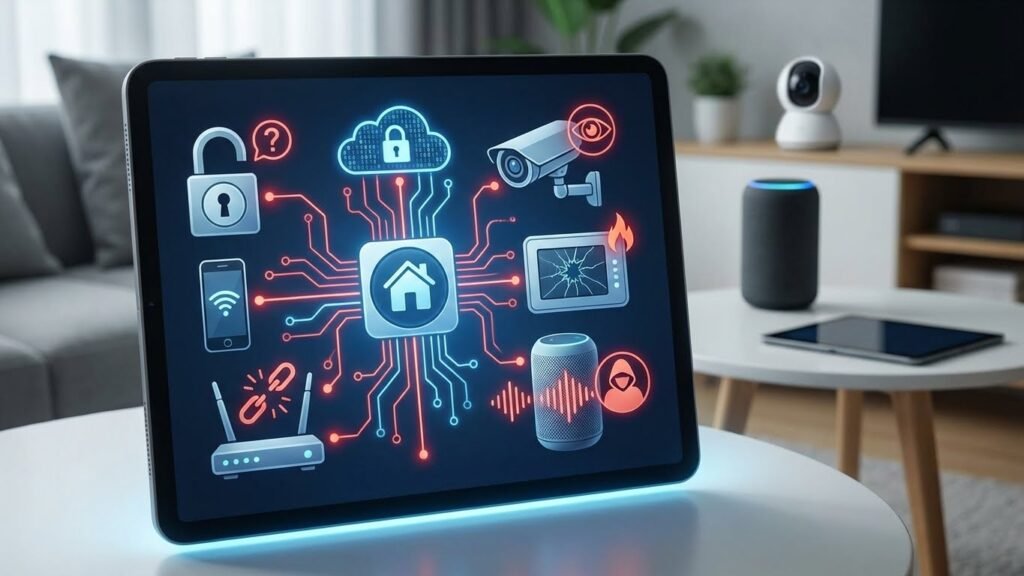
Smart homes offer great convenience but bring unique risks too. Many people do not realize how smart devices can expose their homes to hackers and privacy issues. Understanding common smart home risks helps protect your family and property. This section covers the main dangers from weak devices, network attacks, and privacy leaks. Keeping smart device security strong is key to safe living.
Vulnerabilities In Devices
Smart devices often have weak security features. Manufacturers may focus on ease of use, leaving gaps hackers can exploit. These vulnerabilities let attackers control devices or steal data.
Common device weaknesses include:
- Default passwords that users forget to change
- Outdated software lacking security patches
- Unsecured communication protocols
- Hidden backdoors for remote access
- Inadequate encryption of stored or transmitted data
Here is a simple table showing some popular smart devices and their typical vulnerabilities:
| Device Type | Common Vulnerability | Risk |
|---|---|---|
| Smart Cameras | Weak passwords, outdated firmware | Unauthorized video access |
| Smart Thermostats | Unencrypted data transmission | Data interception, unauthorized control |
| Smart Locks | Bluetooth vulnerabilities | Forced entry, lock manipulation |
Smart device security means updating devices regularly and changing default settings. Neglecting this allows attackers easy entry into your smart home.
Network Threats
Smart devices connect to your home network. This connection creates opportunities for hackers to access your entire system.
Common network threats include:
- Wi-Fi eavesdropping: Hackers intercept data sent over unsecured Wi-Fi.
- Man-in-the-Middle Attacks: Attackers insert themselves between devices and routers to steal information.
- Router vulnerabilities: Weak router passwords or outdated firmware let hackers enter your network.
- Botnet attacks: Compromised devices become part of large networks used for attacks on others.
Below is a checklist to improve network smart device security:
- Use a strong, unique Wi-Fi password
- Enable WPA3 encryption on your router
- Keep router firmware up to date
- Set up a separate network for smart devices
- Disable remote management features unless needed
Securing your network is vital. Without it, even secure devices can be exposed. Smart device security depends on a safe, monitored network.
Privacy Concerns
Smart home devices collect a lot of personal data. This data can include voice recordings, habits, locations, and even video footage.
Privacy risks arise from:
- Data breaches exposing sensitive information
- Third-party apps accessing your data without clear consent
- Unclear privacy policies from device manufacturers
- Devices listening or recording without your knowledge
Many devices send data to cloud servers. This can help improve services but also increases exposure to hackers and unauthorized parties.
Here are some tips to protect your privacy:
- Review and adjust privacy settings on each device
- Limit data sharing to only what is necessary
- Choose manufacturers with clear, strict privacy policies
- Turn off microphones or cameras when not in use
- Regularly delete stored voice or video recordings
Smart device security includes protecting your personal data from misuse or theft. Being aware of privacy concerns helps keep your home and information safe.
Choosing Secure Devices
Choosing secure smart home devices is the first step to protect your home network and personal data. Smart devices connect to the internet and can become targets for hackers if not properly secured. Picking devices with strong security features lowers the risk of breaches and keeps your information safe.
Focus on devices that offer trustworthy security measures. Not all smart devices provide the same level of protection. Knowing what to look for helps you select products that keep your home safe and your data private.
Look For Security Certifications
Security certifications show that a device meets certain safety standards. These certifications come from independent organizations that test devices for vulnerabilities.
Common security certifications include:
- UL 2900 – Tests software cybersecurity for network-connectable products.
- ETSI EN 303 645 – A European standard for consumer IoT device security.
- ISO/IEC 27001 – Focuses on information security management.
Devices with these certifications have gone through strict checks. This means they offer better protection against cyber threats. Always check the product details or packaging for these marks.
| Certification | What It Means | Why It Matters |
|---|---|---|
| UL 2900 | Cybersecurity testing for software | Ensures device software is secure and less vulnerable |
| ETSI EN 303 645 | IoT security standard | Sets baseline security requirements for smart devices |
| ISO/IEC 27001 | Information security management | Guarantees strong data protection practices |
Tip: Avoid devices without any recognized certifications. They may lack important security features.
Check For Regular Updates
Smart devices need software updates to fix security holes. Updates protect against new threats and improve device performance.
Why updates are important:
- Patch vulnerabilities found after release
- Add new security features
- Improve overall device stability
Before buying, ask these questions:
- How often does the company release updates?
- Do updates install automatically or require manual action?
- How long will the device receive support and updates?
Devices from well-known brands usually get regular updates. Smaller brands might not offer long-term support. Check the manufacturer’s website or product manual for update policies.
Some devices show update history or alert users when a new update is available. This transparency helps keep your device secure over time.
Read User Reviews
User reviews provide real-world insights into device security and reliability. Buyers often share their experiences with updates, vulnerabilities, or hacking attempts.
Look for reviews that mention:
- How easy it is to set up security features
- Whether the device received timely updates
- Any reports of hacking or security issues
- Customer support responsiveness to security problems
Reviews can reveal if a device has hidden security flaws. They also highlight if the company handles security concerns seriously.
Check multiple review sites and forums. Some users post detailed feedback on smart home security groups or tech blogs.
Example of a good review comment:
“The device received monthly updates and fixed a major security bug quickly. Support was helpful and responsive.”
Example of a warning comment:
“After a few months, the device stopped getting updates. We found out it was vulnerable to attacks.”
Use reviews to compare devices side by side. This helps pick the most secure option within your budget.
Setting Up Strong Passwords
How to Secure Your Smart Home Devices starts with setting strong passwords. Weak passwords make it easier for hackers to break into your smart systems. This can lead to privacy issues or even control over your home gadgets. Strong, unique passwords act as your first line of defense. They lower the risk of intrusions and keep your connected home safer. Learning how to secure your smart home devices with proper password management is a vital step every user should take.
Use Unique Passwords
Using the same password for multiple devices or accounts increases the risk of hacking. If one password is stolen, all devices become vulnerable. Each smart home device should have its own unique password. This limits damage if a single password is compromised.
Tips for creating unique passwords:
- Combine letters, numbers, and special characters.
- Make passwords at least 12 characters long.
- Avoid common words or easy-to-guess info like birthdays.
- Use phrases or random word combinations for easier recall.
Here is a quick comparison of weak versus strong passwords:
| Password Type | Example | Security Level |
|---|---|---|
| Weak | 123456 | Very Low |
| Medium | Summer2023 | Moderate |
| Strong | R3d$C@r$9pq! | High |
Unique passwords make it harder for hackers to guess or crack your credentials. This is an important step in how to protect from wifi hacking and other cyber threats.
Enable Two-factor Authentication
Two-factor authentication (2FA) adds a second layer of security. After entering your password, you must verify your identity using a code or app. This makes it harder for hackers to access devices even if they steal your password.
Benefits of 2FA:
- Prevents unauthorized access with just a password.
- Sends alerts if someone tries to log in.
- Works with apps, texts, or hardware tokens.
Steps to enable 2FA on smart devices:
- Go to the security settings of your device or account.
- Find the option for two-factor or multi-factor authentication.
- Choose your preferred method (SMS, authenticator app, etc.).
- Follow the setup instructions carefully.
- Test the 2FA by logging out and back in.
Using 2FA significantly improves security. It makes understanding how to protect from wifi hacking much easier.
Password Managers
Remembering strong, unique passwords for every device is hard. Password managers solve this problem by storing and organizing passwords safely. They generate complex passwords automatically. This helps you avoid weak or reused passwords.
Advantages of password managers:
- Store all passwords in one encrypted place.
- Auto-fill passwords on websites and apps.
- Generate random, strong passwords instantly.
- Sync passwords across devices securely.
Popular password managers include LastPass, 1Password, and Bitwarden. Many offer free versions suitable for smart home users.
Here is a simple guide to using a password manager:
- Choose a trusted password manager.
- Create a strong master password that only you know.
- Import or add your existing passwords.
- Use the tool to generate new passwords for devices.
- Enable two-factor authentication on the password manager.
Password managers help maintain strong security without the stress of memorizing passwords. They are essential tools in how to protect from wifi hacking and other cyber threats in smart homes.
How to Secure Your Smart Home Devices: Securing Your Home Network
Securing your home network is the first step in how to protect your smart home from hackers. Most smart devices connect through your Wi-Fi router, making it a prime target for cyber threats. A strong, well-configured network keeps your devices safe and your data private. Understanding and improving your router settings, encryption methods, and network design strengthens security for smart home systems.
Change Default Router Settings
Default router settings are easy targets for hackers. Many routers come with preset usernames and passwords, often listed in manuals or online. Leaving these unchanged makes it simple for attackers to access your network.
Steps to secure your router settings:
- Change the default admin username and password. Use a strong password with letters, numbers, and symbols.
- Rename your Wi-Fi network (SSID). Avoid using personal information in the network name.
- Disable remote management. This stops outsiders from accessing your router settings over the internet.
- Keep router firmware updated. Updates fix security holes and improve performance.
Here is a simple table showing default vs. secure router settings:
| Setting | Default | Secure |
|---|---|---|
| Admin Username | admin | Custom username |
| Admin Password | password123 | Strong, unique password |
| SSID | Default network name | Unique, non-identifiable name |
| Remote Management | Enabled | Disabled |
Changing these settings reduces risks and improves security for smart home devices.
Use Wpa3 Encryption
WPA3 is the latest Wi-Fi security protocol and offers stronger protection than older versions. It encrypts your network data, making it harder for hackers to intercept information. Using WPA3 enhances security for smart home systems.
Key benefits of WPA3 include:
- Improved encryption strength. It uses 192-bit encryption for sensitive data.
- Protection against brute-force attacks. WPA3 limits repeated password guessing attempts.
- Better security for public and home networks. It protects even weak passwords better than WPA2.
Check your router’s settings to enable WPA3. Most modern routers support WPA3, but some may need a firmware update. Use the strongest security mode available:
Security Mode Options: - WPA2-Personal - WPA2/WPA3 Mixed Mode - WPA3-Personal (Recommended)Using WPA3 is a key step in how to protect your smart home from hackers. It ensures your devices communicate securely and keeps your network safe.
Segment Your Network
Network segmentation means creating separate networks for different devices. It limits access between devices, so a breach on one network does not affect others. This method improves security for smart home devices significantly.
Use these steps to segment your home network:
- Create a guest Wi-Fi network. Use it for visitors and less secure devices.
- Set up a separate network for smart home devices. Keep these devices isolated from your main computers and phones.
- Use VLANs (Virtual Local Area Networks) if your router supports them. VLANs allow logical separation of traffic on the same hardware.
Benefits of network segmentation:
- Limits hacker access to critical devices.
- Reduces spread of malware between devices.
- Improves network performance by managing traffic.
For example, place smart cameras, lights, and thermostats on one network. Keep personal computers and smartphones on another. This setup adds a strong layer of protection for your smart home ecosystem.
Keeping Firmware Updated
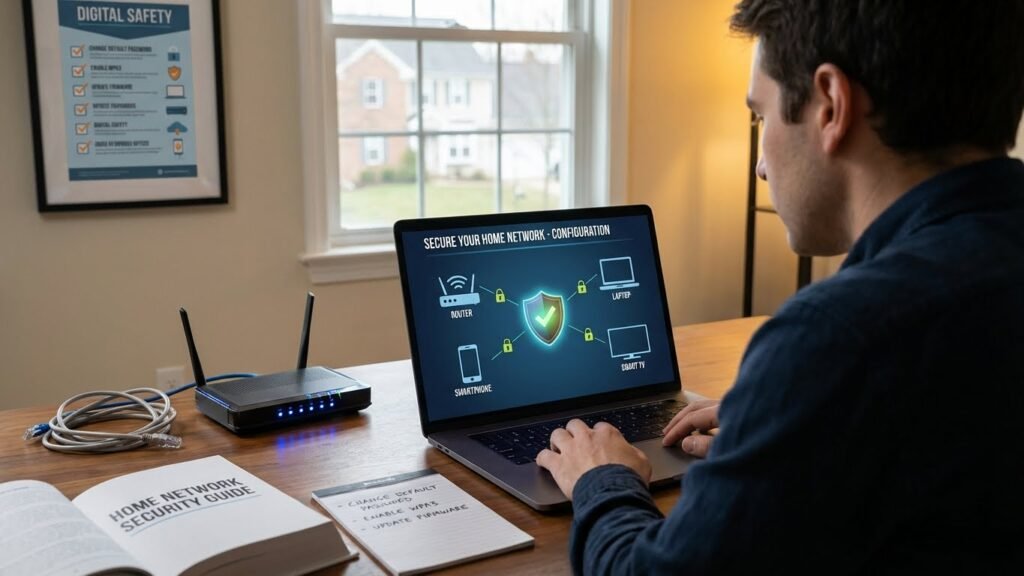
How to Secure Your Smart Home Devices starts with keeping firmware up to date. Regular firmware updates are crucial for fixing bugs, patching security vulnerabilities, and adding new features. If ignored, outdated devices can become easy targets for hackers. To strengthen your smart home’s defense, make it a habit to check for and install updates. This not only protects your personal data and home network but also ensures smooth performance and compatibility across all your smart devices.
Enable Automatic Updates
Automatic updates keep your smart devices secure without much effort. Most smart home devices offer an option to enable automatic firmware updates. Activating this feature means your device downloads and installs updates as soon as they become available. This process reduces the risk of missing important security patches.
Benefits of automatic updates:
- Continuous protection: Your devices stay secure with the latest fixes.
- Convenience: No need to check for updates manually.
- Improved performance: Updates often enhance speed and stability.
To enable automatic updates, check your device’s app or settings menu. Look for options like “Firmware Update” or “Software Update.” Turn on the toggle for automatic updates. Some devices allow you to schedule updates during low-usage hours, preventing interruptions.
| Device Type | Where to Find Auto-Update Settings |
|---|---|
| Smart Thermostat | Device app > Settings > Firmware Update |
| Security Camera | Web portal > Device Management > Auto-Update |
| Smart Speaker | Mobile app > Device Info > Update Preferences |
Enabling automatic updates is the best way to keep firmware fresh and secure. It saves time and reduces security risks.
Manual Update Checks
Some devices do not support automatic updates. Others may require manual confirmation before installing new firmware. Checking for updates manually ensures you do not miss important patches.
Follow these steps for manual update checks:
- Open the device’s app or control panel.
- Navigate to the “Settings” or “About” section.
- Find “Firmware Update” or “Software Update.”
- Tap “Check for Updates” to see if a new version is available.
- Download and install any updates found.
Tips for manual update checks:
- Check at least once a month.
- Perform updates during non-peak hours.
- Ensure the device is connected to a stable Wi-Fi network.
Here is a quick checklist for manual update checks:
| Step | Purpose |
|---|---|
| Open device app | Access update settings |
| Check for updates | Find new firmware versions |
| Download and install | Apply security and performance fixes |
Manual update checks keep your devices safe when automatic updates are not possible. Staying consistent helps avoid security problems.
Backup Before Updates
Backing up your device data before applying firmware updates is a smart precaution. Updates sometimes cause unexpected issues or data loss. A backup protects important settings and files.
Follow these backup practices:
- Save device settings: Export or note down configurations.
- Backup user data: Save photos, videos, and logs stored on the device.
- Create system snapshots: Use built-in backup tools if available.
Here is a simple backup plan before updating:
- Connect the device to your computer or cloud service.
- Export or copy all important data.
- Confirm backup completion before starting the update.
| Backup Method | Description | Tools Needed |
|---|---|---|
| Export Settings | Save configurations to a file | Device app or web portal |
| Cloud Backup | Store data on cloud servers | Cloud service account |
| Local Backup | Copy data to PC or external drive | USB cable or SD card |
Backing up before updates prevents data loss and eases recovery. It keeps your smart home running smoothly even if problems occur.
Managing Device Permissions
How to Secure Your Smart Home Devices includes managing device permissions effectively. Every smart device links to apps and networks, which can share sensitive data or allow controlled access. By limiting what each app or device is allowed to do, you reduce the risk of unauthorized access and data exposure. Taking time to manage permissions is a smart way to strengthen your home’s digital defense. This guide shows you how to secure your smart home devices by adjusting permissions and protecting against potential threats.
Limit App Access
Apps often ask for many permissions to work with smart home devices. Some permissions are needed, but others may not be. Limiting app access means giving apps only the permissions they need to function properly.
Follow these simple rules:
- Check permissions before installation. Look at what data or controls the app asks for.
- Allow only necessary permissions. For example, a smart light app may not need access to your location.
- Use app settings to remove unwanted permissions. Most smartphones let you manage these easily.
- Uninstall apps that ask for too much access. Choose trusted apps from official stores.
Here is a sample table showing common permissions and when to allow them:
| Permission | Purpose | Allow if Needed |
|---|---|---|
| Camera | Video monitoring or facial recognition | Yes, only for security cameras |
| Location | Geofencing or location-based controls | No, unless the feature is used |
| Microphone | Voice control and commands | Yes, for voice assistants only |
| Contacts | Sharing contacts or notifications | No, usually not required |
Be cautious about apps that request many permissions. Giving fewer permissions reduces risks.
Review Connected Devices
Smart homes often have many connected devices. Each device can access the network and share data. Regularly reviewing connected devices helps find unknown or unused devices that may cause security problems.
Steps for reviewing devices:
- Open your router or smart home app. Look for the list of connected devices.
- Identify all devices. Check names, IP addresses, or MAC addresses.
- Remove devices you do not recognize or no longer use. This prevents unauthorized access.
- Change passwords for devices that remain. Use strong and unique passwords.
- Enable two-factor authentication (2FA) if available. It adds a security layer.
Use this checklist to keep device connections safe:
- Check device names and owners.
- Remove unknown or suspicious devices.
- Update device firmware regularly.
- Limit guest network access.
Regular checks stop hackers from adding hidden devices. Keep the list updated often.
Disable Unused Features
Smart devices come with many features. Not all of them are needed. Disabling unused features reduces attack points and keeps devices safer.
Common features to disable if not used:
- Remote access or cloud control
- Voice assistants or microphones
- Location tracking
- Automatic updates if preferred to control manually
Here is a simple guide to disable unused features:
- Open the device settings or app.
- Find the feature settings or permissions.
- Turn off features that are not necessary.
- Save changes and restart the device if needed.
Disabling features lowers the risk of spying or hacking. It also improves device performance sometimes. Keep only essential features active.
Monitoring And Alerts
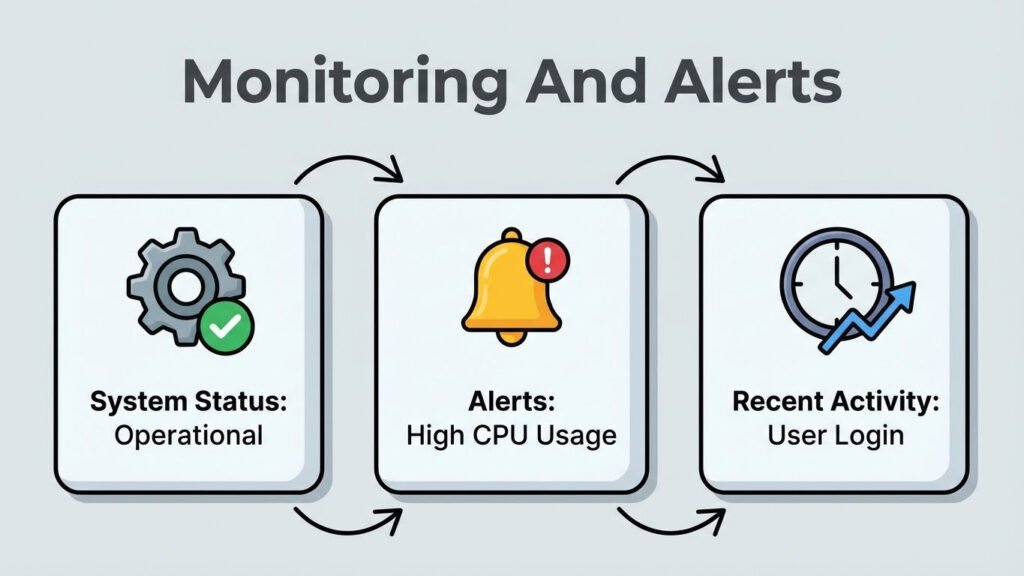
Securing your smart home devices requires constant monitoring and alerts. These tools help you stay aware of unusual activities and potential threats. Smart home devices connect to the internet and can be targets for hackers. Effective monitoring keeps you informed and ready to act quickly. You increase your home’s security and awareness smart home devices by setting up alerts and regularly checking device activity. This section explains how to set up notifications, use security apps, and perform regular activity checks.
Set Up Notifications
Setting up notifications is the first step to staying informed about your smart home device status. Notifications alert you immediately if something unusual happens, like a door opening at odd hours or a camera going offline. Most smart home devices allow you to customize notifications based on your preferences.
To set up notifications effectively:
- Enable push notifications on your smartphone for each smart device.
- Choose alert types such as motion detection, device disconnection, or unusual activity.
- Set quiet hours to avoid unnecessary alerts during specific times.
- Use email alerts as a backup to push notifications.
Here is a simple table showing common notification settings for smart home devices:
| Device | Common Notifications | Recommended Settings |
|---|---|---|
| Security Cameras | Motion detected, camera offline | Enable all motion alerts, offline alerts on |
| Smart Locks | Lock/unlock status, failed attempts | Enable unlock alerts, failed attempt alerts |
| Thermostats | Temperature changes, device offline | Alert on large temp changes, offline alerts |
Notifications help you spot problems fast and act before damage happens. Always keep notifications active to maintain strong security and awareness smart home devices.
Use Security Apps
Security apps play a key role in managing and protecting smart home devices. They provide a centralized place to view alerts and control multiple devices. Many apps include extra security features like device health reports and vulnerability scans.
Benefits of using security apps include:
- Real-time alerts for any suspicious activity across all devices.
- Remote control to lock doors or turn off devices instantly.
- Device status overview showing battery levels, connectivity, and updates.
- Security tips and reminders to update passwords or firmware.
Popular security apps often support multiple brands and devices, making management easier. Look for apps with:
- Strong encryption to protect your data.
- User-friendly interface for quick access.
- Regular updates from developers.
Using a security app helps maintain security and awareness smart home devices by keeping all information in one place. It reduces the risk of missing important alerts and improves your response time.
Regular Activity Checks
Performing regular activity checks keeps your smart home security strong. Reviewing device logs helps spot unusual behavior or unauthorized access. Many devices have built-in activity logs accessible through apps or web portals.
Follow these steps for effective activity checks:
- Review device logs weekly for any strange activity.
- Check for unknown devices connected to your network.
- Verify firmware updates are installed on all devices.
- Look for repeated failed login attempts or access from unusual locations.
- Test alerts to ensure notifications work properly.
Here is a checklist to guide your activity review:
| Check Item | Frequency | Action if Issue Found |
|---|---|---|
| Device Log Review | Weekly | Investigate suspicious entries, change passwords |
| Unknown Devices on Network | Monthly | Disconnect unknown devices, update Wi-Fi password |
| Firmware Updates | Monthly | Install latest updates |
| Failed Login Attempts | Weekly | Enable two-factor authentication, change passwords |
Regular checks increase security and awareness smart home devices. They help you catch risks early and keep your home safe.
Physical Security Measures
Physical security measures are key to protecting smart home devices from theft, damage, and unauthorized access. Many focus on software security but overlook how physical access can lead to risks. Securing devices physically reduces chances of tampering or hacking through direct contact. This section covers practical steps to keep smart home gadgets safe by controlling their location, hardware, and access points.
Secure Device Placement
Placing smart devices in safe, visible, and controlled areas lowers the chance of physical attacks. Avoid locations that are easy to reach from outside or hidden in dark corners. Devices near windows or doors can be targets for thieves or intruders.
Follow these tips for secure placement:
- Choose high or locked spots: Mount devices where they are out of reach.
- Keep devices visible: Visibility deters tampering and allows quick checks.
- Avoid clutter: Clear areas help in spotting damage or unauthorized changes.
- Use protective enclosures: Boxes or cases that allow function but block easy access.
Here is a simple guide for device placement:
| Device Type | Recommended Placement | Placement to Avoid |
|---|---|---|
| Security Cameras | High walls, corners with wide view | Near ground or hidden spots |
| Smart Speakers | Central rooms, visible shelves | Near windows or doors |
| Smart Thermostats | Living areas, eye level | Behind furniture or curtains |
Use Tamper-proof Hardware
Tamper-proof hardware stops intruders from physically opening or damaging devices. This hardware adds a layer of protection by alerting owners or locking down devices.
Common tamper-proof features include:
- Security screws: Special screws that need unique tools.
- Seals and stickers: Indicators that show if a device was opened.
- Lockable enclosures: Cases that require keys or codes.
- Built-in alarms: Alerts triggered by physical tampering.
Benefits of tamper-proof hardware:
- Prevents unauthorized device access.
- Signals tampering attempts early.
- Discourages casual theft or damage.
- Protects internal components from harm.
Investing in tamper-resistant parts is a small step with big security impact. It complements software protections by securing the device itself.
Disable Unnecessary Ports
Many smart devices have ports for maintenance or upgrades. Leaving these ports open can expose devices to physical hacks or malware via USB, Ethernet, or other connections.
Steps to reduce risks from ports:
- Identify unused ports: Check device manuals or settings.
- Disable ports in settings: Turn off unused physical or network ports if possible.
- Cover ports physically: Use port blockers or tape to prevent access.
- Monitor port activity: Some devices log access attempts.
Here is a quick checklist for port security:
| Port Type | Risk Level | Action |
|---|---|---|
| USB | High | Disable if unused; cover physically |
| Ethernet | Medium | Disable or restrict access |
| Reset Buttons | High | Block or secure access |
Disabling unnecessary ports reduces the attack surface. It stops hackers from using physical connections to bypass security controls.
Frequently Asked Questions
How Can I Protect My Smart Home Devices From Hackers?
Use strong, unique passwords for each device and enable two-factor authentication. Regularly update device firmware to fix security flaws. Avoid default settings and disable unused features to reduce vulnerabilities.
What Is The Best Way To Update Smart Home Device Software?
Check your device’s app or manufacturer website regularly for firmware updates. Enable automatic updates if available to ensure timely security patches and improved performance.
Should I Use A Separate Wi-fi Network For Smart Devices?
Yes, creating a separate Wi-Fi network for smart devices improves security. It isolates devices from your main network, reducing risk if one device is compromised.
How Do I Secure My Smart Home Devices From Physical Tampering?
Place devices in secure, hard-to-reach locations. Use tamper-proof covers or cases and monitor devices with security cameras to detect unauthorized access.
Conclusion
How to Secure Your Smart Home Devices starts with protecting your privacy and data through simple, effective steps. Always change default passwords to strong, unique ones. Keep your device software updated to guard against new threats. Set up a separate network specifically for your smart devices to limit access. Disable any features you don’t use to reduce exposure. Finally, regularly review your device settings to catch any unusual activity early.
Simple steps make your home safer every day. Stay aware and act quickly against threats. Your smart home deserves careful protection and care.