Imagine returning to a home that not only provides comfort but also actively watches over your surroundings at all hours. With the right approach, a Smart Home Security Setup for Beginners can make this a reality. Although many assume such a system is complex, establishing it can be surprisingly straightforward.
If you’ve ever worried about your home’s safety or wanted a simple way to watch over your loved ones, this guide is made just for you. By the end of this article, you’ll know exactly how to create a smart security setup that fits your needs and budget, giving you peace of mind without the hassle.
Ready to take control of your home’s safety? Let’s dive in.
Choosing The Right Smart Security Devices
Choosing the right smart security devices is key to protecting your home. The devices you pick should fit your needs and budget. Each device offers unique features that help keep your home safe. Understand what each device does before buying.
Smart Cameras
Smart cameras watch your home in real time. They send alerts if they detect movement. Many models offer night vision for low light. Some cameras record video to cloud storage. Choose cameras with clear video and easy app control.
Sensors And Alarms
Sensors detect doors or windows opening. Alarms sound loudly to scare off intruders. Some systems alert you on your phone. Install sensors on all entry points for full coverage. Look for sensors with long battery life.
Smart Locks
Smart locks replace traditional door keys. They allow keyless entry using a phone or code. You can lock or unlock doors remotely. Some models track who enters and leaves. Pick smart locks that fit your door type easily.
Video Doorbells
Video doorbells show who is at the door. They have built-in cameras and microphones. You can speak to visitors through your phone. Some models include motion detection alerts. Choose doorbells with clear video and two-way audio.
Setting Up A Secure Network
Setting up a secure network is the first step in any Smart Home Security Setup for Beginners. A safe network stops hackers from accessing your devices. It keeps your personal data private and your devices working well.
A strong network makes your smart home safer and more reliable. Follow these tips to build a secure foundation for your smart security devices.
Wi-fi Security Tips
Change the default router password to a strong one. Use a mix of letters, numbers, and symbols. Avoid simple words or easy sequences. Enable WPA3 or WPA2 encryption for your Wi-Fi network. This keeps outsiders from spying on your connection. Turn off WPS (Wi-Fi Protected Setup) as it can be unsafe. Limit the number of devices that connect to your network. This reduces the chance of unauthorized access.
Using A Separate Network For Devices
Create a guest network for your smart home devices. Keep your leading network for personal use only. This prevents hackers from easily moving between devices. Many routers allow you to set up multiple networks. Use this feature to separate smart devices from computers and phones. It adds a layer of protection and better controls traffic.
Regular Firmware Updates
Check your router’s firmware often. Manufacturers fix security problems with updates. Install these updates as soon as they are available. Also, update your smart devices regularly. This helps close security gaps and improves performance. Set reminders to keep your devices and router up to date. Staying current reduces the risk of cyberattacks.
Installing And Configuring Devices
Installing and configuring smart home security devices is the first step to protecting your home. This process involves placing cameras and sensors, connecting them to your network, and setting up alerts on your phone. Each step ensures your system works smoothly and keeps you informed.
Placement Tips For Cameras And Sensors
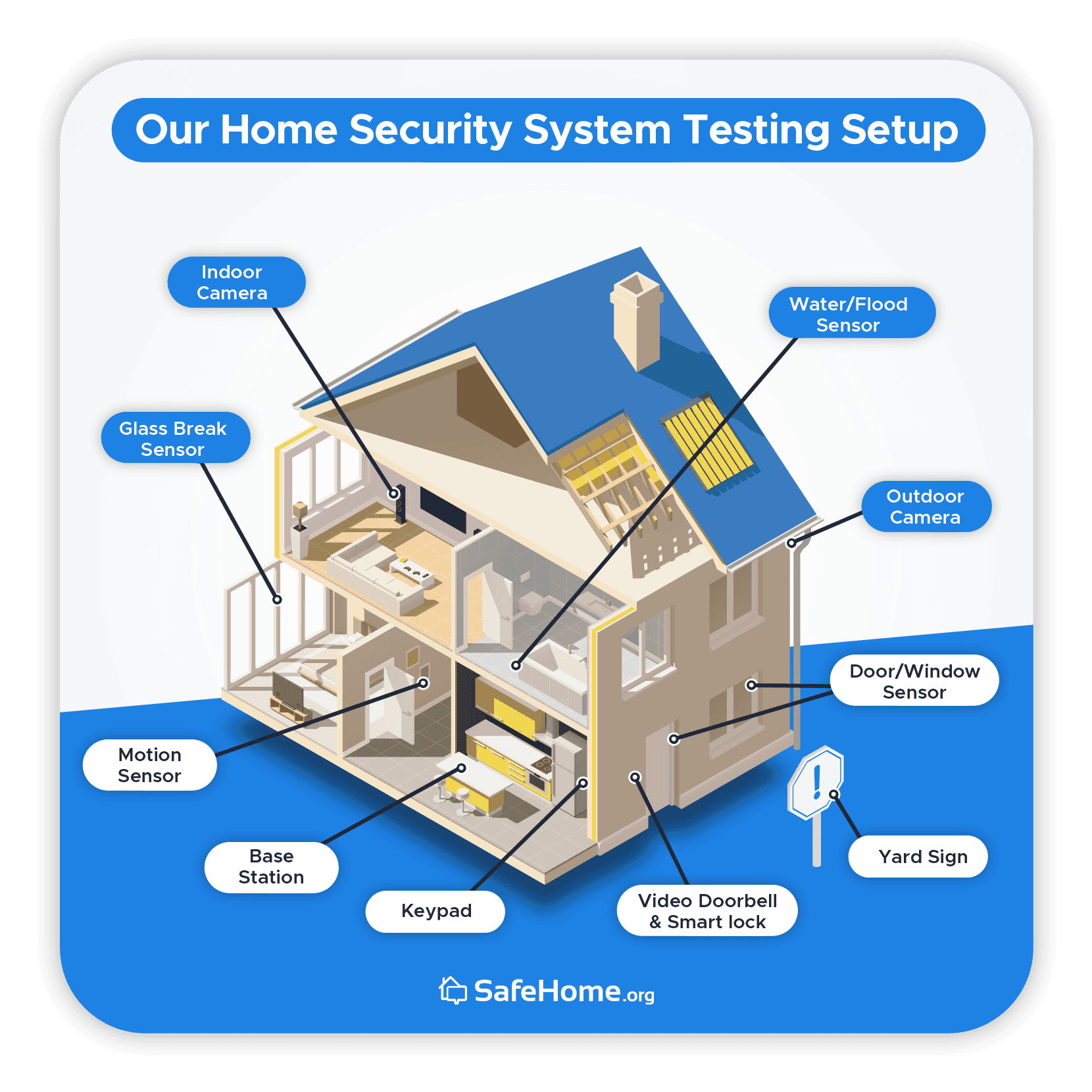
Place cameras where they can see the main entrances, windows, and driveways. Avoid pointing cameras at bright lights or reflective surfaces. Mount sensors on doors and windows at a height where they can easily detect movement. Keep devices out of reach to avoid tampering.
Connecting Devices To Your Network
Follow the device instructions to connect to your Wi-Fi. Use a strong, private network for better security. Keep your router close to devices for a steady signal. Update device firmware during setup for better performance and safety.
Setting Up Mobile Alerts
Download the security app on your phone. Enable notifications to get instant alerts about activity. Customize alerts for different events like motion or door opening. Test alerts to ensure they work before relying on them fully.
Credit: www.security.org
Creating Automation And Scenes
Creating automation and scenes in your smart home security system makes life easier and safer. You can control many devices at once and set them to work automatically. This means your security system adjusts to your daily routine or special needs. It saves time and helps you feel more secure at home.
Scheduling Device Activity
Scheduling lets you set devices to turn on or off at specific times. For example, lights can turn on at sunset and off at bedtime. Cameras can activate only when you leave the house. This helps save energy and keeps your home protected without manual effort.
Integrating With Voice Assistants
Voice assistants like Alexa or Google Assistant make controlling devices easy. You can use simple voice commands to arm alarms or check cameras. This hands-free control is helpful when you are busy or away from devices. It adds convenience and quick access to your security system.
Customizing Alerts
Custom alerts notify you about important events only. You can choose alerts for motion detection, door openings, or smoke alarms. This stops unnecessary notifications and focuses on real risks. Timely alerts let you respond fast to keep your home safe.
Maintaining And Monitoring Your System
Maintaining and monitoring your smart home security system keeps your home safe. A well-kept system works better and lasts longer. Regular checks help find problems early. Monitoring services alert you to any unusual activity. These steps make sure your security setup protects your home 24/7.
Regular Device Checks
Check your devices often to ensure they work correctly. Look for damage or dirt on cameras and sensors. Test alarms and motion detectors to confirm they trigger correctly. Clean lenses and sensors gently to keep clear views. Update your device software to fix bugs and add features.
Battery Management
Smart devices often use batteries for power. Check battery levels regularly to avoid sudden failures. Replace batteries before they run out completely. Use high-quality batteries for better performance. Some devices send low battery alerts. Act quickly on these warnings to maintain protection.
Using Monitoring Services
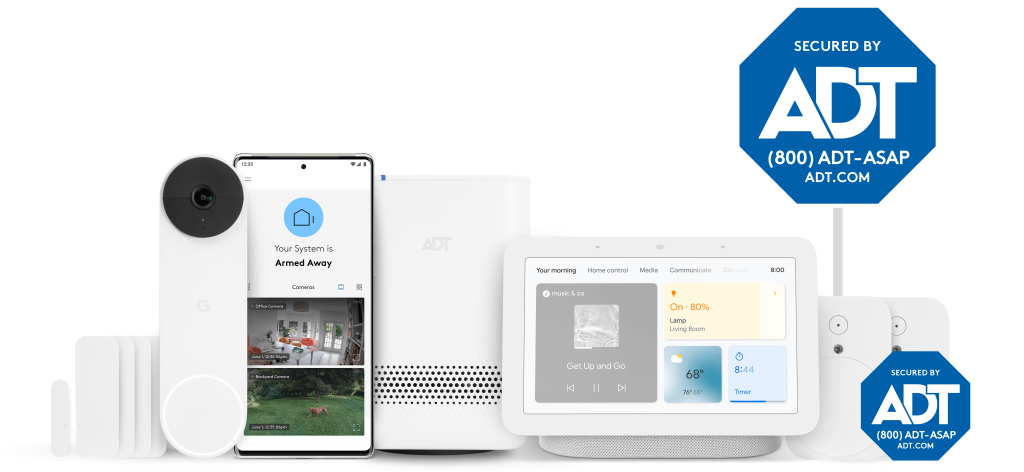
Many smart home systems offer monitoring services. These watch your home for unusual events. They send alerts to your phone or email. Some services include professional monitoring centers. They can call you or emergency services if needed. Choose a service that fits your budget and needs.
Credit: newsroom.adt.com
Common Mistakes To Avoid
Setting up a smart home security system can feel simple. Yet, beginners often make mistakes that weaken their safety. Avoiding these common errors helps keep your home safe and your devices working well.
Weak Passwords
Many users choose easy passwords like “123456” or “password.” These are simple for hackers to guess. Strong passwords use letters, numbers, and symbols. Change passwords often and never share them.
Ignoring Device Updates
Smart devices need regular updates to fix security holes. Skipping updates leaves devices open to attacks. Always install updates as soon as they are available. This keeps your system secure and running smoothly.
Poor Device Placement
Placing cameras and sensors in the wrong spots lowers their effectiveness. Avoid placing cameras where the view is blocked or too far away. Sensors should cover the main entry points, such as doors and windows. Proper placement ensures better protection.
Credit: www.safehome.org
Frequently Asked Questions
What Is The Easiest Smart Home Security Setup For Beginners?
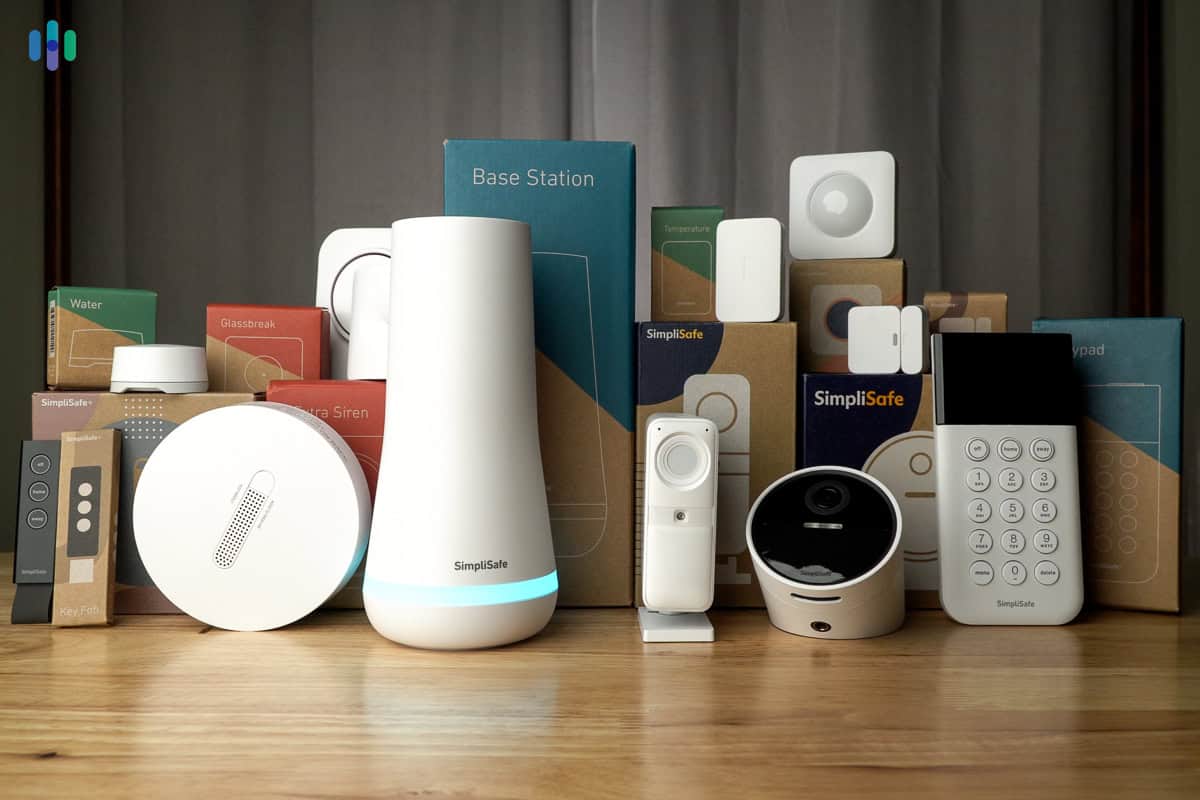
The easiest systems offer plug-and-play devices with user-friendly apps. Look for wireless cameras and sensors that require minimal setup. Brands like Ring and SimpliSafe provide simple, reliable options ideal for beginners.
How Much Does A Basic Smart Home Security Setup Cost?
Basic setups range from $150 to $500, depending on equipment. Starter kits usually include cameras, sensors, and a hub. Additional features, such as professional monitoring, increase the price.
Can I Install Smart Home Security Myself?
Yes, most smart home security devices are DIY-friendly. They come with clear instructions and app guidance. No professional help is needed unless you want advanced installations.
What Features Should Beginners Prioritize In Smart Security?
Focus on motion detection, real-time alerts, and easy app control. Video recording and two-way audio enhance security. Integration with voice assistants adds convenience.
Conclusion
Setting up a Smart Home Security Setup for Beginners starts with simple steps. Choose devices that match your needs and budget. Place cameras and sensors where they offer the best protection. Connect everything to a reliable app for easy monitoring and control. Test your system regularly to ensure everything works smoothly.
Stay updated with new features and improvements. A smart home security setup helps you feel safe every day. Take control of your home’s safety now—small actions create a big difference in overall protection.