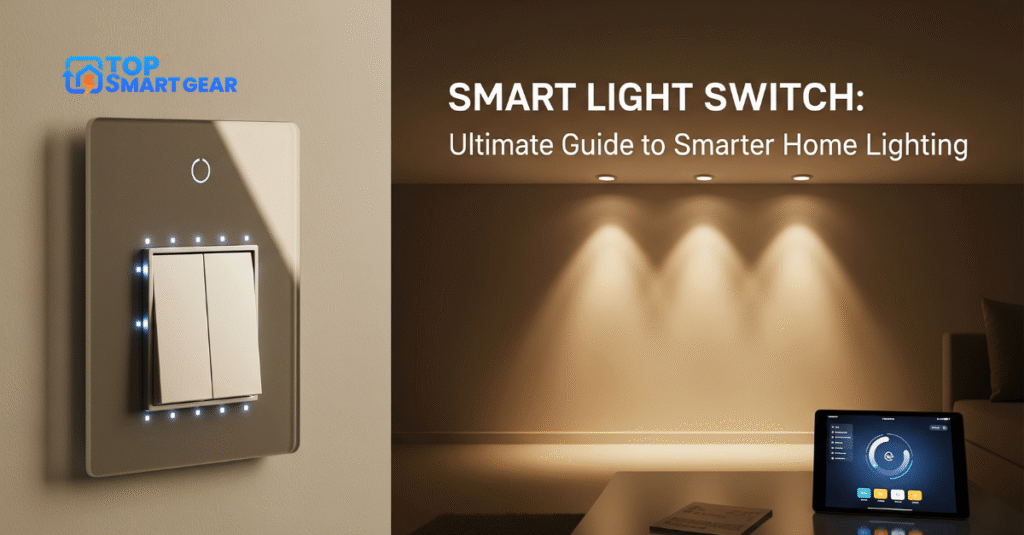
Imagine controlling your home’s lighting with just a tap on your phone or a simple voice command. A smart light switch can make that happen, giving you more comfort, convenience, and even savings on your energy bill.
If you’ve ever wished for an easier way to manage your lights without getting up or searching for a switch in the dark, this is exactly what you need. Keep reading to discover how a smart switch can transform your daily routine and why it might be the best upgrade for your home.
Benefits Of Smart Light Switches
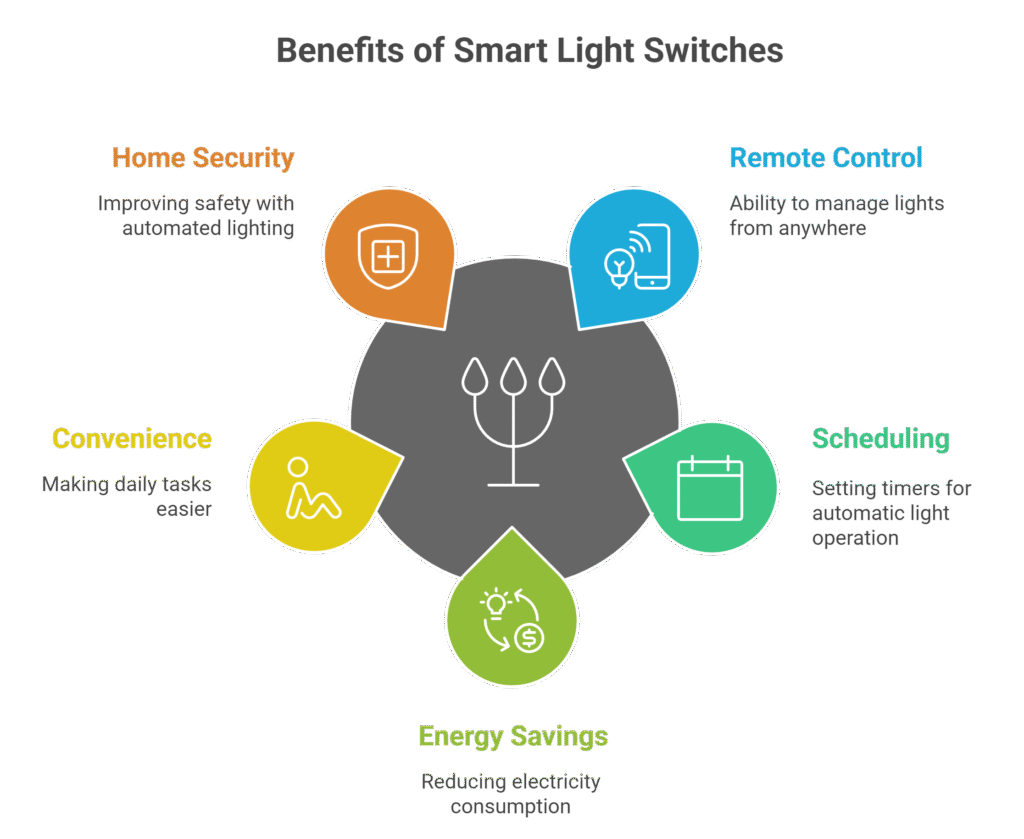
Smart lighting controls bring many benefits to any home. They replace regular switches and connect to your home network or smart home ecosystem. This connection lets you control your home lighting remotely or set automated schedules. In-wall controllers help save energy, add convenience, and improve household security. These wireless devices make daily life easier and more efficient without needing complex setups.
Energy Efficiency
Smart switches help reduce electricity use. They allow precise control over when and how lights turn on or off. This control prevents lights from being on unnecessarily. Saving energy lowers your electric bills and helps the environment.
Key features that improve energy efficiency:
- Scheduling: Set times for lights to automatically turn off.
- Motion Sensors: Lights turn on only when someone is in the room.
- Dimming: Adjust light brightness to use less power.
- Remote Control: Turn off lights remotely if left on by mistake.
| Feature | Energy Saving Benefit |
|---|---|
| Scheduling | Prevents lights from staying on all day |
| Motion Sensors | Turns off lights in empty rooms |
| Dimming | Reduces electricity use by lowering brightness |
| Remote Control | Allows turning off forgotten lights anytime |
Using smart switches can cut lighting energy use by up to 30%. This saves money and reduces carbon footprints.
Convenience And Control
Smart wall switch makes managing home lighting simple. Control your lights from anywhere using a smartphone or voice assistant. No need to walk to each switch.
Benefits of convenience and control include:
- Remote Access: Turn lights on or off from any location.
- Voice Commands: Use assistants like Alexa or Google to control lights hands-free.
- Custom Scenes: Set multiple lights to desired brightness or color with one command.
- Group Control: Manage several switches at once for rooms or zones.
Example of a daily routine using smart switches:
- Wake up: Lights slowly brighten to wake you gently.
- Leave home: Lights turn off automatically after a set time.
- Return home: Porch lights turn on before you arrive.
- Bedtime: All lights turn off with a single voice command.
This level of control saves time and effort. It also helps create a comfortable atmosphere at home.
Enhanced Security
Smart home lighting controllers enhance household safety by creating the appearance that someone is home, even when the house is empty. This can help deter burglars and unwanted visitors.
Security features include:
- Scheduled Lighting: Lights turn on and off at random or fixed times.
- Remote Control: Check and control lights from anywhere.
- Integration with Security Systems: Lights react to alarms or sensors.
- Motion Detection: Lights turn on automatically if movement is detected outside.
Table of common security uses for smart switches:
| Security Feature | Benefit |
|---|---|
| Scheduled Lighting | Creates presence even when away |
| Remote Control | Allows quick response to suspicious activity |
| Security System Integration | Lights flash or turn on during alarms |
| Motion Detection | Lights activate to scare off intruders |
These features provide an extra layer of protection and give homeowners greater peace of mind, while also integrating seamlessly into a smart home automation system.
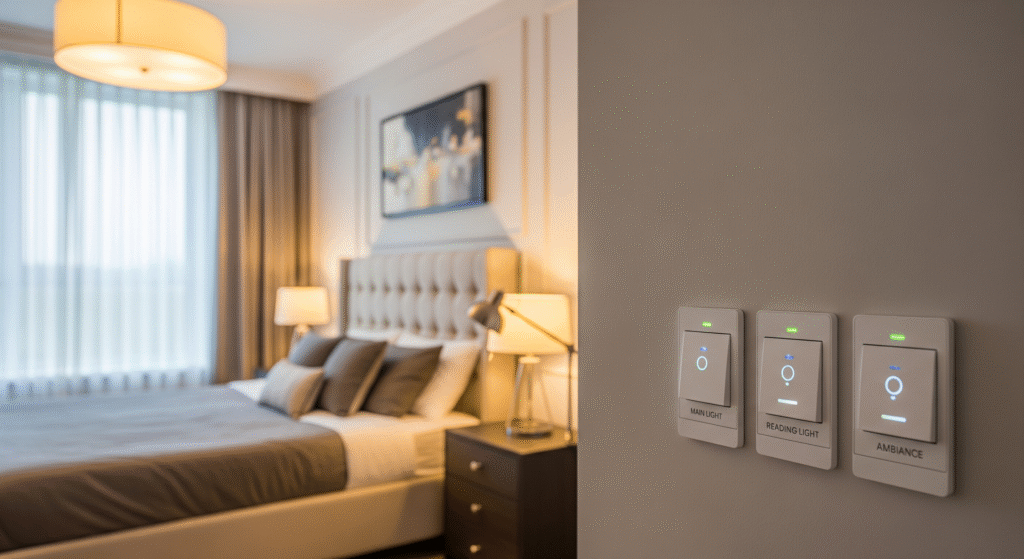
Types of Wireless Light Switches
Modern home lighting automation devices provide an easy and efficient way to manage indoor lighting. These upgraded wireless lighting controls replace old-style wall switches and offer features such as voice activation, scheduling, app-based control, and improved energy efficiency. You’ll find various types of intelligent lighting control systems, each designed with different connectivity options, such as Wi-Fi, Zigbee, or Bluetooth. Understanding these options helps you select the most suitable smart home lighting solution for your space.
Wi-fi Enabled Switches
Wi-Fi enabled smart switches connect directly to your home Wi-Fi network. This connection allows you to control your lights using a smartphone app from anywhere. These switches do not require extra hubs or bridges, making them easy to install and use.
- Easy setup: Connect to your existing Wi-Fi network without extra devices.
- Remote control: Turn lights on or off using a phone app or voice assistants like Alexa and Google Assistant.
- Scheduling: Set timers and schedules for automatic lighting control.
- Compatibility: Works with most home Wi-Fi routers and smart home systems.
One downside is that Wi-Fi switches can slow down your network if many devices connect simultaneously. Also, if your internet goes down, remote control may not work.
| Feature | Wi-Fi Enabled Switches |
|---|---|
| Connection | Direct to home Wi-Fi |
| Requires Hub | No |
| Remote Control | Yes, via app or voice |
| Network Impact | May increase Wi-Fi traffic |
Zigbee And Z-wave Switches
Zigbee and Z-Wave smart switches use special wireless protocols to communicate. They create a mesh network, where each device helps pass signals to others. This network type improves reliability and range in larger homes.
These switches usually need a hub or bridge to connect to your Wi-Fi and smartphone app. The hub acts as a central controller for all smart switches and devices.
- Low power use: Zigbee and Z-Wave use less energy than Wi-Fi switches.
- Mesh networking: Devices extend the network range by passing signals.
- Secure: Both protocols offer strong encryption for data safety.
- Compatibility: Many smart home systems support Zigbee or Z-Wave devices.
These switches suit homes with many smart devices or where Wi-Fi signals are weak. The need for a hub adds cost and setup time but improves overall system stability.
| Feature | Zigbee Switches | Z-Wave Switches |
|---|---|---|
| Frequency | 2.4 GHz | 908 MHz (US), 868 MHz (EU) |
| Range | 10-20 meters | 30-100 meters |
| Hub Required | Yes | Yes |
| Network Type | Mesh | Mesh |
Battery-powered Vs Wired
Smart switches come in two power types: battery-powered and wired. Each type has benefits and trade-offs depending on installation and usage needs.
Battery-powered switches do not need wiring to your home’s electrical system. They use batteries for power and communicate wirelessly with a hub or Wi-Fi.
- Easy to install without changing home wiring.
- Portable and flexible placement.
- Battery life varies, usually from months to years.
- Needs battery replacement or recharge.
Wired Switches connect directly to your home’s electrical wiring. These smart switches get constant power and replace traditional wall switches.
- Stable power supply without battery worries.
- Supports higher power loads for larger lighting setups.
- Requires professional installation in some cases.
- Often compatible with dimmers and other features.
Choosing between battery-powered and wired smart switches depends on your home setup and preferences. Wired switches fit well in new constructions or remodels. Battery-powered switches suit renters or older homes where wiring changes are difficult.
| Type | Battery-Powered Switch | Wired Switch |
|---|---|---|
| Power Source | Batteries | Home electrical wiring |
| Installation | Simple, no wiring needed | Requires wiring, may need an electrician |
| Maintenance | Battery replacement | Low, no battery changes |
| Usage | Flexible, portable | Permanent fixture |
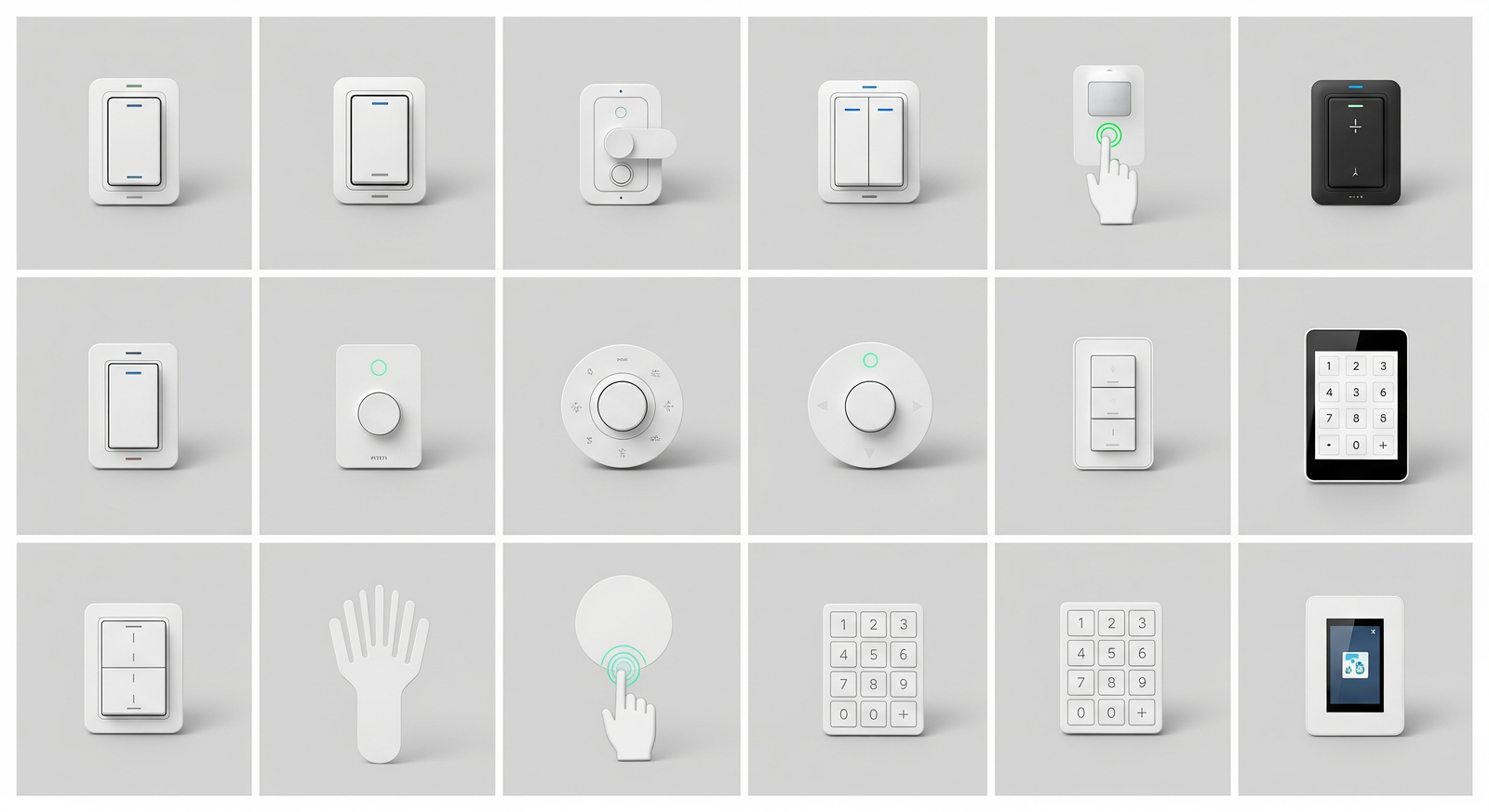
Installation Process
Installing a smart home light switch can improve your home’s lighting control and energy efficiency. The installation process is straightforward but requires careful attention to safety and detail. Understanding the steps and tools needed makes the task easier and faster. This guide breaks down the process into clear parts to help you install your smart switch with confidence.
Required Tools And Materials
Gathering the right tools and materials before starting any home lighting automation setup helps save time and prevent mistakes. Most connected lighting control devices require only a few basic items commonly found in a household toolkit.
- Voltage tester: Ensures power is off before working.
- Screwdrivers: Both flathead and Phillips types for removing and securing screws.
- Wire stripper/cutter: For preparing wires.
- Electrical tape: To insulate wire connections.
- Wire nuts/connectors: For safely joining wires.
- Smart home switch kit: Includes the switch and installation instructions.
Here is a simple table listing tools and their purpose:
| Tool/Material | Purpose |
|---|---|
| Voltage Tester | Check if wires have power |
| Screwdrivers | Remove and attach screws |
| Wire Stripper | Strip insulation from wires |
| Wire Nuts | Connect wires safely |
| Electrical Tape | Insulate wire connections |
| Connected Lighting Controller | Main device for installation |
Prepare a clean workspace and switch off your home’s power at the circuit breaker before starting the installation. Safety first.
Step-by-step Installation
Follow these steps carefully to install your smart light switch safely and correctly.
- Turn off power: Use the circuit breaker to cut power to the switch you want to replace.
- Remove old switch: Unscrew the wall plate and switch, then gently pull it out.
- Test wires: Use a voltage tester to ensure no power is present on wires.
- Disconnect wires: Note wire positions or take a photo for reference, then disconnect them from the old switch.
- Prepare wires: Strip about ½ inch of insulation from wire ends if needed.
- Connect the new switch: Attach wires to the smart switch terminals as per instructions. Typically, connect the ground, neutral, load, and line wires.
- Secure switch: Push wires carefully into the wall box, then screw the switch into place.
- Attach wall plate: Fix the new cover plate over the switch.
- Restore power: Turn the circuit breaker back on.
- Test switch: Use your smartphone app or physical switch to check functionality.
Check the user manual for any model-specific steps. Avoid forcing wires or screws.
Common Installation Challenges
Installing a smart switch can present some common problems. Knowing these helps troubleshoot faster.
- No neutral wire: Many smart switches need a neutral wire. Older homes may lack this, requiring special switches or rewiring.
- Incorrect wiring: Mixing up line and load wires can cause the switch not to work or trip breakers.
- Loose connections: Poor wire connections can lead to flickering lights or switch failure.
- Space constraints: Small or crowded wall boxes may make it hard to fit the smart switch and wires.
- Compatibility issues: Some smart switches do not work with certain bulbs or dimmers.
Tips to avoid problems:
- Use a voltage tester to confirm wire roles.
- Label wires before disconnecting.
- Follow the smart switch manual carefully.
- Consider professional help if wiring seems complex.
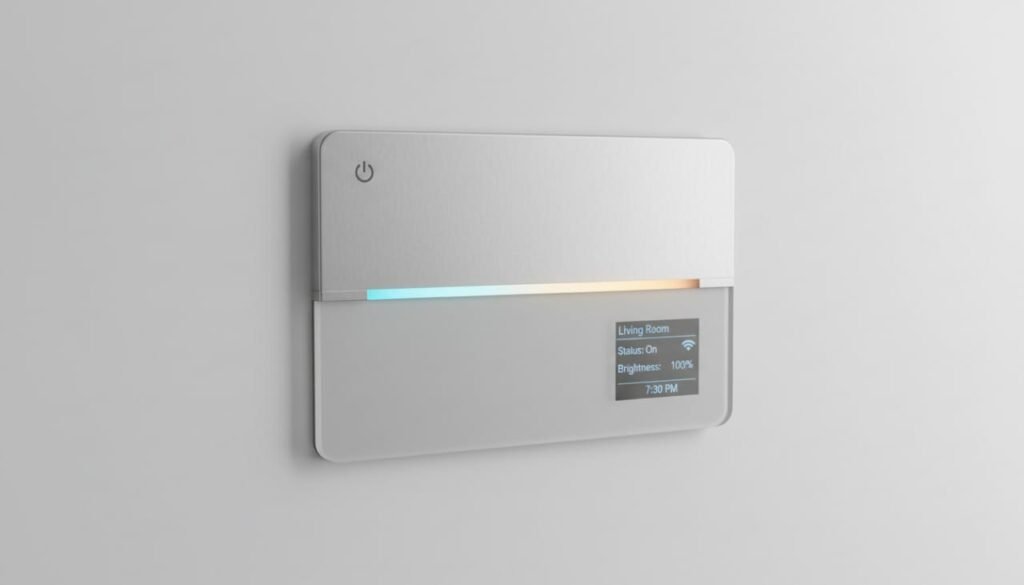
Integration With Smart Home Systems
Intelligent lighting controls play a major role in today’s smart home automation systems. They make managing household lights effortless while improving overall energy efficiency. When paired with other connected home devices, these lighting controllers become even more powerful. Integrating them into a broader home automation ecosystem creates a smooth, unified experience, allowing users to manage lights through mobile apps, voice commands, or automated routines.
Compatibility With Voice Assistants
Many advanced lighting controllers support popular voice-controlled platforms such as Alexa, Google Assistant, and Siri. This seamless integration enables hands-free operation, making it easy to adjust brightness levels, switch lights on or off, or activate preset scenes with simple voice prompts. Such features are especially useful in kitchens, living spaces, or when entering a dim environment.
Here are some benefits of voice assistant compatibility:
- Easy control without using a smartphone or physical switch
- Works well with Google Assistant smart switch setups
- Improves accessibility for people with mobility issues
- Supports multiple languages and commands for convenience
Below is a table showing popular smart switches and their voice assistant compatibility:
| Connected Lighting Device | Alexa | Google Assistant | Siri (HomeKit) |
|---|---|---|---|
| Brand A Model X | Yes | Yes | No |
| Brand B Model Y | Yes | Yes | Yes |
| Brand C Model Z | No | Yes | No |
Linking With Other Devices
Connected lighting controllers can integrate with a variety of smart home devices to create a complete automated lighting environment. This integration allows different gadgets to communicate and respond to specific triggers. For example, lights can turn on automatically when a smart door sensor detects movement near the entrance.
Common devices linked with intelligent lighting systems include:
- Smart motion sensors
- Smart thermostats
- Security cameras
- Remote light switches for multi-location control
Linking devices enhances security, comfort, and energy efficiency. Users can control multiple devices from one app or voice assistant. This setup also supports better customization and smarter routines.
Example of linked devices in a smart home:
- Motion detected by the sensor
- Connected lighting controller switches on hallway lights
- The thermostat adjusts the temperature based on room occupancy
- Security camera activates recording
Automation And Scheduling
Modern smart home lighting controls support automation and scheduling, allowing lights to operate at preset times. These programmable lighting systems enable users to create daily or weekly routines for added convenience and energy savings. For example, lights can turn on before someone arrives home or automatically switch off after leaving the house.
Automation options include:
- Timed on/off schedules
- Sunrise and sunset triggers
- Integration with other smart home routines
- Custom scenes for different moods or activities
Example of a daily lighting schedule:
| Time | Action | Room |
|---|---|---|
| 6:30 AM | Turn on | Kitchen |
| 7:00 PM | Dim lights | Living Room |
| 11:00 PM | Turn off | All rooms |
Scheduling allows full control even when away from home. It helps maintain security by simulating presence. The remote light switch feature also supports on-the-go control through smartphone apps.
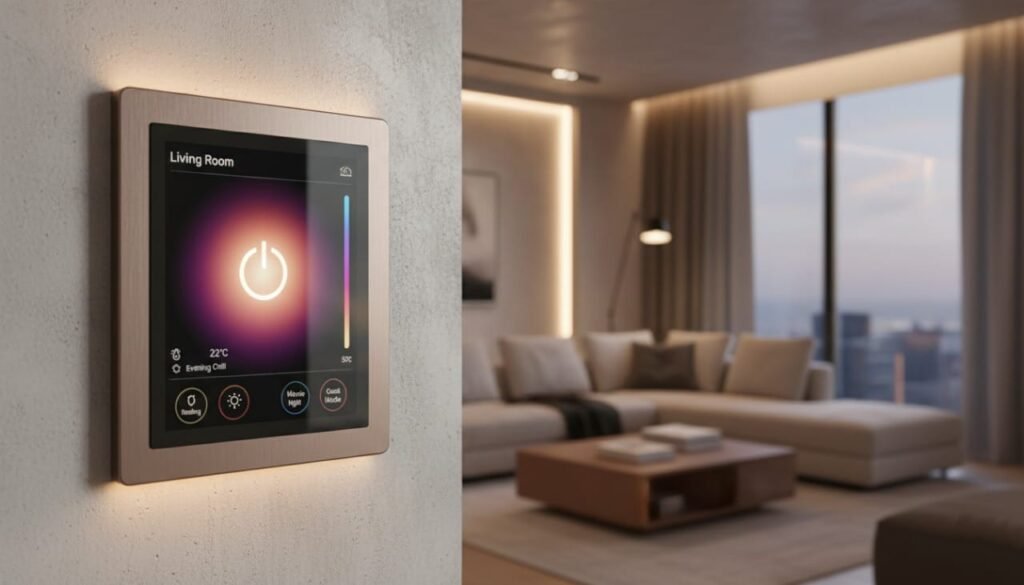
Choosing The Right Smart Switch
Choosing the right intelligent lighting controller can make your home more comfortable, efficient, and easier to manage. There are many options available, each offering different features and levels of automation. Selecting the best device depends on your home’s setup and your personal preferences. This guide explains what to consider before making a purchase. Understanding the basics helps you save both time and money.
Assessing Your Needs
Start by thinking about how you plan to use your smart home lighting control system. Every home has different wiring configurations, bulb types, and lighting layouts. Some advanced lighting controllers work only with specific bulbs or electrical wiring.
- Type of bulbs: LED, CFL, incandescent
- Wiring type: Neutral wire required or not
- Control options: Voice, app, manual
- Number of switches: Single-pole or multi-way
Check if your home has a neutral wire. Many smart switches need it to work properly. Old homes often lack a neutral wire. Choose models that fit your wiring to avoid extra installation costs.
Decide how you want to control the lights. Some switches work with voice assistants like Alexa or Google Home. Others use smartphone apps or physical buttons. Pick the control type that fits your daily habits.
Think about how many switches you want to connect. Multi-way switches control a single light from multiple locations. If your home has these, find smart switches that support multi-way setups.
Budget Considerations
Home automation lighting devices come in a range of prices. Setting a clear budget helps narrow down your options. Prices vary depending on the brand, smart features, wireless connectivity, and installation requirements.
Here is a simple price guide:
| Price Range | Features | Installation |
|---|---|---|
| Under $20 | Basic on/off, no app control | Simple, may lack smart features |
| $20 – $50 | App control, voice assistant support | Standard installation may require neutral wire |
| $50 and above | Advanced features, multi-way support, dimming | Professional installation recommended |
Think about installation costs. Some switches need an electrician. Others are easy to install yourself. Factor this into your budget.
Remember, cheap switches may lack features or have lower quality. Spending a bit more can save headaches later.
Brand And Feature Comparison
Brands differ in reliability, features, and customer support. Popular brands include Lutron, TP-Link, Leviton, and Wemo. Check product reviews to find trusted options.
Compare features that matter most:
- Compatibility: Works with your home system and devices
- Smart features: Scheduling, remote control, dimming
- Voice assistant support: Alexa, Google Assistant, Siri
- Installation ease: Clear instructions and necessary hardware
- Warranty and support: Customer service quality
Use this table to compare some key features:
| Brand | Voice Assistant | Dimming | Neutral Wire Needed | Mobile App | Price Range |
|---|---|---|---|---|---|
| Lutron Caséta | Alexa, Google, Siri | Yes | No | Yes | High |
| TP-Link Kasa | Alexa, Google | Yes | Yes | Yes | Mid |
| Leviton Decora | Alexa, Google | Yes | Yes | Yes | Mid |
| Wemo | Alexa, Google, Siri | Yes | Yes | Yes | Low to Mid |
Check if the switch works with your existing devices. Some brands offer better app interfaces. Others have more reliable connections. Pick a brand that fits your needs and budget.
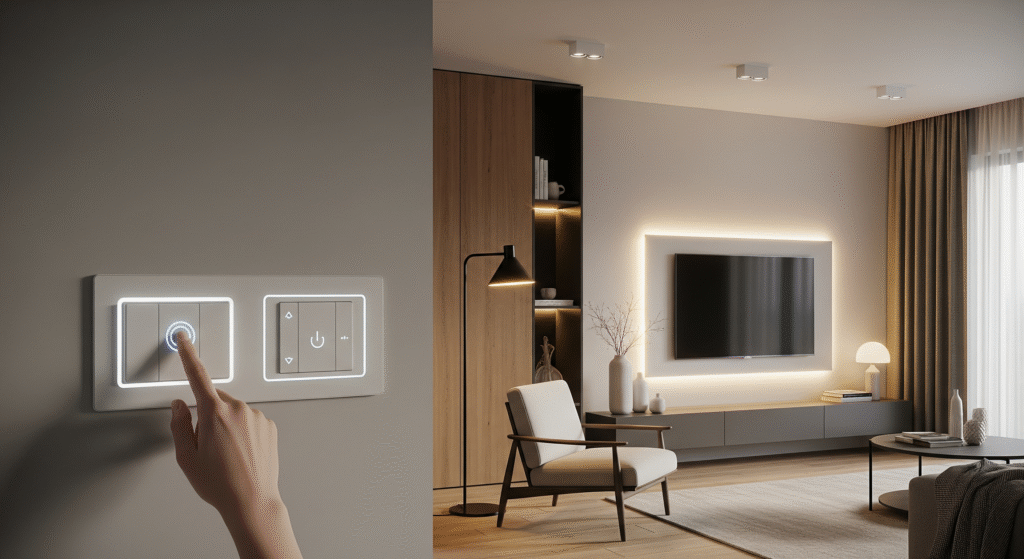
Troubleshooting Tips
Smart home lighting controls offer convenience and flexibility. However, like most connected devices, they may experience occasional issues. Learning basic troubleshooting methods helps you resolve common problems quickly. Understanding these simple fixes saves time and ensures your intelligent lighting system continues to operate smoothly. This guide explains helpful tips for addressing frequent issues.
Connectivity Issues
Connection problems are among the most common challenges with wireless lighting controllers. These issues usually occur when the device cannot communicate with your Wi-Fi network or home automation hub. Without a stable network connection, the lighting control system may fail to respond to mobile app commands, voice assistant prompts, or automation routines.
Check these points to improve connectivity:
- Wi-Fi Signal Strength: Ensure the switch is within range of your router. Walls and distance can weaken signals.
- Router Settings: Confirm your router supports 2.4 GHz, as many smart switches do not work on 5 GHz networks.
- Network Congestion: Too many devices on the network can cause slow or dropped connections.
- Interference Sources: Other electronics like microwaves or cordless phones can disrupt Wi-Fi signals.
Use this table to check common connection issues:
| Issue | Cause | Solution |
|---|---|---|
| Switch not found by app | Out of Wi-Fi range | Move router closer or use a Wi-Fi extender |
| Switch disconnects randomly | Network congestion | Disconnect unused devices or upgrade router |
| Commands delayed or fail | Interference | Relocate router or switch away from electronics |
Resetting The Switch
Resetting a smart switch often solves many problems. It clears errors and restores default settings. Before resetting, save any custom settings as they will be lost.
Follow these steps to reset your switch:
- Turn off the power to the switch at the circuit breaker.
- Press and hold the reset button on the switch. This button is usually small and may need a paperclip.
- Keep holding for 10-15 seconds until the indicator light flashes or changes color.
- Release the button and turn the power back on.
- Set up the switch again using the app or manual instructions.
Resetting helps in these situations:
- The switch is unresponsive or frozen.
- The switch cannot connect to Wi-Fi or the app.
- Settings are corrupted or incorrect.
Note: Some switches have a soft reset option through the app. Check your product manual for details.
Firmware Updates
Firmware updates improve your switch’s performance and security. They fix bugs, add features, and enhance compatibility with smart home systems.
Keep your switch firmware up to date by following these tips:
- Check for updates regularly in the switch’s app or the manufacturer’s website.
- Ensure the switch is connected to a stable Wi-Fi during the update.
- Do not turn off the power or disconnect the switch during the update process.
Steps to update firmware usually include:
- Open the Smart Switch app.
- Navigate to the settings or device info section.
- Select “Check for updates” or a similar option.
- Download and install the update if available.
- Wait for the switch to restart automatically.
Regular updates help avoid many common issues. They keep your smart switch running smoothly and securely.
Frequently Asked Questions
What Is A Smart Light Switch?
A smart light switch controls your lights remotely via smartphone or voice assistant. It offers convenience, energy savings, and automation.
How Do Smart Light Switches Save Energy?
They allow scheduling and remote control to turn off lights when unused. This reduces electricity waste and lowers bills.
Are Smart Light Switches Compatible With All Bulbs?
Most work with LED, CFL, and incandescent bulbs, but always check compatibility. Some models need specific bulb types for optimal performance.
Can I Install A Smart Light Switch Myself?
Yes, if you have basic electrical skills and follow safety guidelines. Otherwise, hire a professional electrician for proper installation.
Conclusion
Smart light switches bring ease and control to your home. They save energy by automatically turning off lights. You can control them with your phone or voice. Installation is simple and fits most homes. These switches add safety by letting you turn lights on from anywhere.
Choose smart switches to make daily life easier and more efficient. A small change that makes a big difference. Try one today and enjoy smarter lighting.